Thursday, 11 May 2023

Open Sesame! Here’s Your Step-by-Step Guide to Increasing Email Open Rates

How are your emails doing? Are they resonating with recipients? Do they contain valuable information? Are you sending them at the right times with the right subject lines?

One way to evaluate all those factors is by keeping a close eye on your email open rates. This is a crucial metric for any kind of email campaign — if your messages never get opened, there’s no way they can boost click-throughs, sales, sign-ups, or responses. Open rates are the first sign of success for an email — and improving your open rates is always a good investment.

Ready to learn all about email open rates — and, most importantly, the step-by-step methods you can use to improve yours? Read on.


What Is Email Open Rate?

Email open rate refers to the percentage of email recipients who opened a particular email message, out of the total number of recipients who received the email. It is a metric used to measure the effectiveness of email campaigns and the engagement of the target audience.

Email open rates are an essential metric for email campaigns, as they indicate how engaging and effective the email message was in capturing the recipient’s attention. A high email open rate suggests that the message’s subject line and sender name were compelling enough to encourage the recipient to open and read the email content.

Tracking email open rates is crucial to evaluate the success of email campaigns and optimize future campaigns for better engagement. By analyzing open rates, you can identify what works and what doesn’t work in your email content and subject lines. This data can help you refine your email marketing strategies to improve open rates and increase conversion rates.

Improving email open rates can have a significant impact on the success of an email marketing campaign. Higher open rates can result in more clicks, higher conversion rates, and more revenue for your businesses. That’s why it’s essential to monitor email open rates and continually test and optimize subject lines, email content, and sending times to improve engagement and drive better results.

How to Calculate Your Email Open Rate

Email open rate = (Unique opens ÷ Delivered emails) x 100
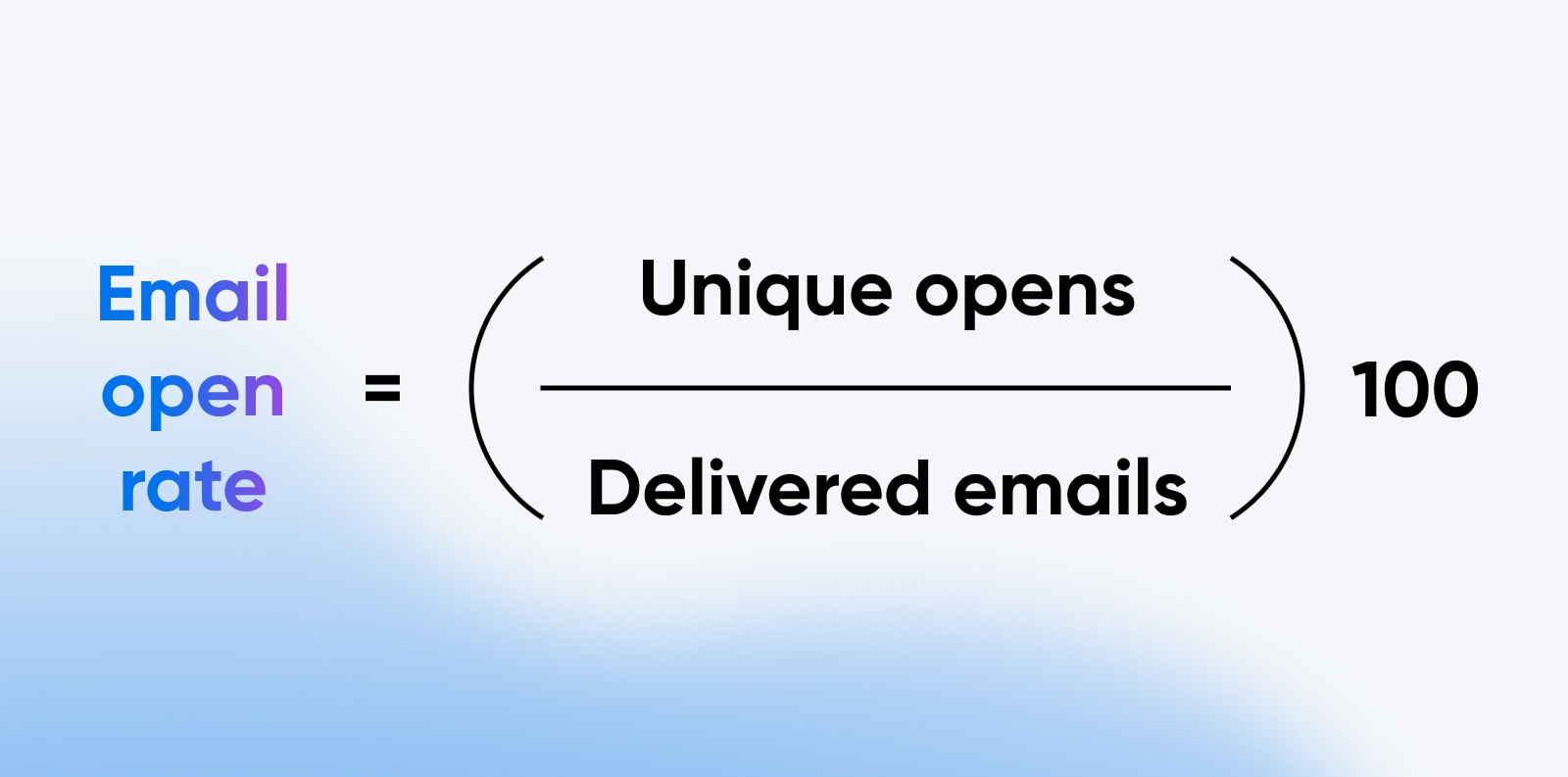
How to calculate your email open rate

For example, if you sent 1,000 emails and 200 of them bounced, leaving you with 800 delivered emails, and out of those 800, 200 people opened your email, your open rate would look like this:

(200 ÷ 800) x 100 = 25, or a 25% open rate.

What is a Good Email Open Rate?

Average email open rates can vary a lot depending on the industry, the type of email sent, the target audience, and other factors. That means that what is considered a “good” email open rate can vary from business to business and campaign to campaign.

In general, a good open rate is above the industry average and meets your business’s goals and expectations. A high open rate indicates that your email campaign resonates with your audience and is relevant and engaging. A low open rate, on the other hand, may indicate that your email content, subject line, or sender name needs improvement.

Mailchimp conducted a wide-ranging study of email marketing metrics across industries and found that the overall average open rate was 21.33%. The average email open rates by industry are in the table below.

Average Email Open Rates by Industry

Industry Average Email Open Rate
Agriculture and Food Services 23.31%
Architecture and Construction 22.51%
Arts and Artists 26.27%
Beauty and Personal Care 16.65%
Business and Finance 21.56%
Computers and Electronics 19.29%
Construction 21.77%
Consulting 20.13%
Creative Services/Agency 21.39%
Daily Deals/E-Coupons 15.06%
E-Commerce 15.68%
Education and Training 23.42%
Entertainment and Events 20.51%
Gambling 21.62%
Games 21.10%
Government 28.77%
Health and Fitness 21.48%
Hobbies 27.74%
Home and Garden 21.60%
Insurance 21.36%
Legal 22.00%
Manufacturing 19.82%
Marketing and Advertising 17.38%
Media and Publishing 22.15%
Medical, Dental, and Healthcare 21.72%
Mobile 19.29%
Music and Musicians 21.88%
Non-Profit 25.17%
Pharmaceuticals 18.58%
Photo and Video 23.24%
Politics 22.94%
Professional Services 21.94%
Public Relations 21.02%
Real Estate 19.17%
Recruitment and Staffing 21.14%
Religion 27.62%
Restaurant 19.77%
Restaurant and Venue 20.39%
Retail 18.39%
Social Networks and Online Communities 21.06%
Software and Web App 21.29%
Sports 24.57%
Telecommunications 20.92%
Travel and Transportation 20.44%
Vitamin Supplements 15.03%
Average 21.33%

Source: https://mailchimp.com/resources/email-marketing-benchmarks/

What Affects Email Open Rates?
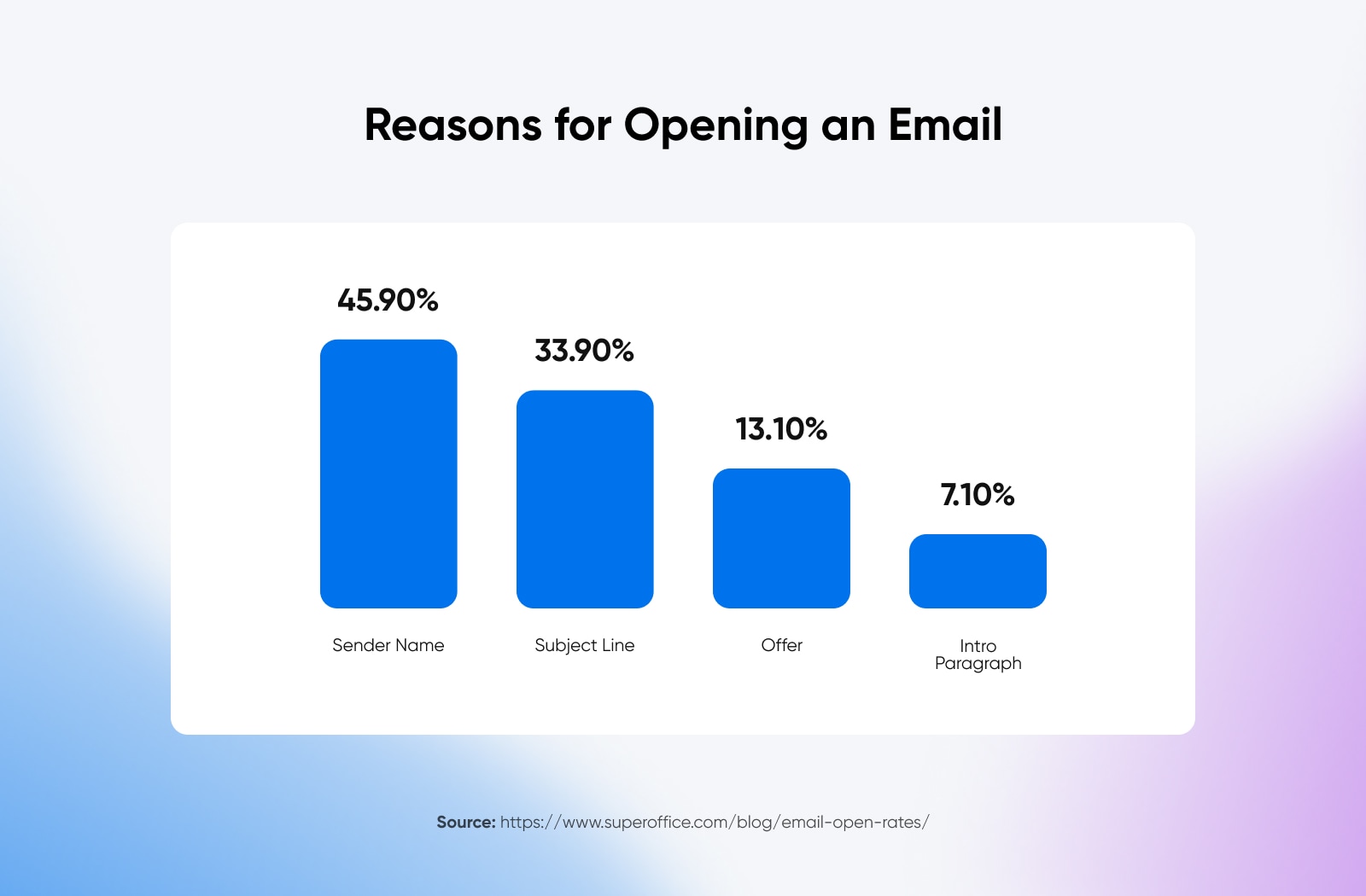
Reasons for opening an email

There are many different factors that can affect email open rates.

Email Subject Lines

The subject line is like your email’s first impression. It plays a crucial role in open rates because a well-crafted subject line can grab the reader’s attention, spark their interest, and compel them to read further. On the other hand, a poorly written or uninteresting subject line can cause the email to be ignored or even marked as spam.

Sender Information

Another factor that affects open rates is the sender’s information, like name and email address. A sender name and email address that are recognizable and familiar to the recipient can increase trust and encourage them to open the email. Including the company name or brand in the sender information can increase recognition and credibility, especially if the recipient has a relationship with the brand.

DreamHost Glossary

Authority

Authority refers to the quality, reliability, and credibility of a website. A site with strong authority is usually one that has been around for a while and has built up trust among its visitors. This trust is typically based on the site’s content, design, and user experience.

Read More

Relevance

Relevance and the value of email content to subscribers is another hugely influential factor regarding email open rates. If your email content is not relevant or valuable to your subscribers, they are less likely to open and engage with your emails. That’s one of the reasons it’s important to segment your email list based on subscriber interests and preferences — which brings us to the next factor.

Segmentation

Segmentation is the process of dividing an email list into subgroups based on specific criteria such as demographics, interests, past purchase behavior, and more. By segmenting your email list, you can send targeted and personalized emails that are more relevant to each recipient. This can significantly impact your open rates and overall email engagement.

The overall quality of your email list can be a factor here, too. A clean and well-segmented email list of engaged subscribers is more likely to result in higher open rates. On the other hand, a poorly maintained list with inactive or unengaged subscribers can negatively impact open rates or worse: lead to email deliverability issues.

Volume and Frequency

The volume and frequency of messages you send can significantly impact your email open rates as well. If you send a lot of emails (or send them too frequently), you risk overwhelming your subscribers and causing them to unsubscribe or ignore your messages. On the other hand, if you don’t send enough emails or send them too infrequently, you risk losing touch with your subscribers and missing opportunities to engage with them.

Timing

And finally, one of the trickiest factors affecting email open rates: Timing.

There have been tons of studies done on the “correct” times to send marketing emails, but there’s no clear consensus — it can really vary based on your industry, audience, demographics, and countless other factors.
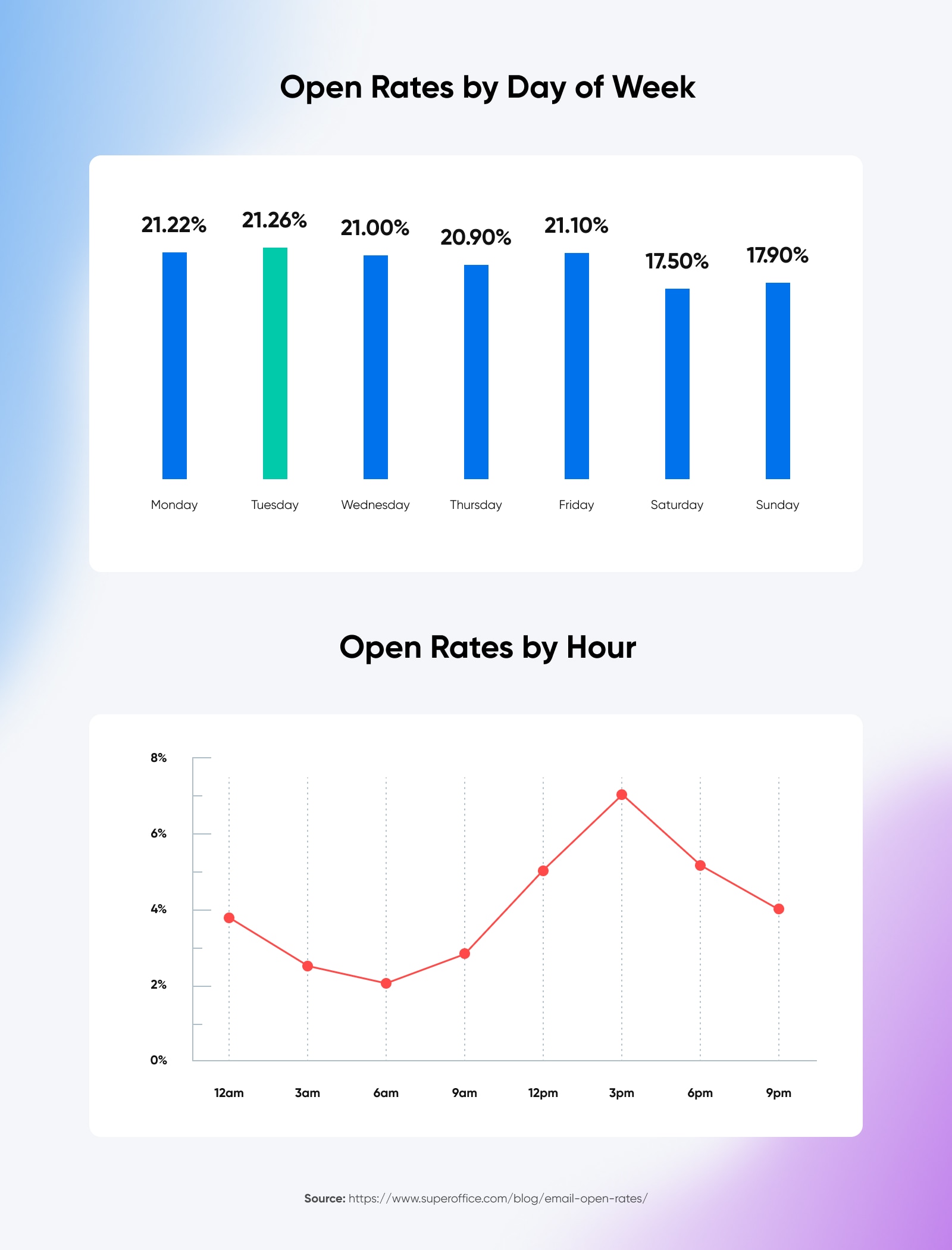
Open rates by day and by hour

Generally, weekday afternoons are a good starting point that see success across most industries, but this is one factor where you’ll just have to experiment — measure your open rates when sending on different days and at different times, and see if any patterns emerge that could indicate the best timing for your emails.

How to Improve Your Email Open Rates: 10 Tips

With all those factors in mind, let’s talk about what you’re here for: How to improve your email open rates. The 10 tips below can help you meet all kinds of email marketing benchmarks, but before you can get to click-through rates and other important metrics, you have to get people to open your emails.

Start with these 10 tips, but keep in mind that boosting open rates is as much an art as it is a science, and may take experimenting with different combinations of changes to find what really works for your business and audience.

1. Clean Up Your Subscriber or Contact List

Step one is to clean up your contact list.

In particular, you want to focus on removing old and broken email addresses. A hard bounce is an email sent to an address that no longer exists, and they can artificially decrease your open rate. Purging these from your email subscriber list is the first step to ensure you get an accurate open rate and know where you’re starting on your journey to improve. It also reduces your bounce rate, another good metric for measuring email performance.

2. Segment Your Audience

Segmenting your email list can improve open rates by allowing you to send targeted and relevant content to the right recipients. To segment your email list effectively, you’ll need to collect and analyze data on your subscribers’ behavior and preferences. This can include data from your email client, website analytics, and customer relationship management (CRM) software. Once you have this data, you can use it to create targeted segments and send personalized content that is more likely to be opened and engaged with.

Here are some ways to segment your email list to improve open rates:

  • Demographics: Segment your list based on demographics such as age, gender, location, and job title.
  • Interests: Use data on subscribers’ past behavior, such as website visits or past purchases, to segment your list based on interests.
  • Engagement: Segment your list based on engagement levels, such as subscribers who haven’t opened or clicked on an email in a while or subscribers who frequently engage with your emails.
  • Preferences: Allow subscribers to choose the types of content they want to receive; for example, promotional emails versus more informational newsletters.
  • Purchase history: Use subscribers’ past purchase history to segment your list and send targeted product recommendations or offers.
  • Lifecycle stage: Segment your list based on where subscribers are in the customer lifecycle, such as new subscribers, repeat customers, or lapsed customers.

Segmenting your contact list is a constant, ongoing process. You should constantly assess and try to improve your segmentation by setting goals and measuring against them over time. Compare open rates for different audience segments to get a clearer picture of what content resonates with different parts of your audience and how you can continue to optimize.

3. Improve Your Subject Lines

Because subject lines are often the first thing recipients see that determines whether they open your email or just click “delete” (or worse, “mark as spam”), they’re the next area where trying different methods can have a huge impact on your open rates.

The tough thing about optimizing email subject lines is that there are simply so many variables at play. Subject lines require experimenting and A/B testing to determine what will work best for your audience, but studies give us a few starting points:
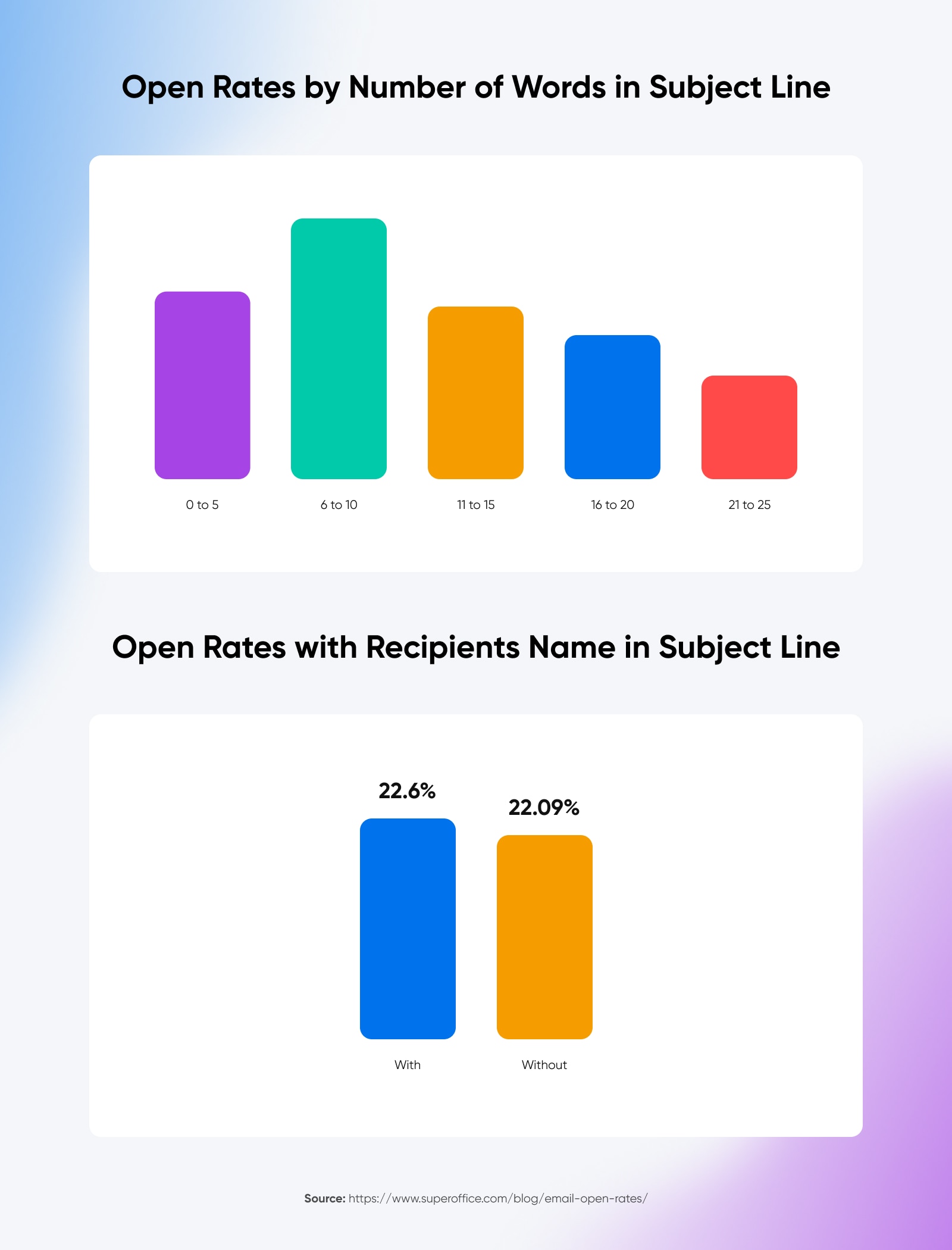
Open Rates by Number of Words in Subject Line
  • Subject lines should be personalized. SuperOffice found open rates were higher on average when the subject contained the recipient’s name.
  • Subject lines should be descriptive, but short. One of the toughest things about subject lines is how quickly they get cut off — especially for mobile recipients. SuperOffice found the highest open rates were when subject lines were 6-10 words long.
  • Avoid emojis. Past studies showed higher engagement with emails that used emojis in their subject lines, but the latest Nielson study shows recipients are moving away from clicking on those messages.

Of course, there are no hard and fast rules about what makes for the best email subject lines. But as a general rule, aim for subjects that:

  • Make your recipients curious
  • Make your recipients laugh
  • Make your recipients ask a question (which will be answered in the body of your email, of course)

4. Take an Omnichannel Approach

An omnichannel approach to marketing can help improve email open rates by creating a more cohesive and personalized customer experience across multiple channels.

This also allows you to leverage data from various channels, like social media, mobile apps, and in-store interactions, so you can gain a better understanding of your customers’ behavior and preferences and use that information to tailor your email campaigns.

Having a cohesive, omnichannel marketing strategy can help you:

  • Better personalize email content for your audience.
  • Increase brand recognition and trust through consistent messaging across platforms.
  • Adjust email timing by building a better understanding of when your audience is most likely to engage with your brand.
  • Retarget audience members who have engaged with you via other channels, who might be more likely to engage with email campaigns.

5. Don’t Spam Your Recipients

The frequency of emails can have a huge impact on open rates, and it’s important to find the right balance between engaging subscribers and spamming them. Of course, the exact number of emails that equal too many emails will vary depending on your specific audience and industry, but there are some general best practices to keep in mind.

According to data from Campaign Monitor, the ideal email frequency for most industries is 2-3 emails per week — but keep in mind that this can definitely vary based on your audience and the type of content you’re sending. If you send too many emails, you risk overwhelming your subscribers, causing them to tune out or even unsubscribe. On the other hand, if you don’t send enough emails, you risk being forgotten or overlooked.

Here are some tips to help you strike the right balance:

  • Use automation to trigger emails according to certain events. For example, a welcome email when someone signs up for your list, or an abandoned cart email if they don’t complete checkout. These help engage recipients at times when they’re likely to be open to it.
  • Provide value to your recipients. Useful information, special offers, discount codes, and other incentives can make them more likely to open and read your messages.
  • Test different email frequencies. Your audience may respond better to different frequencies than the average — A/B testing can help you suss that out.

6. Format Emails for Mobile Devices
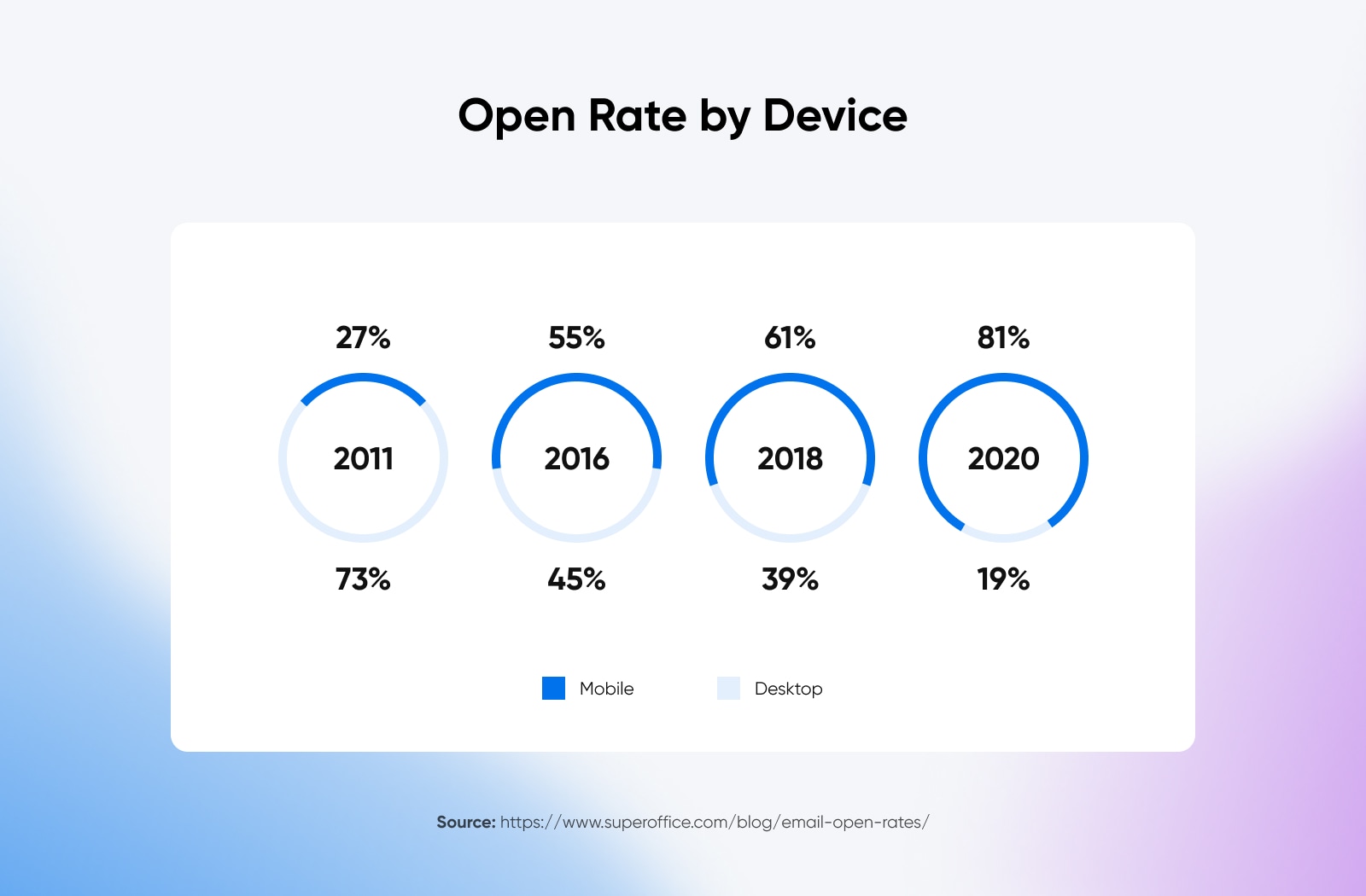
Open Rate by Device

Since 2016, the number of people accessing email on mobile devices has been higher than on desktop — and in 2020, more than four out of every five opened emails was opened on a mobile device. It’s more important than ever to make sure your emails are optimized for mobile readers, or you could be unintentionally alienating most of your audience.

All email templates should be designed to be responsive and adjust to any device’s screen size. They should also only use single-column layouts and large fonts so they’re easier to read on mobile.

And finally, make sure to test your email campaigns on as many mobile devices as possible, paying particular attention to whether subject lines or body text previews get cut off on smaller screens.

7. Use Email Optimized Images

In addition to the layout, any images used in your emails need to be mobile optimized (but use images sparingly, and with careful consideration for their load times on mobile devices).

Some ways to ensure images are properly formatted for recipients opening your emails on mobile include:

  • Keeping file sizes as small as possible without sacrificing quality. Large image files can take a long time to load, which can be frustrating for mobile users.
  • Using responsive design that adjusts the size and placement of images based on the screen size. This ensures that images look good on both desktop and mobile devices.
  • Using alt text for your images in case they do not load properly or are turned off by the recipient’s email client.

8. Resend Unopened Emails

If you send out an email that gets a low open rate, you can simply resend it to all the recipients who didn’t open it the first time. Just be sure to change something — ideally, the subject line. This acts as an excellent A/B test to identify what works best to engage your audience.

Only resend a particular email once, though; resending over and over could get your email address marked as spam.

9. Proofread Before Sending

This may seem like an obvious tip, but a typo or error (especially somewhere highly visible, like the subject line) can be disastrous for your email open rates. Be sure to carefully proofread every message before it goes out — including by sending a test message to check the formatting.

10. Measure and Keep Improving

Measuring and improving email open rates is an ongoing process requiring continuous monitoring and testing over time.

Start by measuring your current email open rates to establish a baseline. This will help you determine your email campaigns’ success and your room for improvement. Then, continuously track your email metrics — not just your open rates, but also click-through rates, conversion rates, and other metrics related to your goals — to identify patterns and trends in your email campaigns.

By continuously monitoring and testing your email campaigns, you can identify areas for improvement and make data-driven decisions to improve your email open rates.

Improving open rates will be an ongoing process. But the benefits — better engagement, boosting your brand reputation, and more effective marketing campaigns — make it a worthy investment for any brand.

Get Content Delivered Straight to Your Inbox

Subscribe to our blog and receive great content just like this delivered straight to your inbox.

The post Open Sesame! Here’s Your Step-by-Step Guide to Increasing Email Open Rates appeared first on Website Guides, Tips & Knowledge.


source https://www.dreamhost.com/blog/email-open-rate/

Tuesday, 9 May 2023

GA4 Realtime Reporting: Complete Guide & Use Cases

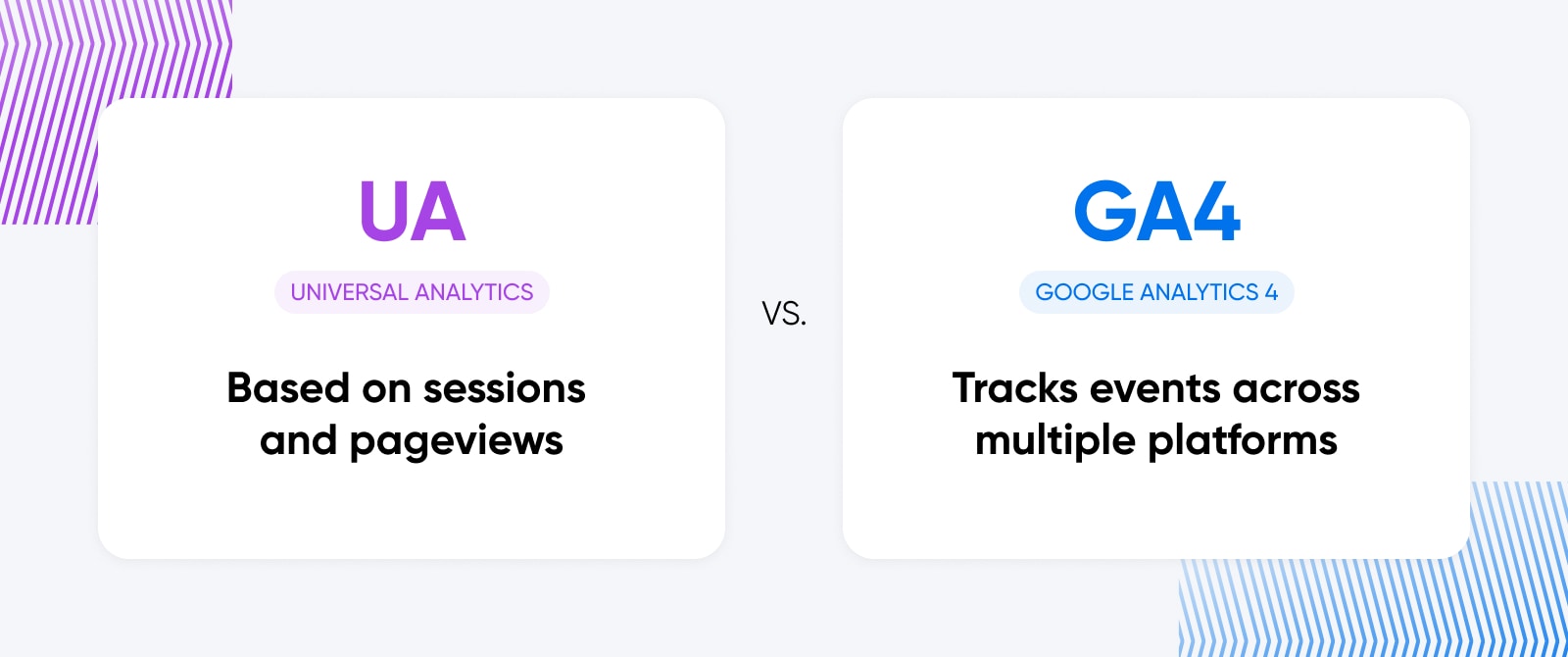
Waaay back — at least it feels that way — in 2019, Google unveiled Google Analytics 4 (GA4),  its eventual replacement for Universal Analytics (UA).

As of March 2023, Google began moving websites that weren’t opted out from UA to GA4. When July 2023 rolls around, Universal Analytics will stop working with any new website data once and for all, though previously-processed data will be available for export for a while longer.

Why the switch from Universal Analytics to GA4?

In this article, we’ll cover what’s special about GA4 and its cutting-edge Realtime reporting feature as well as:

  • How to dig into GA4’s Realtime reporting and its advanced features
  • Business use cases that make Realtime shine
  • A few caveats to be aware of when working with Realtime for the first time

What’s So Special About GA4 and Realtime Reporting?

This is a move we’re excited about, because GA4 marks a major shift in how website owners can monitor and use data from visitor activity.

DreamHost Glossary

Google Analytics

Google Analytics is a web analytics service offered by Google that tracks and reports website traffic. It is currently a program within the Google Marketing Platform brand.

Read More

While UA records every individual request to the website server, GA4 almost instantly tracks every single user interaction across both websites and apps — and captures richer context around them. These interactions are called GA4 events. This approach enables website owners, marketers, and developers to deeply understand the user’s actual journey as they interact with off-site ads, on-site content, conversion points, and more.

GA4 also provides more metrics about visitors and is easier to use with both web and app data visible on the same screen. And there’s one more critical difference — the real-time factor.

GA4’s Realtime reports are the only place where you can view users interacting with your website or application practically as it’s happening

This means that, for the first time, you will be able to understand, in the moment, who your users are (from the user’s device, what channel they’re coming from, their location, etc.), as well as what they want from their visit (see the pages they’re interacting with, the events they’re triggering, etc.).

While it’s true that there are some limitations on this real-time feature, which we’ll uncover next, this depth of reporting is invaluable for anyone who uses a website or application to drive purchases, downloads, contact form entries, and conversions of any other sort.

Keep reading for our insights into the top features, caveats, and use cases of GA4 Realtime.

Universal Analytics vs. Google Analytics 4

A Few Caveats When It Comes to G4A

Understandably, when you see a name like “Realtime” on a feature, you’re going to have certain expectations.

In this section, we’ll cover some slight eccentricities and differences from UA that website owners and managers should know as you start using GA4.

Expect a Slight Delay With Some Data

Google says that data from apps is batched to save battery life. That means data will be served at a delay, but it should only be a few minutes behind. In our opinion, this isn’t anything to worry about, but we want to be clear that in the case of applications, “Realtime” is a slight misnomer.

Filters Mean Traffic May Look Different From UA

GA4 intends to filter out traffic coming from spam and bots. While this is a good thing, it may cause your traffic reports to look a little lighter than they did in UA, which may take some getting used to (and educating if you’re handling analytics on behalf of the site owner.)

Limits on Personalization

The Realtime reporting screen in GA4 isn’t very customizable. You can certainly dig into the data using their comparison and snapshot features — which we’ll show you how to do shortly — but that’s where the personalization ends.

The Nature of Realtime is That It’s Fleeting

One of the core features of Realtime reporting is that it displays user activity over the last 30 minutes, and you can only share this reporting via a link. There is no option to export data, as the minute it’s downloaded, it would no longer be real-time.

As such, it may be challenging to gather and report on your learnings from Realtime the same way you have with UA in the past.

Realtime vs. DebugView

Interestingly, another feature known as DebugView was added in GA4. This feature lets you look at data similar to the way Realtime does.

While both support web and app data streams, Realtime uses comparisons to display data for a specific stream, and DebugView lets you filter by device. DebugView can also display user activity for longer than 30 minutes, but it doesn’t have the intriguing user snapshot view that Realtime does (which we’ll talk about in more detail later.) DebugView requires more setup, which is why it’s most often used by developers and tech-inclined marketers who are laser-focused on detailed metrics.

Whether you choose to use Realtime or DebugView is up to your preferences and goals, but if you want to explore more, here’s Google’s guide to getting started with DebugView.

How to Navigate to GA4’s Realtime Reporting

Ready to take a peek inside your own GA4’s Realtime reporting dashboard?

First off, if you haven’t switched over from UA to GA4 just yet, here’s everything you need to know.

Once you’re sure you’re up to date, start by navigating to the account and GA4 property/app which you want to analyze. On desktop, find this in the upper left corner of the screen near the Analytics logo. You want it to say All accounts > The account you want to work with today.

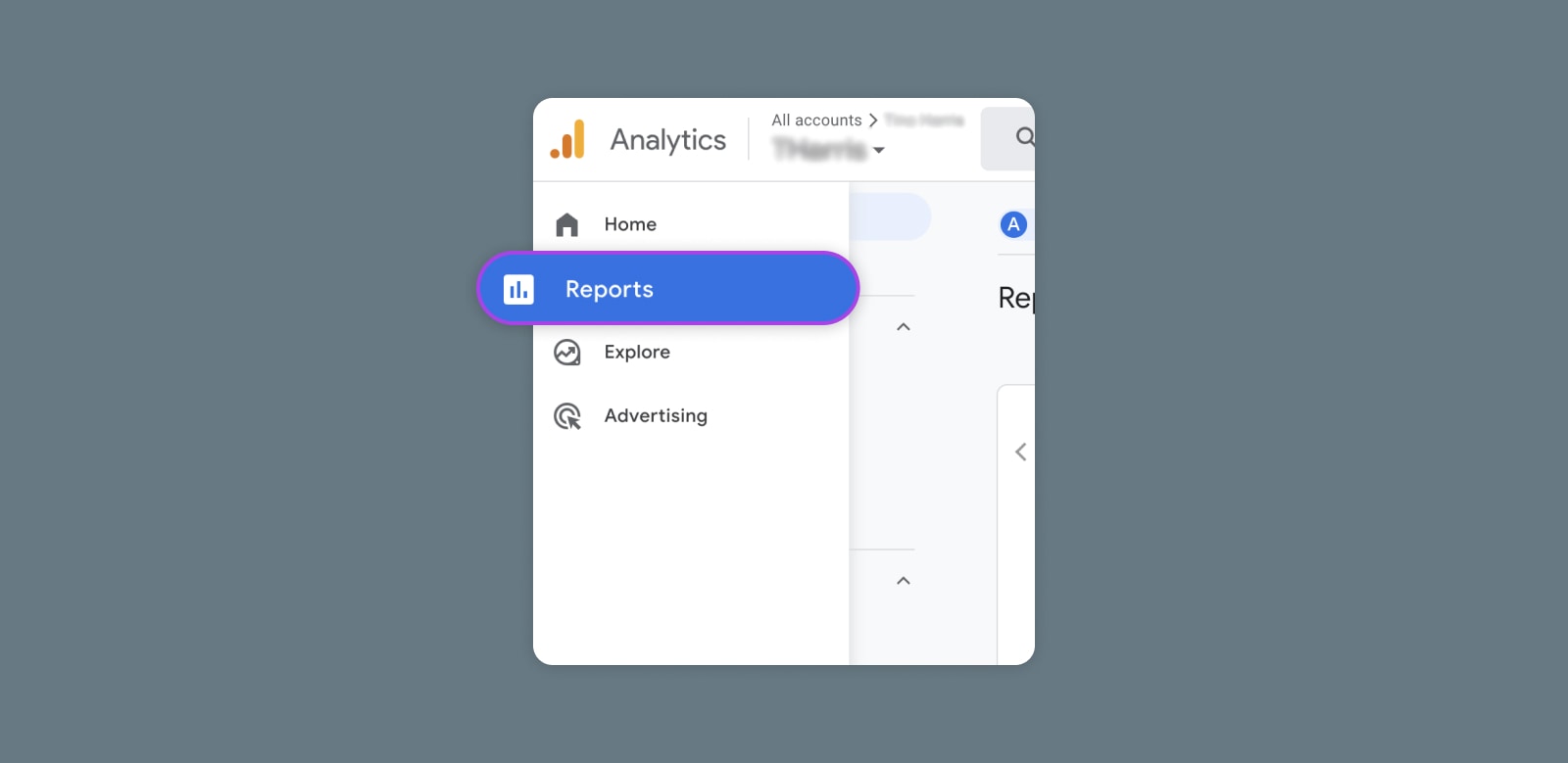
Now you should be at GA4 Home. In the sidebar, click the Reports icon to open the Reports snapshot page.

GA4 Realtime reporting dashboard - Reports tab

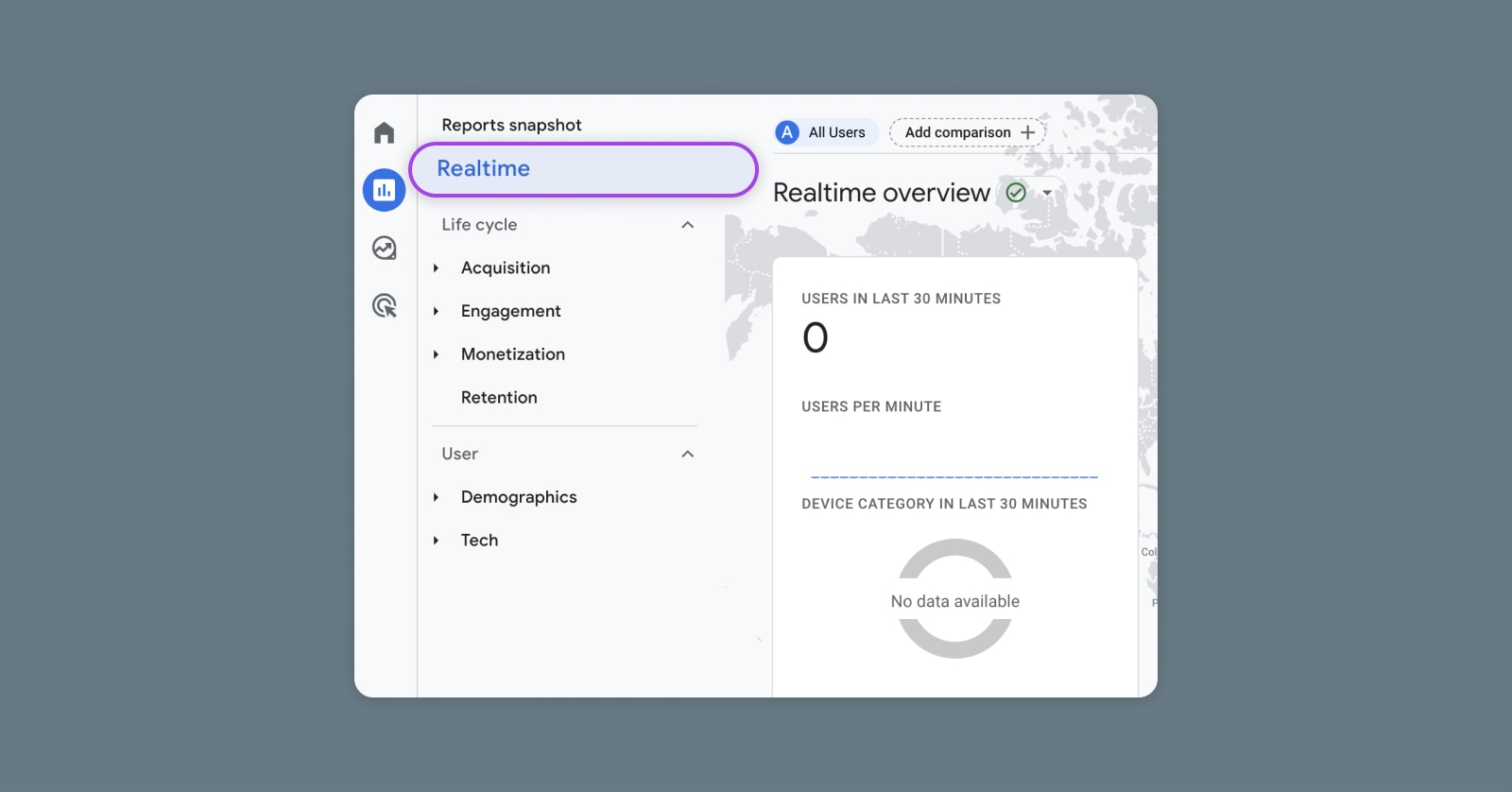
Look to the left sidebar again and choose Realtime to finally pop open the Realtime overview!

GA4 Realtime reporting dashboard - Realtime tab

What you’ll notice here are a bunch of “cards,” some of which can be changed via a dropdown menu, displaying all the data a GA4 Realtime report has to offer:

  • Users in last 30 minutes: Number of users on desktop, mobile, and tablet in the last 30 minutes
  • Users by source: View active users by a multitude of filters — first user source, first user medium, first user source/medium, first user source platform, and first user campaign.
  • Users/New users by Audience: The audiences to which users belonged when triggering events during the report’s date range. (Learn more about audiences here.)
  • Views by Page title and screen name: Number of app screen/web page views, counting repeats.
  • Event count by Event name: How often visitors trigger certain events. (See how to create events here.)
  • Conversions by Event name: The number of times web or app visitors triggered a conversion event. (More on measuring conversions here.)
  • Users by User property: Audience attributes you want to track, like location, language, etc. Google Analytics already tracks some predefined dimensions, but you can also add custom properties when you go to Admin > Custom definitions.

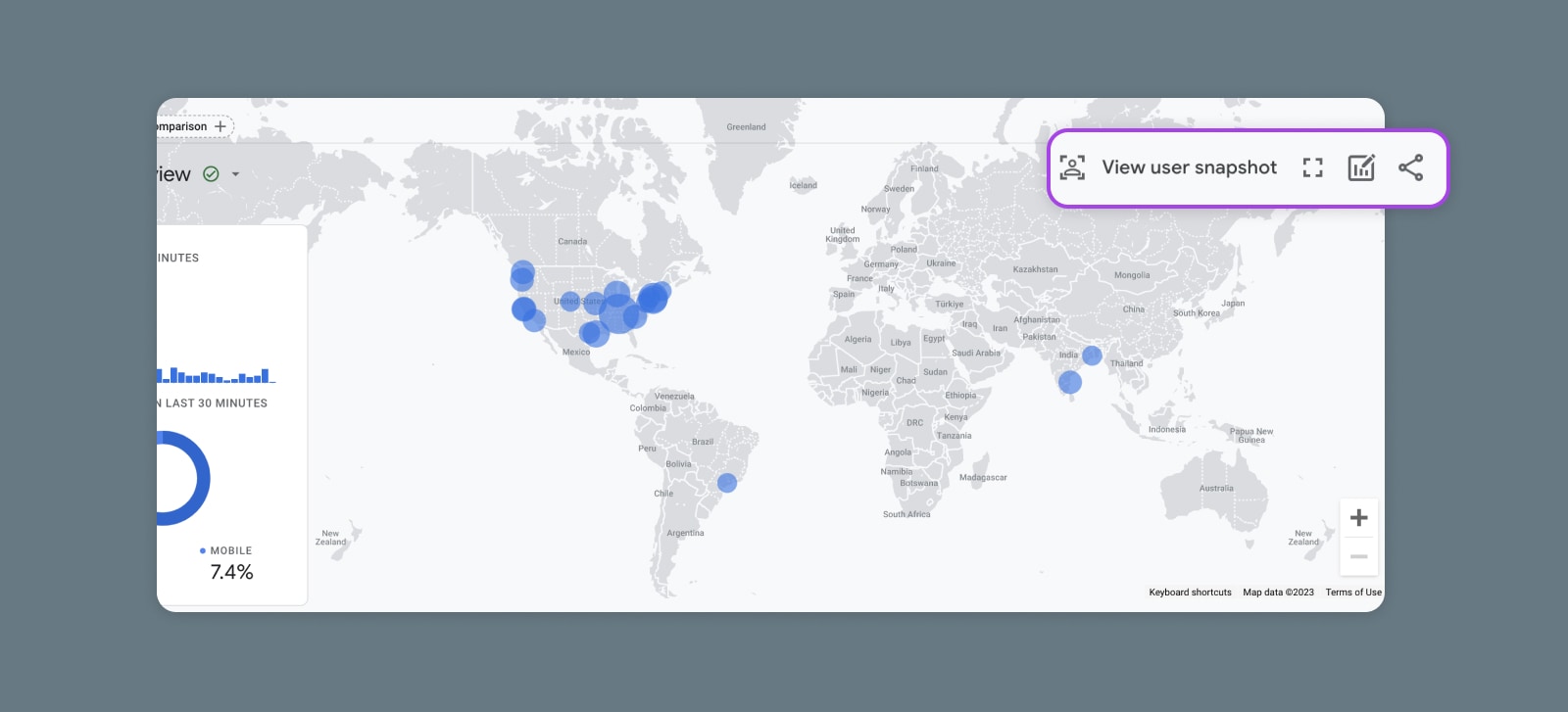
Dots on the map will show you where users are located, and you can click on these to learn a little more about visitors in different areas. Clicking on a dot also creates a comparison — so let’s go ahead and explore that feature now.

Get Content Delivered Straight to Your Inbox

Subscribe to our blog and receive great content just like this delivered straight to your inbox.

Digging Deeper: Realtime’s Advanced Features

GA4 Realtime reporting may not have the same customization we’re used to with UA, but it does have a few capabilities that allow you to slice and dice the data in interesting ways.

Comparisons

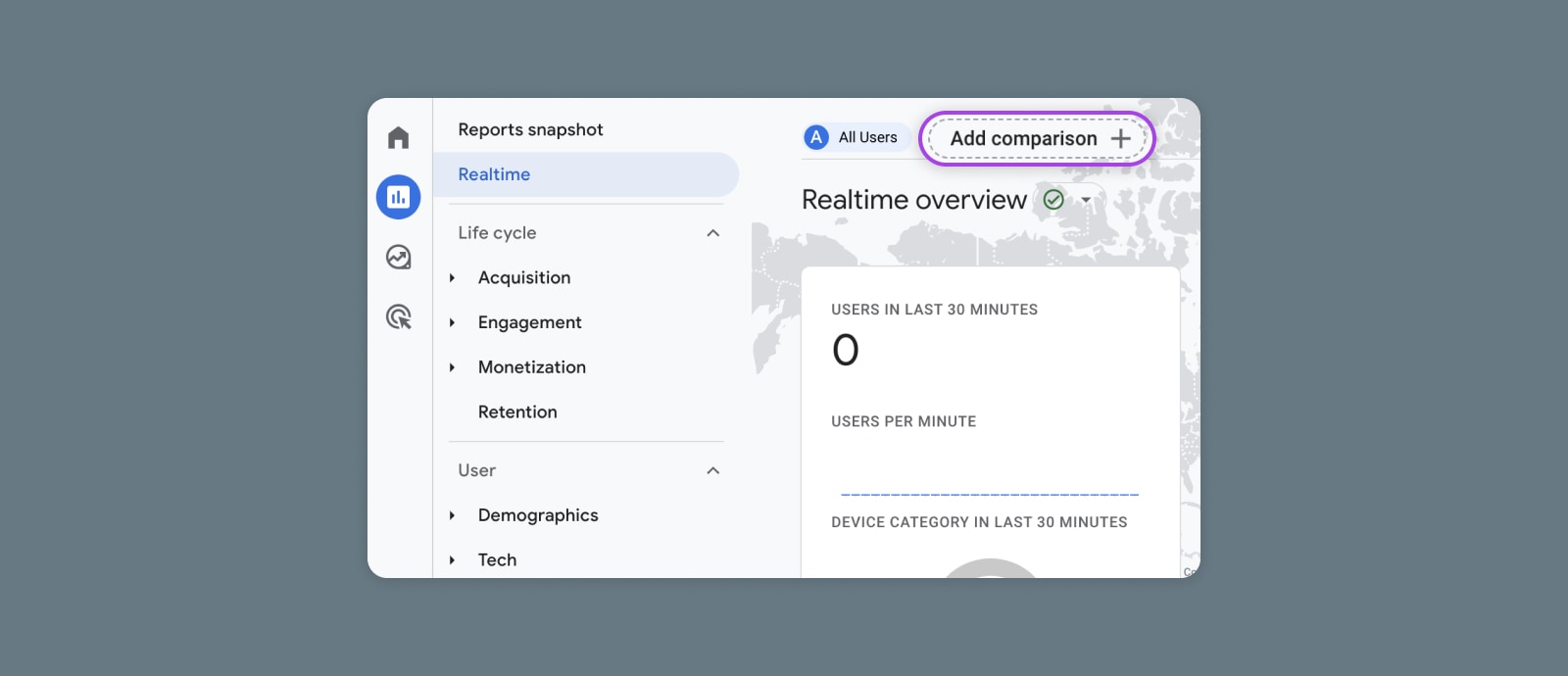
Comparisons enable you to compare specific subsets of users. Add a comparison by navigating to the “Add comparison” button at the top left of the Realtime screen.

GA4 Realtime reporting dashboard - Add comparison

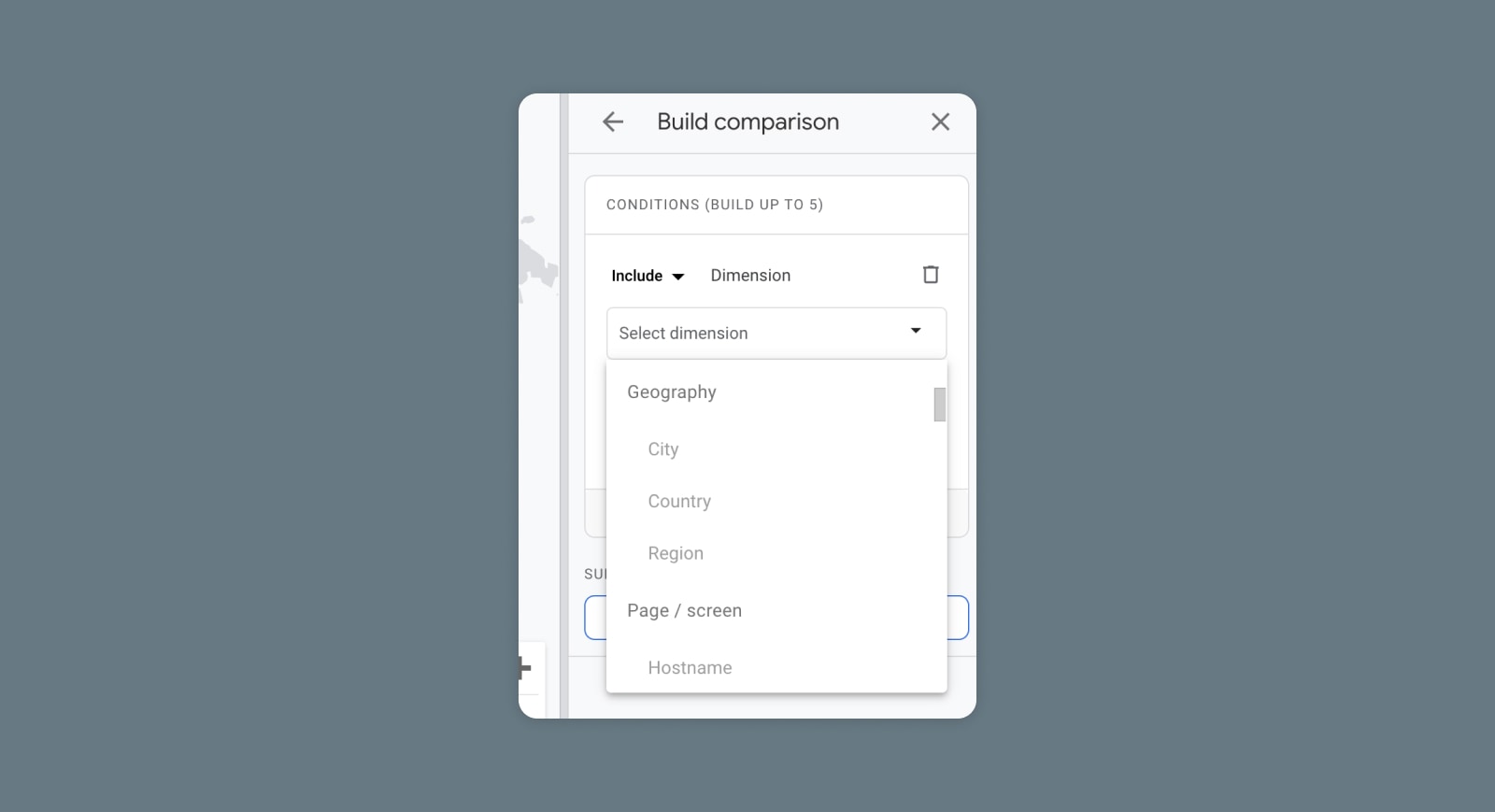
A sidebar will slide out on the right, where you can choose dimensions such as age, region, device, time, traffic source, etc. You will also choose dimension values. So if the chosen dimension is Platform, value options will include Android, iOS, and Web.

GA4 Realtime reporting dashboard - Build comparison

When you hit Apply, you’ll see the Realtime overview page displaying the default All Users group and the comparison you just created. You can create and view up to four comparisons at once, and you can remove the default All Users group and replace it with your own custom comparison.

User Snapshots

Realtime enables you to see the actual, live(ish) behavior of an anonymous, random user in its user snapshot screen. Navigate there using the “View user snapshot” button on the upper right of your screen.

GA4 Realtime reporting dashboard - View user snapshot

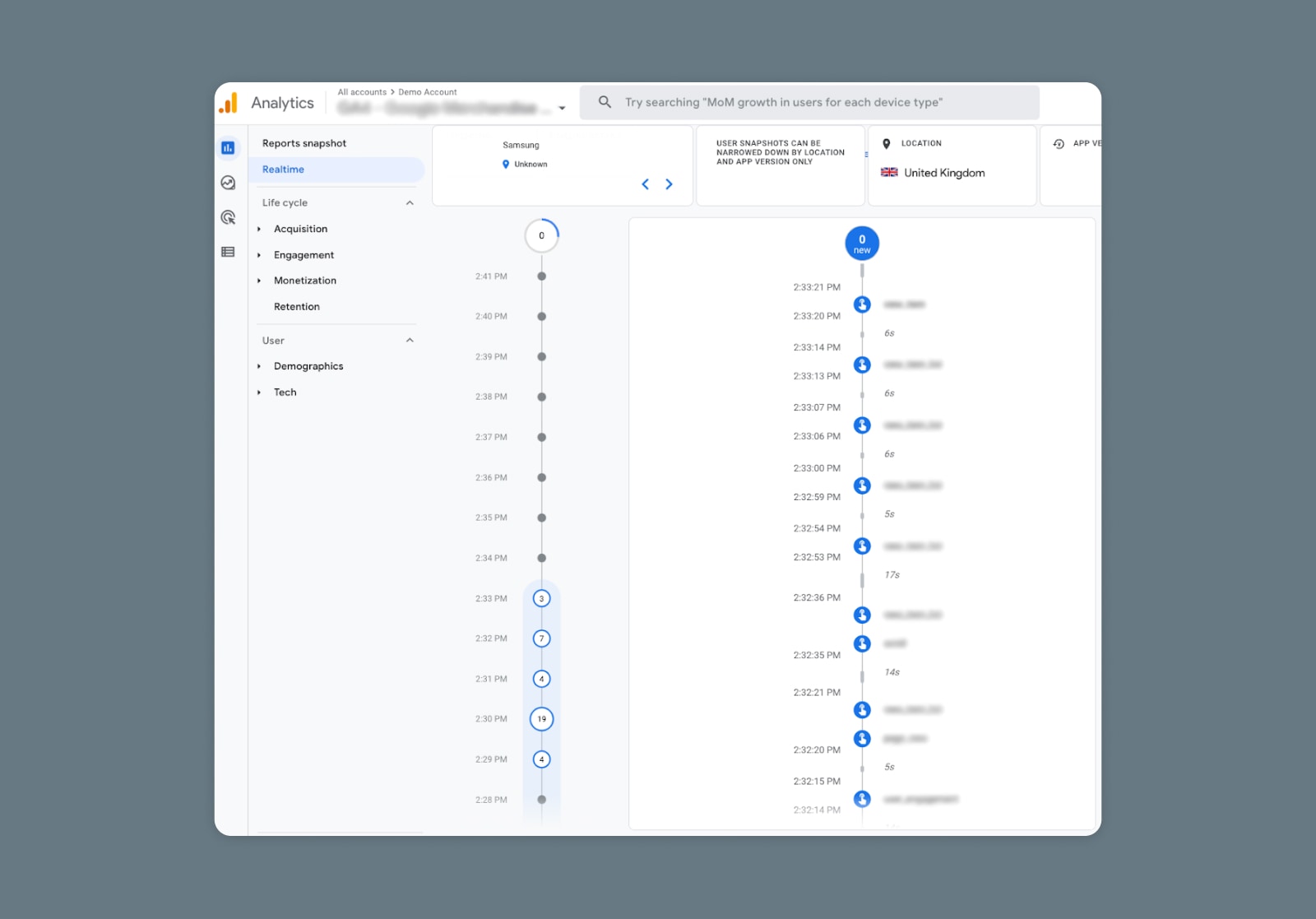
Here, you should get a visual showing the events this user has triggered along a timeline and information such as their device, location, and properties.

GA4 Realtime reporting dashboard - User snapshot timeline

How to Make GA4 Realtime Work for You

Use Realtime to fully understand your audience and their preferred journeys, deliver the kind of content and features they truly want to interact with, and implement campaign tracking that makes it easy to continuously iterate and improve.

Fund the Most Effective Features and Campaigns

Yelling into the void might be an effective tactic for letting off steam after an especially long week at work, but it’s decidedly ineffective when it comes to marketing and feature creation.

With GA4 Realtime, you have one of the most accurate looks you can get into what your audience actually engages with on your website or app. Use it to launch content and features and run extraordinarily fast tests to determine if they’re landing with the intended audience.

No more guessing. No more releasing carefully crafted digital marketing messaging or cool new app experiences into the void and crossing your fingers that they’ll connect with your audience. Just real-time guidance on where to pivot away from what isn’t working and where to double down on the articles, CTAs, buttons, product pages, and other elements your audience is going nuts over.

Nail Your ICPs

Speaking of your audience, knowing your businesses’ core ideal customer profiles (ICPs) is another critical factor in building campaigns and products that land with the folks you want to convert and retain.

Realtime provides insight into your real ICPs by uncovering user demographics and patterns, preferred channels, the types of tech they use, the kinds of content they relate to, and so on.

Ensure Campaign Tags Are Working Properly

With Google Tag Manager, marketers can use tracking codes to “tag” campaigns and see who’s clicking on their content and from which channel (social media, guest blog posts, email marketing, etc.).

Realtime gives you a fast and simple way to ensure your campaigns, and campaign tags, work as intended. If you launch a new campaign and aren’t seeing any traffic — your configuration may need a little work. Or, if you are getting traffic but not the kind you want, you can quickly adjust it to hit the right ICP and boost impact in no time.

Learn more about using Google Tag Manager to add events to Google Analytics.

Build for *Actual* User Journeys

Again, Realtime reporting is all about eliminating guesswork, cutting through the noise, and building what moves the needle for your business.

User snapshots are one of the many touches that makes GA4 so distinctive compared to other analytics tools. You get insight into an actual, real-life user journey that tells you exactly how visitors behave and what they want to engage with — unhampered by observation bias and more accurate than third-party heat mapping and other tracking tools.

With that, you can build features and content for the journeys your users are actually on, not aspirational ones based on old data and best guesses.

The insights from and the use cases for GA4 Realtime reporting are incredibly robust — but we understand if the amount of time left in your work day isn’t.

Admittedly, it can take quite a bit of time and effort to get up to speed on GA4 and apply Realtime to its maximum potential. For a helping hand, schedule a marketing consultation or start a chat with our team of marketing pros. At DreamHost, our mission is to help you succeed.

Get More Visitors, Grow Your Business

Our marketing experts will help you earn more traffic and convert more website visitors so you can focus on running your business.

marketing tips

The post GA4 Realtime Reporting: Complete Guide & Use Cases appeared first on Website Guides, Tips & Knowledge.


source https://www.dreamhost.com/blog/ga4-realtime/

Thursday, 4 May 2023

The 20 Top Search Engines: A Complete List of Google Alternatives

The times, they are a’changin.

In the early years, AOL, Lycos, and Ask Jeeves were the most prominent search engines on the web (and most of us hung out on old-fashioned forums). But now Google owns approximately 85% of the global search market.

For almost all of us, it’s the default search engine on both our desktop and mobile browsers.

But the truth is that there are tons of alternative search engines out there just waiting for you. So if you’re feeling a bit Googled out lately (perhaps you’re feeling like it’s not returning relevant results aren’t as well as it used to), just know that you’re not alone.

While Google search remains the dominant web search option, new (and old) competitors are challenging its top spot. For you, as a user, this is good news. More search options means more pressure on Google (and competitors) to step up their game and deliver better results, better experience, and a more human-centered business approach.

Luckily, there are tons of options for you to consider. We’ll break them down into groups – highlighting notable examples of Google alternatives you may want to keep handy for future search needs.


Mainstream General Search Engines

1. Microsoft Bing

Microsoft’s search engine provides web, image, and video search, with special features like Microsoft Rewards and Bing for Good, allowing users to earn points and support charitable causes. In addition, Bing’s visual search feature allows users to search using images rather than text.

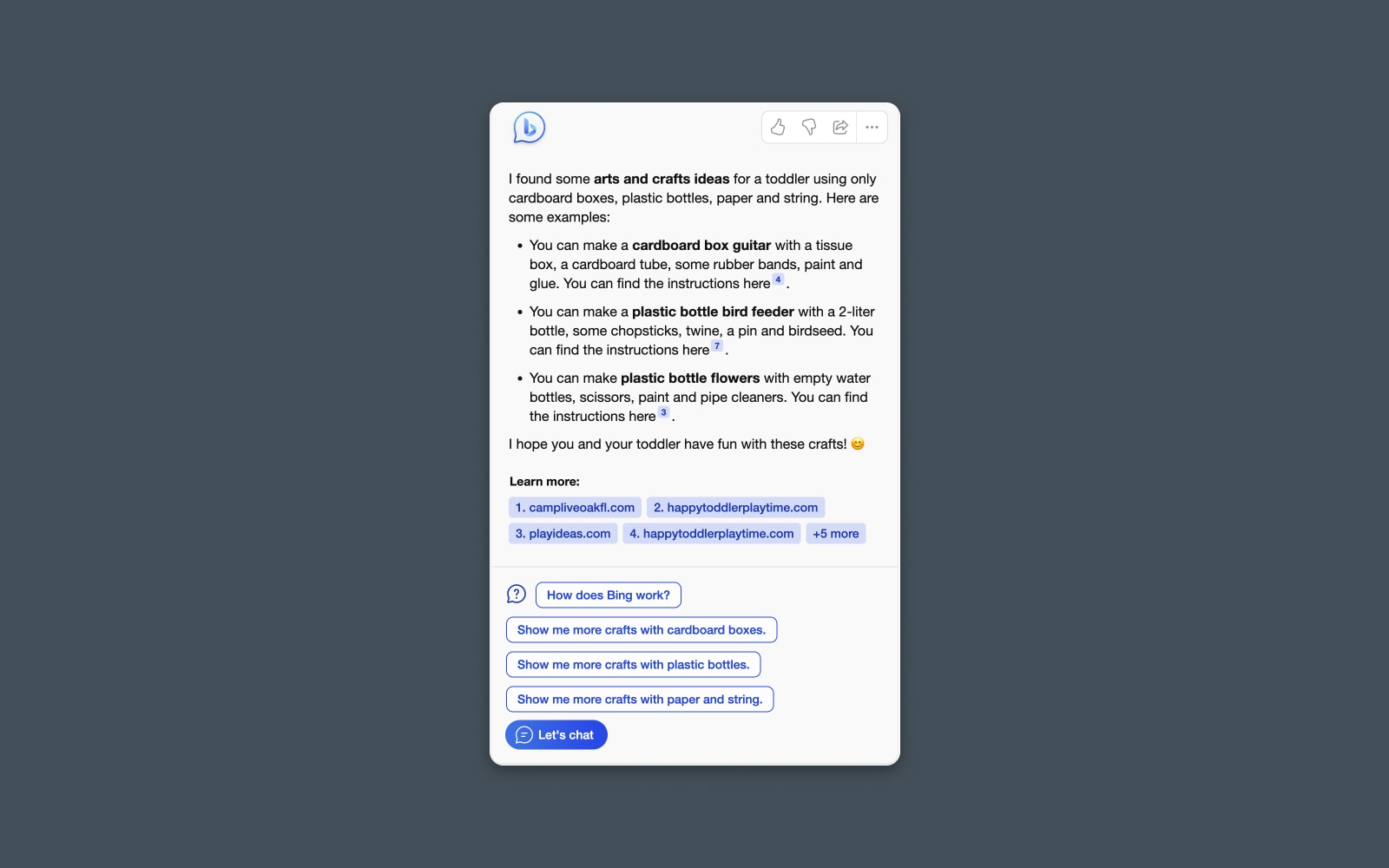
But Bing made big waves recently with its ChatGPT-like AI search features.

Screenshot of Microsoft Bing search result. Bing made big waves recently with its ChatGPT-like AI search features.

The “new” Bing offers a conversational interface where users can ask questions, get results, and refine them further. The AI will automatically generate a response, linking to relevant sources and websites in the text.

Although it’s a pain for the SEO folks in the room, this could prove to be Microsoft’s big leg-up after years of struggling to capture market share from Google, whose own chat-search experience, Bard, is seen as a bit of a flop.

2. Yahoo Search + AOL

I’m going to group these two options together because, while technically independent search engines, they’re both powered by Microsoft Bing.

This means that when using them to search the web, you should expect to see the same results and a very similar results page.

Yahoo is probably best known as a homepage news site, offering information like local weather forecasts and trending searches.

Long-time internet powerhouse AOL is still available as both a web portal and search engine offering news, email, and various online services.

(Sorry, we’re all out of AOL free trial CDs at the moment!)

3. Lycos

Another throwback to the early days of the internet — Lycos is a classic search engine that evolved to offer a range of online services, making it a versatile tool for users seeking to search the web, communicate, and host websites.

You’ll notice that Lycos even consolidated some of our favorite sites and services from yesteryear, like Tripod and Angelfire.

If you’re looking for a retro experience using what was one of the most popular search engines in the late ‘90s, then you can’t go wrong here — Maybe Lycos will be the next search engine to launch an innovative product, get a complete glow-up, and skyrocket back into the spotlight?

Innovative and AI-Powered Search Engines

Legacy matters, but as of 2023, there is an arms race afoot. Dozens of companies, old and new, are competing to dominate the search engine market by going beyond advanced search to offer new, innovative, and AI-powered search experiences.

From chat options to personalized search results, let’s look at some emerging new players in this space.

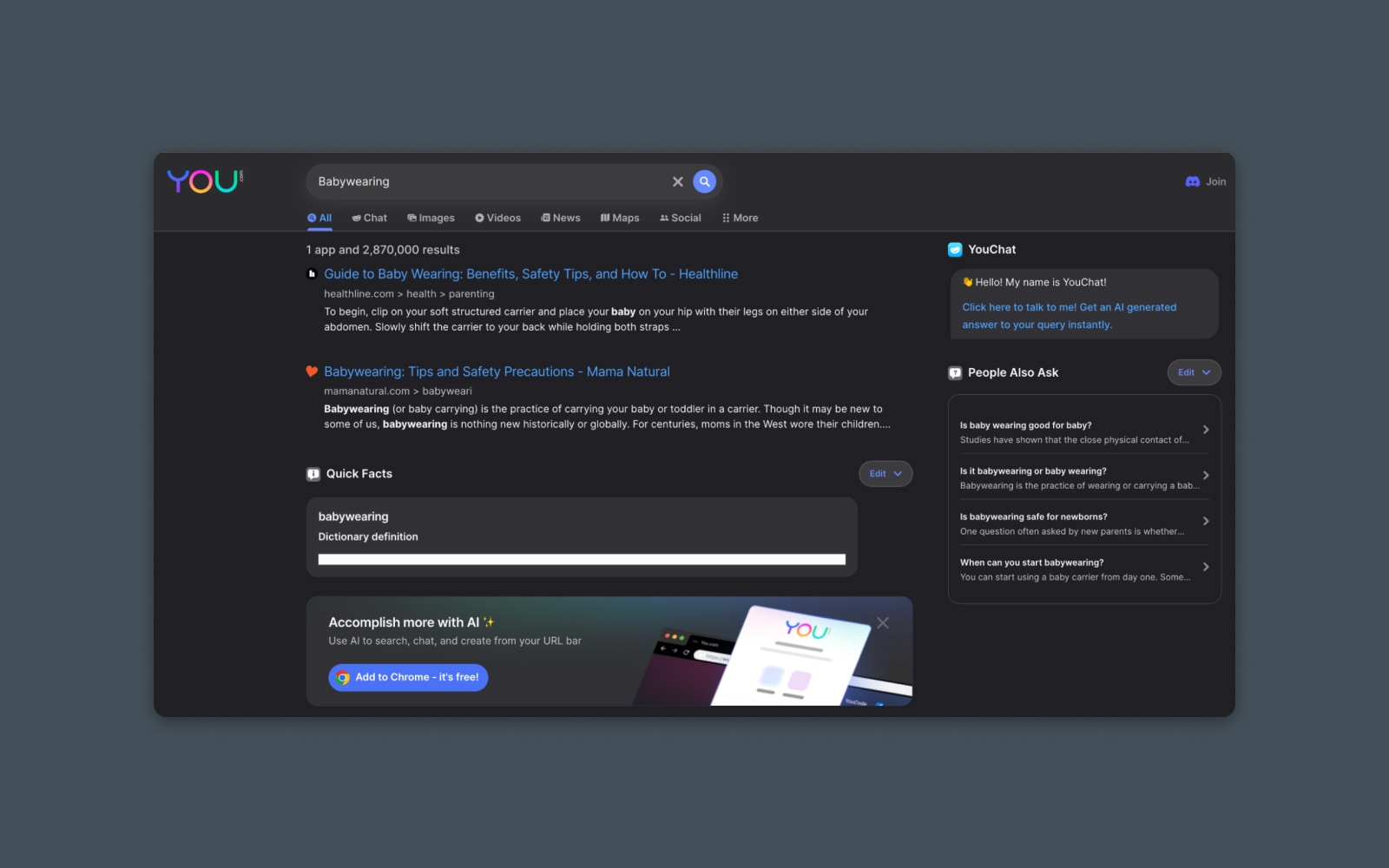
4. You.com

If you’re looking for something that’s not Google but feels like it, then You.com is a pretty good starting point.

Screenshot of You.com search result

This AI-powered search engine offers a chat interface and a traditional search engine results page (SERP) that looks very similar to Google. So, you’ll feel comfortable with the familiar features and interfaces.

You.com also touts its personal and private modes, which allow for anonymous searching.

Since You.com is an AI company, there are additional tools beyond its search engine. YouCode and YouWrite are AI tools for helping you write text and code. They also offer a Google Chrome extension that allows you to add an AI-powered search bar to your browser.

DreamHost Glossary

Search Bar

Search bars are the elements that we use to enter search queries. Typically, you enter a question and hit a search button. Then you get search results pages based on the query that you typed.

Read More

5. ChatGPT

Anyone who’s been on the internet in the last year probably knows about ChatGPT.

This innovative product created by OpenAI offers a chatbot-like interface where you can ask questions and get answers based on the Large Language Model (LLM) that powers the tool. However, I hesitate to consider this a “search engine” exactly because, for the most part, it doesn’t search the live web for information.

That being said, it can definitely replace a search engine for specific use cases like collecting information or researching a topic.

And, as I’m writing this article, they recently announced Plugins for ChatGPT, including a browser plugin that allows the AI to search the live web and return real-time results. So it’s getting closer to a full-blown search engine replacement every day.

While you won’t be typing in search terms like you would on Google, you can pose a question and get a pretty good answer. Just be careful not to trust the response without fact-checking it first.

6. Perplexity AI

Perplexity AI is like the anti-search engine. Rather than returning a big list of search results, Perplexity uses advanced AI algorithms and natural language understanding to wade through those results and return a response – similar to how ChatGPT works.

Screenshot of Perplexity AI search result

Perplexity seems better geared toward users looking for instructions or specific information and who want to see the underlying sources of the data being returned.

It’s great for synthesizing steps from long and winding articles like those recipes that always seem to ramble on about astrophysics before teaching you how to boil water. (Is that the main reason they invented AI? To skip past the junk at the top of those articles?)

7. Waldo

You’ll have to decide how you feel about Waldo, but it must be one of the best search engines for conducting research and finding statistics.

Billed as part search engine and part research assistant, Waldo uses AI to return search results and then supply ready-made filters that make it easier to quickly find information.

Most notably, it can sift through the results on the page and return specific types of information – like data points, quotes, or links.

It can also quickly filter specific sources like scholarly journals, news sites, and more.

This does make it pretty handy if you’re searching for specific types of information or researching a topic that requires you to dig into data or find primary sources.

Revenue-Sharing and Cause-Based Search Engines

Many search engines are on a quest not just to return good results but to change the world – or, at least, the world of internet search – along the way.

Here’s a list of cause-based search engines and options with an underlying economic goal beyond profit.

8. Ecosia

Ecosia, “aims to make a positive impact on the environment while providing users with a powerful and efficient search experience.” Their mission to combat deforestation and climate change makes it a popular choice for eco-conscious users.

Every search helps to plant trees, and that’s pretty neat.

The company donates at least 80% of its ad revenue to non-profit organizations focused on tree planting and reforestation efforts around the globe. By using Ecosia as their search engine, users contribute to these environmental initiatives, turning their everyday online searches into a greener and more sustainable activity.

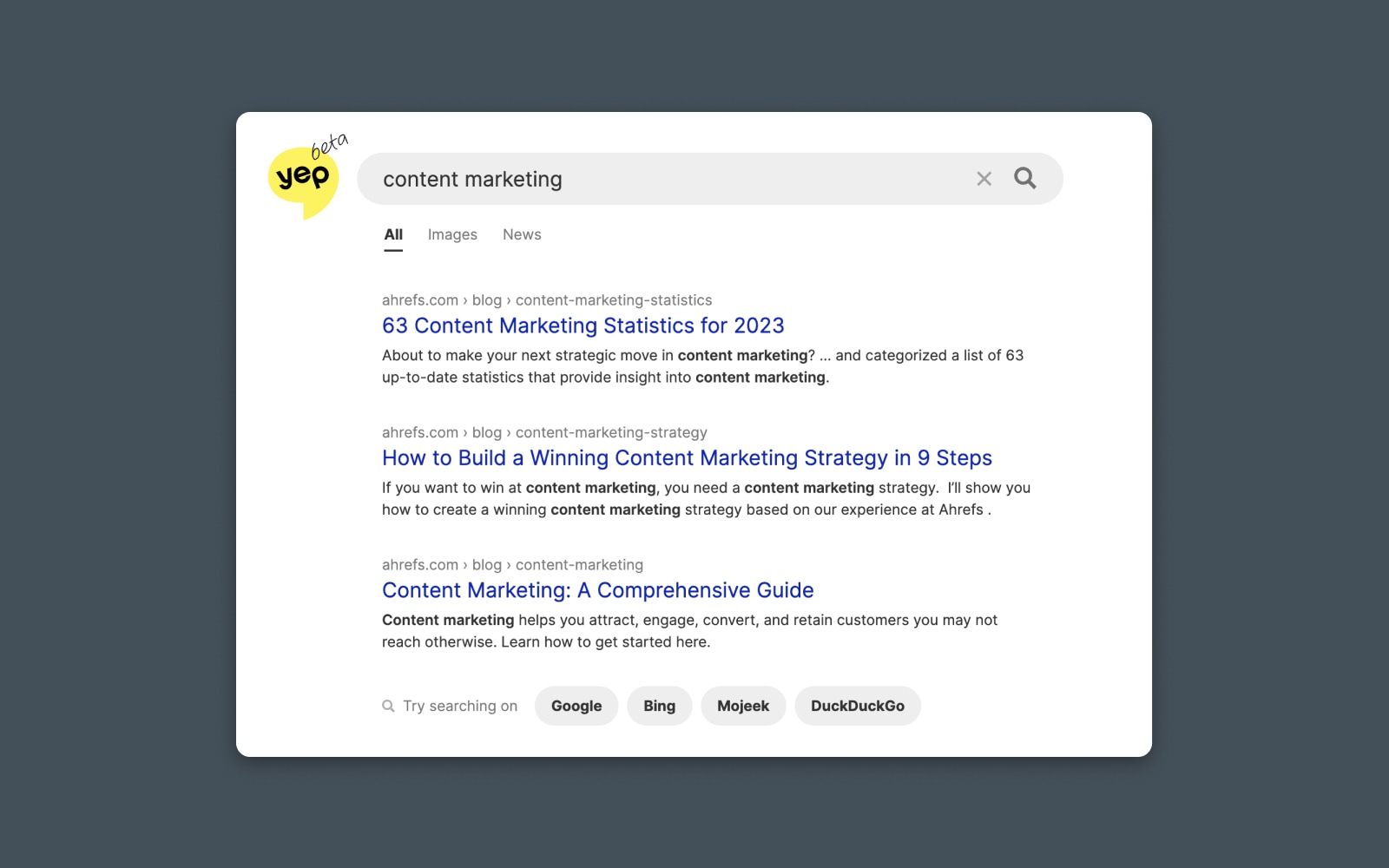
9. Yep.com

Yep is a unique search engine created by the team behind the SEO tool, Ahrefs.

Screenshot of Yep.com search result

Their goal is to change the underlying economics of internet search – making it more lucrative for content creators by sharing the ad revenue they generate directly with the people and companies that appear in the search results.

They have a 90/10 revenue-sharing model where 90% of all money goes back to those content creators who populate the organic search results.

It’s worth noting that some early adopters of Yep have pointed out that there may be some bias in the results that favor the search engine’s parent company.

Privacy-Focused Search Engines

Another big reason people defect from using Google is concerns over tracking and privacy. As you probably know, Google’s business model is built on selling advertising, which means selling user data collected from cookies, browsing behavior, and search history.

Not everyone is a fan.

Luckily, many new companies have built solutions to rival the world’s largest search engine while focusing on user privacy online. These search engines generally encrypt user and browser data, block trackers and cookies, or otherwise shield users from commonly used tracking and identification features.

10. DuckDuckGo

Probably the best-known privacy-focused search engine is DuckDuckGo.

DreamHost Glossary

DuckDuckGo

DuckDuckGo is an online search engine similar to Google or Bing. DuckDuckGo sets itself apart by providing added security for users and claims to prevent the vacuum of hyper-personalized search results.

Read More

The search engine is built on a foundation of maintaining user privacy, ensuring that no personal information is collected, stored, or shared. As a result, DuckDuckGo users can enjoy a more private and anonymous browsing experience. They also offer a Google Chrome extension that helps further anonymize your browsing behavior by blocking trackers and cookies.

According to this website, DuckDuckGo averaged nearly 100,000,000 searches per day in 2022 and they claim about 2.5% of the total US search market.

DuckDuckGo uses, in part, the Bing API in its search results. But it doesn’t personalize the SERP.

It’s also worth noting that DuckDuckGo explicitly excludes results from “content mills” and websites with “excessive advertising.”

11. Brave (Browser with Integrated Search)

Brave (browser with integrated search)

Brave is a browser with a built-in search engine focused on user privacy. It offers fast and secure browsing that you’d get from Google Chrome. In fact, it’s built on an open-source foundation of Chrome called Chromium with features like ad-blocking and tracker blocking, making it a great choice for users who want a private and seamless browsing experience.

Brave makes money by selling ads that appear in certain parts of the browser – like the new tab window. They also offer Brave Rewards for viewing or interacting with ads.

12. Gibiru

Gibiru provides “uncensored search results” without collecting personal data like logging users’ IP addresses or search queries.

The results of such “uncensoring” can be a bit mixed. Since Gibiru allows you to see the results that would be censored by other search engines, you can compare the sites and sources that might be withheld by mainstream searches. They’re generally less top-secret-hidden-information kind of sites and more low-quality-internet-cruft kind of pages that are filtered by most search algorithms.

Gibiru delivers results and makes money primarily through affiliate marketing on privacy-focused products like VPNs.

13. Presearch

Presearch is a decentralized search engine built on blockchain technology.

They incentivize users with PRE tokens and combine both privacy and crypto-based rewards.

Presearch provides search results from multiple sources and allows users to choose their preferred search providers with the goal of creating a more decentralized internet ecosystem that is less reliant on dominant search engines.

If you’re wondering, the value of the PRE token is about $0.06 as of writing.

14. StartPage

StartPage is like a protective jacket for Google. Billing itself as, “the world’s most private search engine,” their service actually returns Google’s own search results but without the tracking codes, cookies, and snippets.

DreamHost Glossary

Cookies

Cookies are pieces of data sent to a user’s computer or mobile device by a web server. They are then stored on the user’s device. Cookies can be used for authentication, identification of a user session, personalization of web content, or collecting information about the use of a website.

Read More

It’s an excellent tool for getting the same results you’re used to seeing from Google while adding a protective layer of privacy. Obviously, the downside here is that you won’t see any personalized or localized search results based on your personal information — It works sort of like connecting to a VPN.

StartPage is a freely accessible search engine. You can also add their Chrome extension, which adds extra privacy features like blocking trackers and cookies around the web. The extension also provides a metric called a Privacy Score for each website, letting you know how likely your information is to be tracked or sold.

15. Swisscows

Swisscows is similar to StartPage in that they rely on one of the major search engines to help their operation work. In this case, it’s Bing. So Swisscows’ search is (at least partially) powered by Bing.

But they don’t collect information, so they only pass your search query anonymously to Bing’s search engine.

Swisscows prides itself on being a family-friendly, privacy-focused search engine based in Switzerland. It utilizes semantic search technology to provide relevant results while filtering out adult content. Swisscows does not track users’ search queries or store personal data, allowing them to serve “anonymized ads” powered by Bing, based only on your search query and no other identifying information.

16. searX

If you really want to unplug from the Matrix, why don’t you just create your very own search engine?

searX is a self-hosted, open-source metasearch engine that provides search results from multiple sources without tracking users’ activities. Users can choose which sources they want searX to search, allowing for a customizable search experience.

Since it’s also available as a self-hosted service, individuals can run their own instances for an even more private and secure experience. searX is popular among privacy advocates and tech-savvy users seeking an independent and customizable search engine (or building your own!)

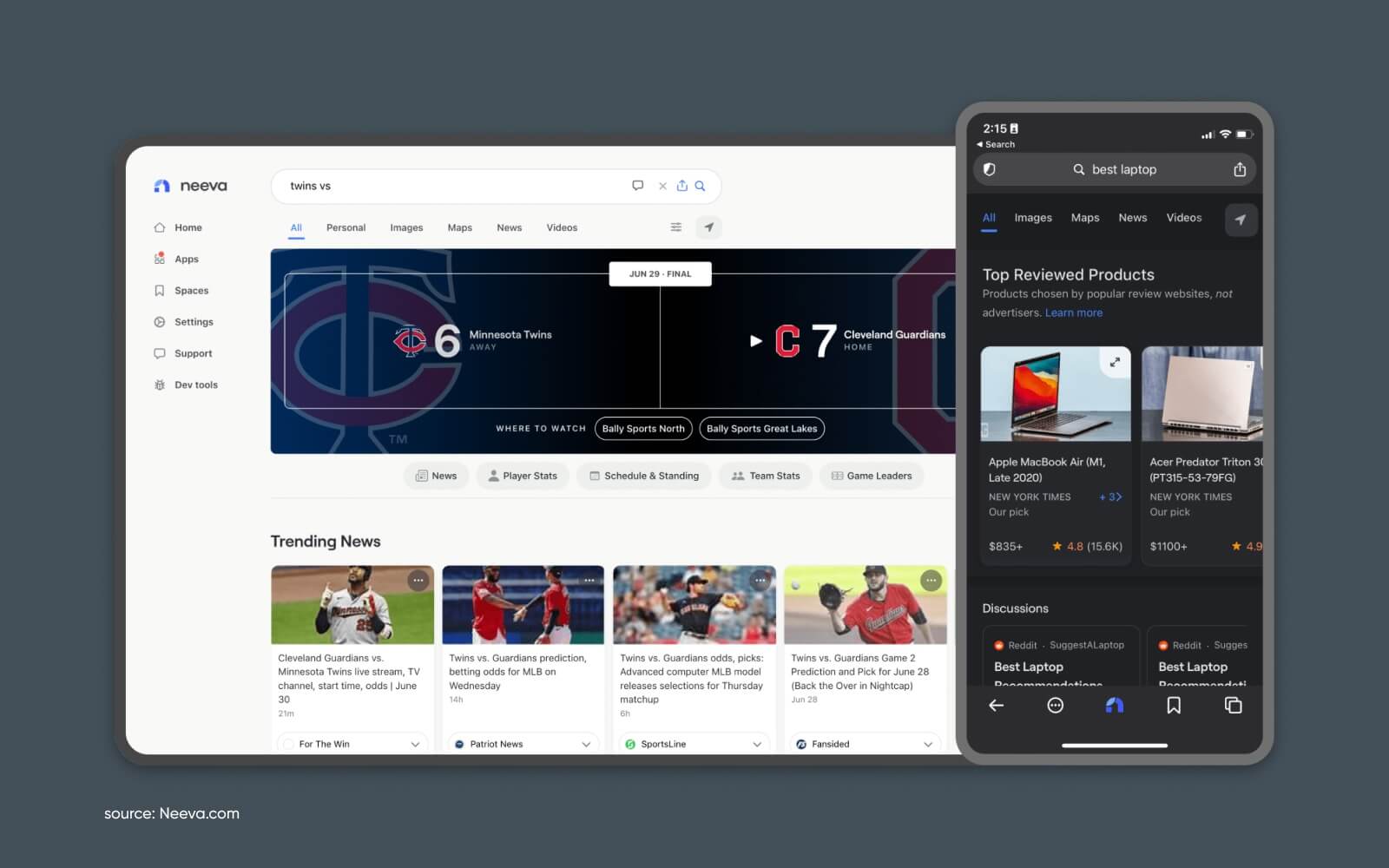
17. Neeva

Screenshot of Neeva search result

Ad-free search engine focused on user privacy and data protection. Neeva offers a free-to-use search engine founded by former Google executives. Neeva’s biggest focus is shifting search to free results from the influence of advertisers.

This means they make money by selling subscriptions directly to users rather than selling the user’s data and search behavior to advertisers.

Users can also sign up for a free account to access other search tools powered by Neeva (including their new AI results).

They offer a paid subscription that unlocks additional ad-free products like an integrated password manager. By charging a subscription fee, Neeva can focus on delivering the most relevant search results without the need to monetize through ads.

18. Qwant

Qwant is a French-based company that is, essentially, trying to create a cookieless version of Google.

They offer search monetized only through contextual advertising (with no additional tracking) and deliver “unbiased” search results without filtering or personalizing content based on user browsing history.

They also offer Qwant Maps, Qwant Junior (a search engine designed specifically for children, ensuring a safe browsing experience for younger users,) and other privacy-focused alternatives to Google services.

If you’re looking for more of a full-sweep alternative to Meta’s whole business, this is a place to start.

19. Mojeek

Mojeek offers search results from its own independent index, meaning it crawls and stores web pages independently. It provides unique results that aren’t influenced by other search engines.

That makes it one of the few options on this list that doesn’t rely on another search engine database when returning results.

Mojeek claims to be the first search engine in the world to have non-tracking as part of their official privacy policy.

20. Search Encrypt

A search engine that uses local encryption to protect users’ search data.

This means that your search history is protected from being tracked or monitored by third parties. They offer both their own search engine and a browser extension that will capture and redirect your searches to keep your search terms private and anonymous.

They monetize traffic with search ads that appear on the results page, similar to Google and other search engines.

You can also compare results by trying your search on one of the other search engines (Google, Yahoo, Bing) with a single click.

Honorable Mentions: 5 More Search Engines to Consider

Searching the web is great. But what about when you’re looking for something a bit more specific?

Sometimes you want to find more than just pages on Wikipedia and Amazon.

Here are some other ways you can search the web for information from various sources, in various formats, and more.

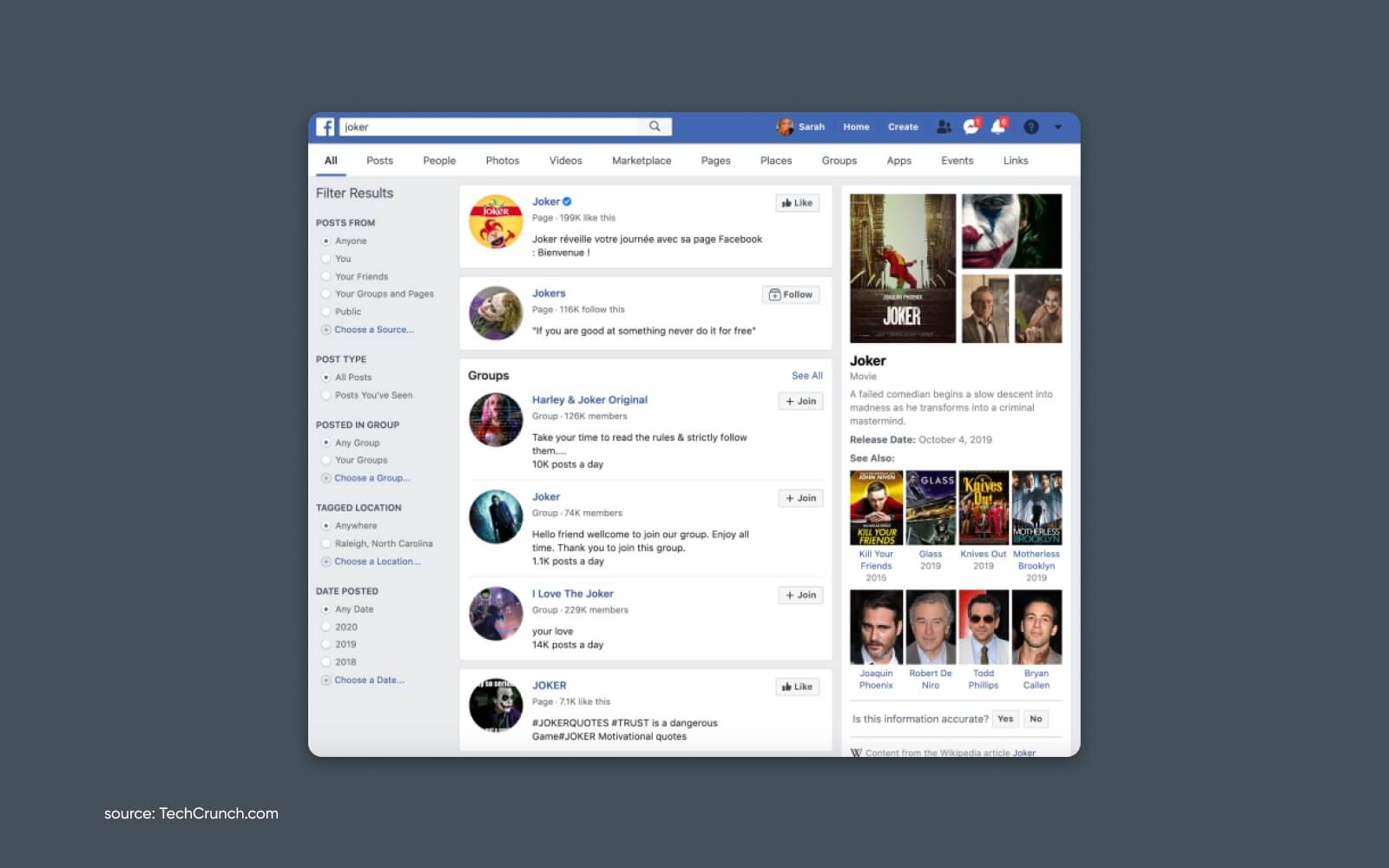
1. Facebook Search

Screenshot of Facebook Search search result

You may not think of Facebook as a search engine, but the search feature is extremely powerful for finding people, pages, and content.

2. Twitter

Perhaps the best “real-time” search engine on the web is Twitter. You can quickly find up-to-the-second information on public conversations, influential figures, current events, breaking news, and more.

But it also is a powerful historical archive – helpful for digging deep into a topic, understanding the sentiment around it, and uncovering new sources.

Using advanced search features, you can also use it to find specific types of content like videos or links.

3. Flickr (Image Search)

Flickr was once the preeminent website for all things photography.

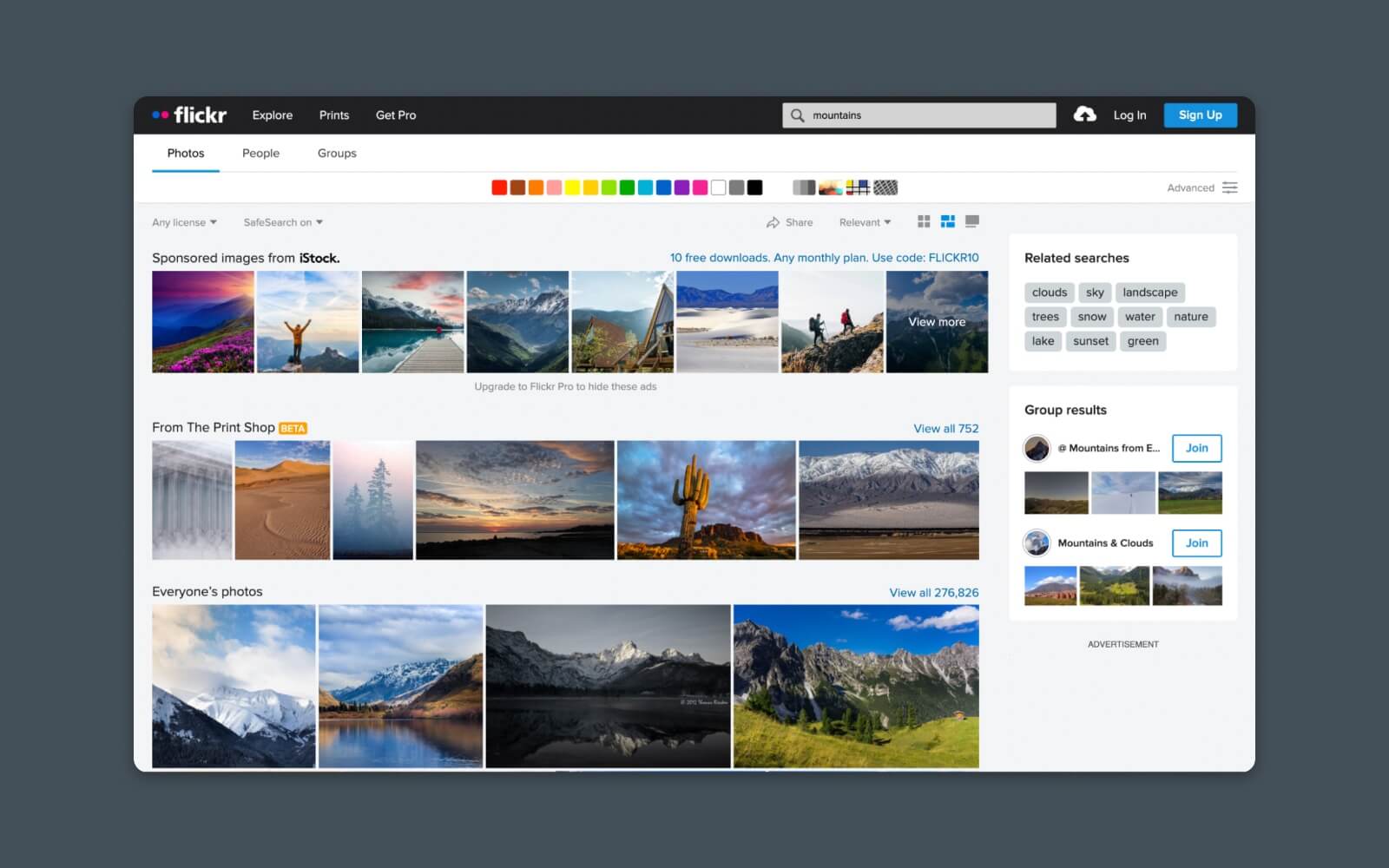
Screenshot of Flickr Image Search

Its popularity waned over the years, but it still has a gobsmackingly-large catalog of photography that’s been uploaded and shared (sometimes with a Creative Commons license) from all over the world.

4. Pinterest (Image and Idea Search)

Pinterest is a thriving (although sometimes forgotten) corner of social media. Millions of users continue to rely on Pinterest to share and discover all kinds of content, emphasizing images and other visual media.

This is especially interesting if you’re looking for ideas or inspiration that may be difficult to find using traditional search.

For instance, you can look for “green living room ideas” and instantly see hundreds of visual results that will help you narrow down what you like and build a collection of images to reference later when you’re perfecting your ideal living space.

5. The Internet Archive (Digital Library)

Part time machine. Part internet search.

The Internet Archive offers a digital library of historical and archived digital content. It includes a wealth of resources, including books, audio, and web pages.

Of course, what makes it truly special is that it catalogs snapshots of web pages over time. So you can see, visually, how web pages looked at different points in history. This can be particularly useful for research where you need to see how information has changed over time.

Let’s Build the Web Together

Hopefully, you found this list of Google alternatives helpful.

At DreamHost, we’re all about Web Hosting with purpose. We believe in a world where anyone can build their dreams and where there’s a search engine that’s perfect for everyone.

Don’t forget to subscribe to get our latest articles, tutorials, reviews, and more.

Get Content Delivered Straight to Your Inbox

Subscribe to our blog and receive great content just like this delivered straight to your inbox.

The post The 20 Top Search Engines: A Complete List of Google Alternatives appeared first on Website Guides, Tips & Knowledge.


source https://www.dreamhost.com/blog/alternative-search-engines/

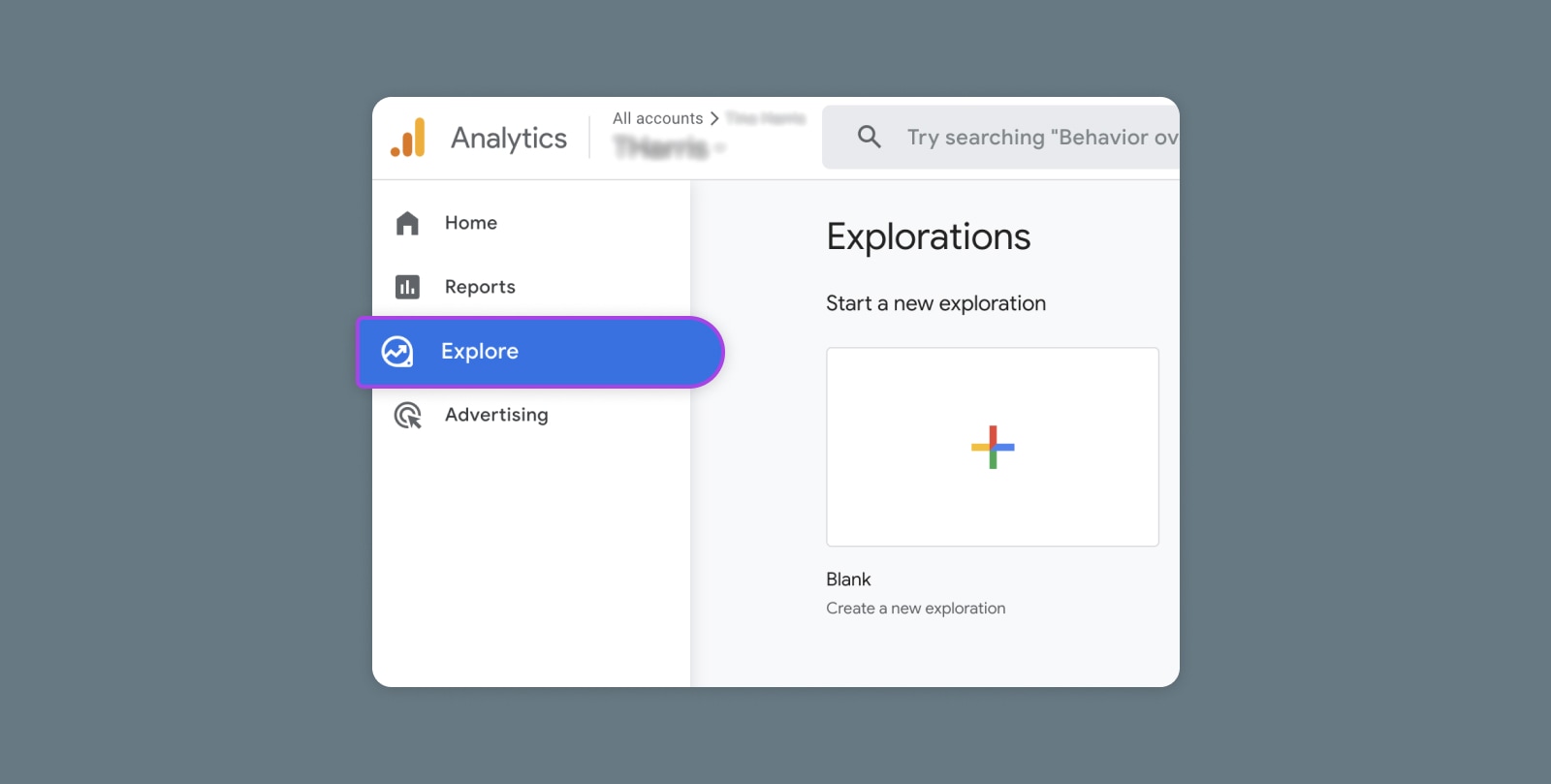
Creating and Mastering GA4 Explorations

In the switch from Universal Analytics (UA) to Google Analytics 4 (GA4) — which will go fully into effect July 2023 — a lot of things have...