Friday, 19 August 2022

How to Learn Python (Fast & Free)

There are plenty of resources available that can help you learn Python in no time. From free to paid options, you can find a wide selection of online courses and websites to guide you through the lessons. Using these resources, you can quickly progress from beginner to advanced.

In this post, we’ll explain what Python is, what it’s used for, and why you might want to learn it. Then we’ll provide you with some of the top places you can go to learn Python as quickly as possible. Let’s jump in!

An Introduction to Python

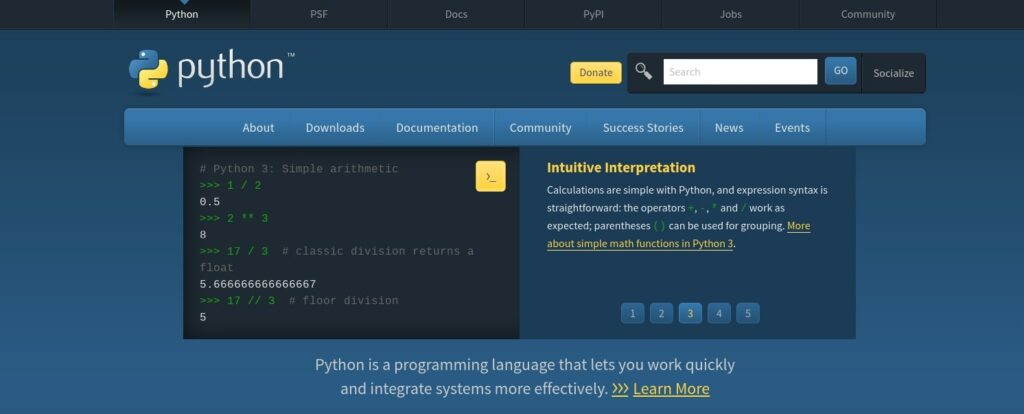
Python is a versatile, high-level, object-oriented programming language that helps you solve problems quickly:

The Python website

To give you an idea of how sophisticated and practical this programming language is, consider that some of the biggest brands across the globe have used Python in their projects. These companies include Netflix, Google, and Spotify.

It’s also a preferred language for many developers. Last year, RedMonk research found that, among developers, Python was the second most popular programming language (behind JavaScript).

Python 2 and Python 3 are different versions of the open-source Python programming language. However, Python 2 is no longer supported by the Python community. Python 3 is the latest version and is recommended for all new projects.

What Python Is Used For

Python is used in many places, including:

  • Web development
  • Scientific computing
  • Data analysis
  • Artificial Intelligence (AI)
  • Machine learning
  • Automation and scripting
  • Software testing and prototyping

You can also use Python to build all sorts of applications, including web, desktop, and mobile apps. One of the most common use cases for Python is web development, which is the process of building websites and applications.

Web development can be divided into three parts: front-end development, back-end development, and full-stack development.

Front-end developers focus on the User Interface (UI) and experience of a website or web app. They use HTML, CSS, and JavaScript to build the Graphical User Interface (GUI).

Back-end developers focus on the server-side application that powers the front-end GUI. They use languages like Python to write code that runs on a web server. Finally, Full-stack developers are proficient in both front-end and back-end development.

Get Content Delivered Straight to Your Inbox

Subscribe to our blog and receive great content just like this delivered straight to your inbox.

Why You May Want to Learn Python

Python is a popular language for web development for many reasons. There are also a variety of benefits to learning it.

For beginners, Python is relatively easy to learn and has powerful libraries for advanced users. It also has a simple syntax that is simple to read and understand. These features make Python an ideal language for beginners who are just getting started with coding.

Additionally, the Python language is versatile enough for various purposes. This broad applicability makes it a good choice for developers who want to learn one language that they can use for multiple types of projects.

It’s also fast. Python code is compiled to bytecode, which is then executed by the Python virtual machine. This compilation step means that Python code runs faster than interpreted languages like PHP and Ruby.

Another benefit is that Python has powerful libraries that make web development easier. These libraries include Django, Flask, and Bottle. They provide helpful tools for building websites and web apps.

For example, Django has a module called Django ORM that makes it easy to work with databases in Python. Furthermore, Flask provides a module called flask-restful that makes it easy to build REST APIs.

Finally, since it’s such a popular programming language, Python also has a robust community to offer support and resources. This means that if you ever run into any Python-related issues or concerns, there will likely be an experienced developer capable of providing a solution.

What to Learn Before Python

Technically, you don’t need to know any other programming languages before learning Python. However, mastering different languages can make learning Python easier. If you’re just starting with web development, we recommend taking an introduction to programming course.

At the very least, it’s best to have a solid grasp of HTML, JavaScript, and CSS. It might also be helpful if you understand the basics of other programming languages such as PHP and JavaScript libraries like React.

There are two ways to use Python for web development: with or without a framework. A framework is a collection of libraries and tools that make it easier to build a website or web app.

As we mentioned, the most popular Python frameworks for web development are Django, Flask, and Bottle. We recommend familiarizing yourself with one of these frameworks if you’re just starting.

If you’re at least moderately experienced with Python, you may want to try developing without a framework. This approach is sometimes called micro-framing because you only use the libraries that you need for your specific project. This method can be faster and easier than using a full-fledged framework like Django or Flask.

The time it takes to learn Python will depend on your experience level and how much effort you’re willing to invest. Overall, you can learn Python relatively quickly if you can dedicate a few hours each day.

How to Learn Python Fast (5 Helpful Resources)

Now that we’ve covered what Python is and its use cases, let’s discuss how you can go about learning it. Here are five helpful resources to get you started!

1. The Python Website

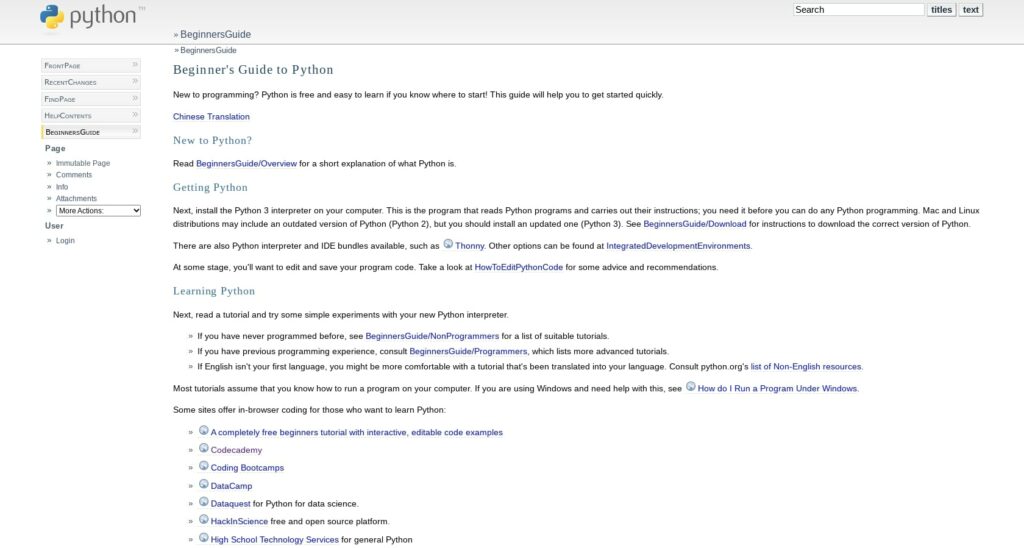
The official Python website offers many resources, guides, and tutorials that can introduce you to the basics of programming languages. If you’re starting from ground zero, we recommend the Beginner’s Guide, available under the Docs tab:

The Python Beginner’s Guide

This guide is free to access and use. It also provides tons of links to other materials you can utilize throughout your learning journey. In addition to what’s essentially a map for your Python curriculum, you can explore various quizzes and assignments, cheat sheets, style checkers, and other tools. We recommend taking notes to absorb all the information.

Also available on the Python website is a Developer’s Guide. This resource will be helpful to reference once you’ve mastered the basics and are ready to move to the next level.

2. Udemy

Udemy is a popular platform where you can find tons of online learning courses covering a broad range of topics. The website offers both free and paid lessons, including options explicitly geared toward web developers.

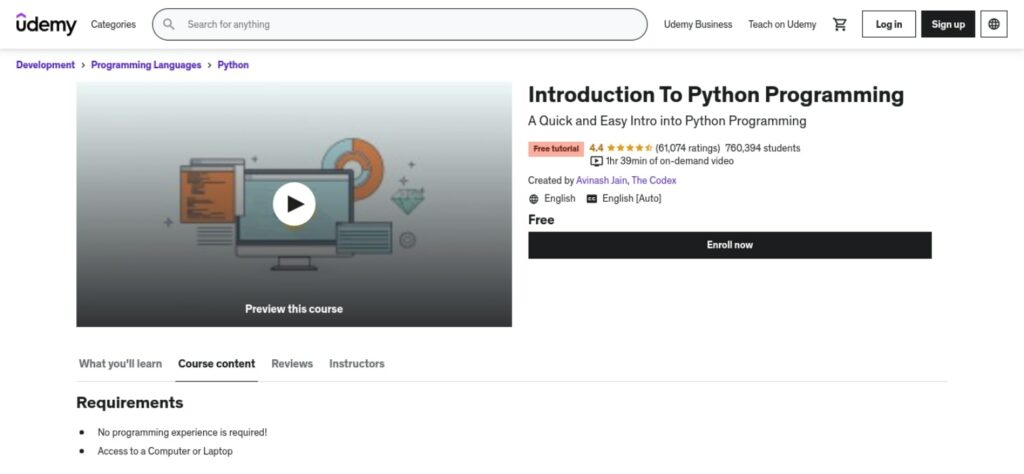
These classes include a free Introduction to Python Programming course that is perfect for beginners:

The Udemy Intro to Python course

It consists of one hour and 39 minutes of on-demand video content, covering the basics of Python, including scripts and functions. You can also upgrade to the paid version, which includes a certificate of completion and direct messaging with the instructor.

When you’re ready to advance, you can enroll in the Python From Beginner to Intermediate in 30 Mins course. This is another free, video-based class that will teach you more sophisticated Python programming concepts.

3. Codecademy

Codecademy is a popular and robust online learning platform geared toward developers and programmers. It’s a wonderful resource for exploring and enrolling in classes that cover nearly every topic in data science, web development, IT, and more.

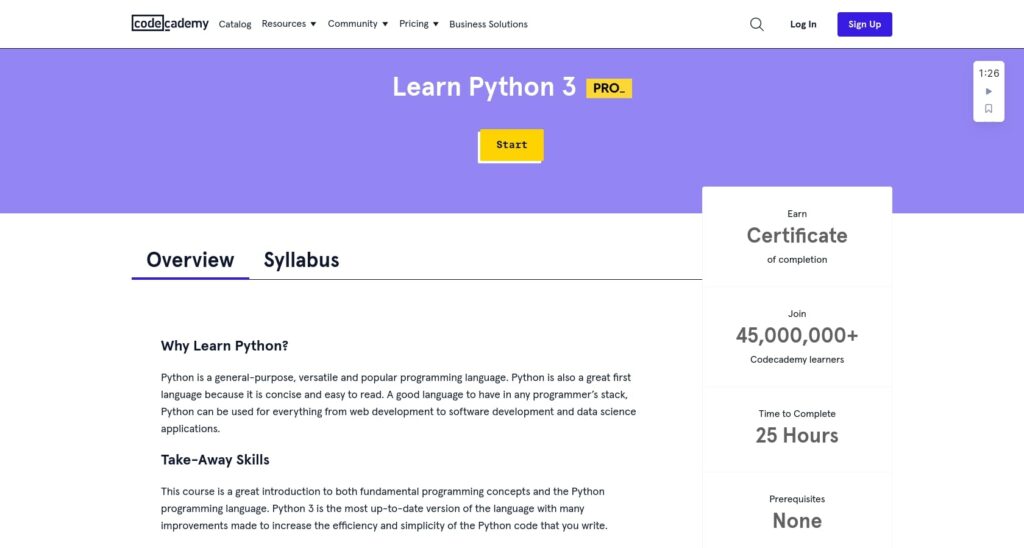
Although it’s not free, the Pro plan offers a Learn Python 3 course that can serve as an excellent introduction to Python as well as basic programming concepts:

Codecademy Learn Python 3

The lessons cover a variety of topics, including:

  • Python syntax
  • Conditionals and control flow
  • Functions
  • Data structures lists and directories
  • And more

The course doesn’t require any prerequisites. If you sign up for the Pro plan, you will receive a certificate upon completion. Furthermore, the course takes approximately 25 hours to complete.

4. LearnPython.org

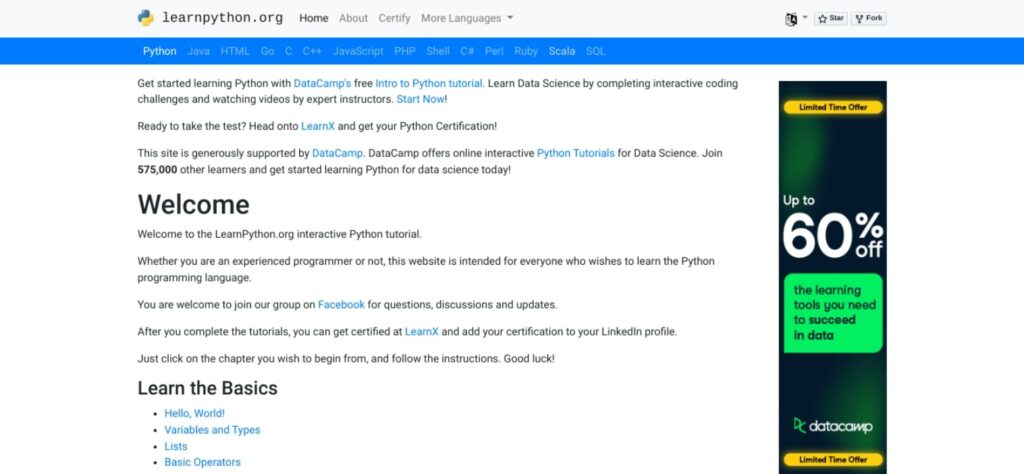
If you prefer text-based learning materials, LearnPython.org is a solid option:

The LearnPython.org website

The website is dedicated to helping people of all experience levels learn the programming language and access resources that can simplify the process. It includes both basic and advanced tutorials, covering topics such as:

  • Variables and their types
  • Data science lessons
  • Generators, sets, list comprehensions, function arguments, etc

The lessons are interactive. You can also find a Facebook group dedicated to the courses where you can discuss the material with other students.

5. Free Code Camp

Another platform you can use to find free and paid courses on Python is Free Code Camp. The website has various coding and web development materials, including courses, boot camps, and news.

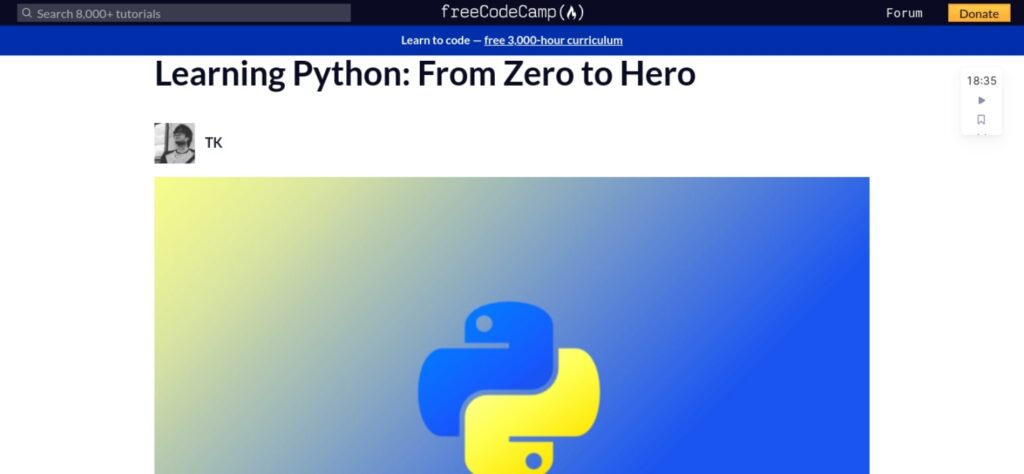
Free Code Camp offers a Learning Python: From Zero to Hero course that is free and text-based:

Free Code Camp Python course

It explains the basics of Python in simple, easy-to-understand sections. Some of the topics include:

  • How variables, conditional statements, and looping work
  • How to use lists
  • Iterations through data structures
  • Objects and classes

If you enjoy video-based content, you can also find a YouTube version where the same topics are covered. The video course additionally discusses how to install PyCharm and Python. This course includes four hours and 20 minutes of video content.

If you complete the beginner course and want to move on to more advanced concepts and projects, you can also participate in the One Month Python Bootcamp. This is a paid course, but the project-based, intensive material is self-paced. It will give you the foundation needed to become a Python developer.

Start Learning Python Today

If you’re just getting started with Python, there are many online courses, platforms, and resources you can use (many of which are free!) to help you learn the programming language quickly.

We recommend beginning with a free introduction course or materials, such as those offered on Python.org. Once you nail down the basics, you can graduate to more in-depth and specialized teachings offered on third-party and premium platforms.

Are you looking for an affordable yet reliable hosting solution for your web development projects? Check out DreamHost shared hosting plans to get started!

Power Your Website with DreamHost

We make sure your website is fast, secure and always up so your visitors trust you. Plans start at $1.99/mo.

shared hosting

The post How to Learn Python (Fast & Free) appeared first on Website Guides, Tips & Knowledge.


source https://www.dreamhost.com/blog/learn-python/

Wednesday, 17 August 2022

How to Fix the ERR_SSL_PROTOCOL_ERROR (7 Ways)

Making sure your website data is transmitted through a secure connection is important for various reasons. However, you may sometimes run into an issue indicating a problem with the connection, such as the ERR_SSL_PROTOCOL_ERROR.

While this message can be frustrating and concerning, it’s relatively common, particularly in Google Chrome. There are a handful of different causes, but you can use straightforward methods to fix them.

In this post, we’ll explain what the ERR_SSL_PROTOCOL error means and some common causes. Then we’ll walk you through some potential solutions you can take to resolve it. Let’s jump in!

What the ERR_SSL_PROTOCOL_ERROR Means

The Secure Sockets Layer (SSL) protocol is a website security measure that protects data from being intercepted and read by someone other than the intended recipient. Many sites use this protocol to protect their users’ personal information.

The ERR_SSL_PROTOCOL_ERROR is a problem with the encryption protocol that prevents data from being transmitted securely. The message can display when you’re trying to visit a website using the HyperText Transfer Protocol Secure (HTTPS). It combines the Hypertext Transfer Protocol (HTTP) with the SSL/Transport Layer Security (TLS) protocol.

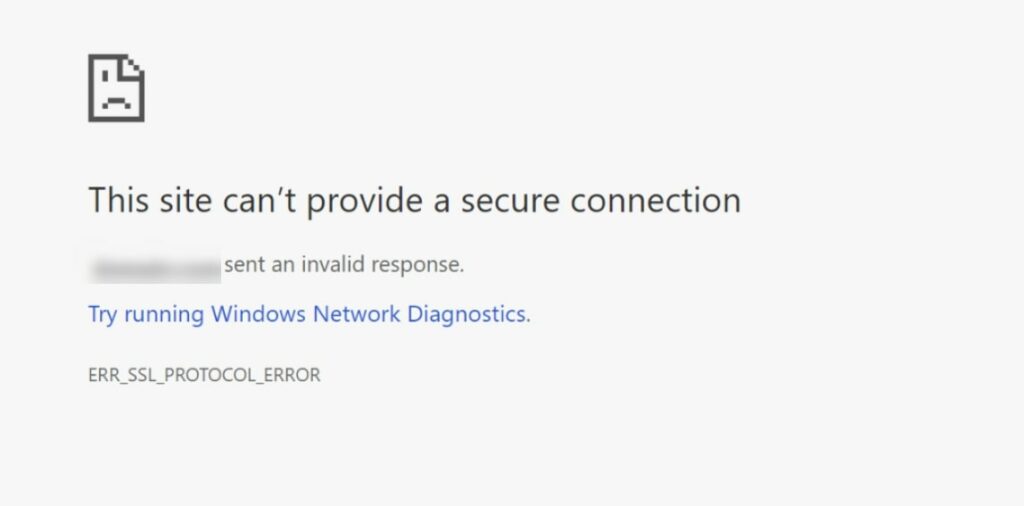
While this error can occur in most major web browsers, it’s often seen in Chrome:

The ERR_SSL_PROTOCOL_ERROR in Google Chrome

This common issue can happen when a user is trying to visit your website. It can also occur when the user attempts to enter data on a site.

Common Causes of the ERR_SSL_PROTOCOL_ERROR

There are a handful of reasons you might be seeing this error message. It is often caused by an expired or missing SSL certificate. It might also come from a mismatch in the server’s and client’s encryption protocols.

This error can also happen if the website’s certificate has been revoked. Perhaps it was compromised, the owner no longer wants to use it, or they have simply not renewed their certificate yet.

Other potential causes include incorrect system clock settings, firewall and antivirus settings, and misconfigured protocol settings and versions. You may not be able to identify the precise reason behind the issue until you start trying to resolve it.

Get Content Delivered Straight to Your Inbox

Subscribe to our blog and receive great content just like this delivered straight to your inbox.

How to Fix the ERR_SSL_PROTOCOL_ERROR (7 Potential Solutions)

Now that we understand more about this error and its potential causes, let’s discuss how you can resolve it. Here are seven solutions you can use to fix the ERR_SSL_PROTOCOL_ERROR!

1. Clear Your Browser Cache and SSL State

The first solution you can try is to clear your browser cache. A cache is a saved copy of data from a site. It typically includes all the website’s content, including images, HTML files, and videos.

When you request the same website or page for a second time, the computer can save time by retrieving it from the local cache instead of requesting it again from the server. The local cache can be accessed and controlled from your browser.

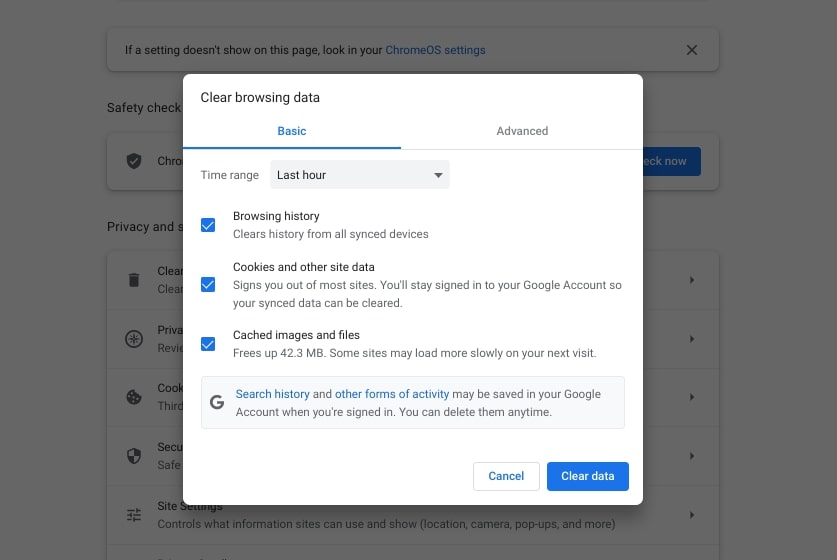
To clear your cache in Google Chrome, click on the three dots in the upper right corner of your browser window. Then select More tools > Clear browsing data:

Clearing browser cache in Google Chrome

Tick the necessary boxes and click on Clear data. Now refresh and reload your browser and try accessing the site again.

If this doesn’t work, you can also try clearing your SSL state. The SSL state is a way for Chrome to determine if a website uses HTTPS. The SSL state will turn green if the website is using an HTTPS connection and a red X if it’s not.

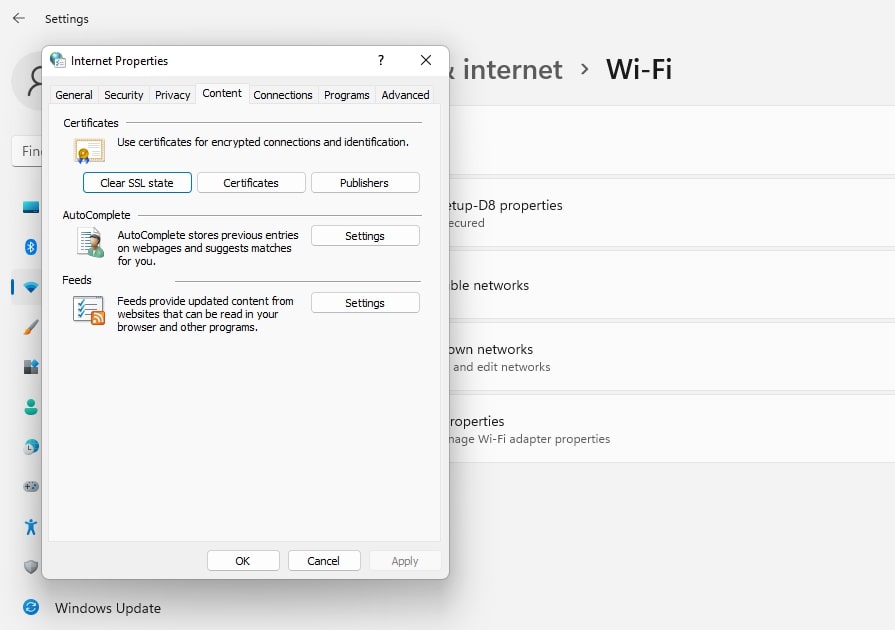
To clear the state, just navigate to your start menu and then go to Control Panel > Network and Internet > Network and Sharing Center. Next, select Internet Options to open the Internet Properties panel.

Under Content, click on the Clear SSL State button:

The option to clear SSL slate in Windows

When you’re done, you should see a success message letting you know the SSL cache was successfully cleared. You can then restart Chrome to see if the error message is still there.

2. Check Your System Clock

Incorrect date or timezone settings can sometimes interfere with the website you’re trying to visit and result in the ERR_SSL_PROTOCOL_ERROR. Therefore, your next step is verifying that your system is using the correct date and time.

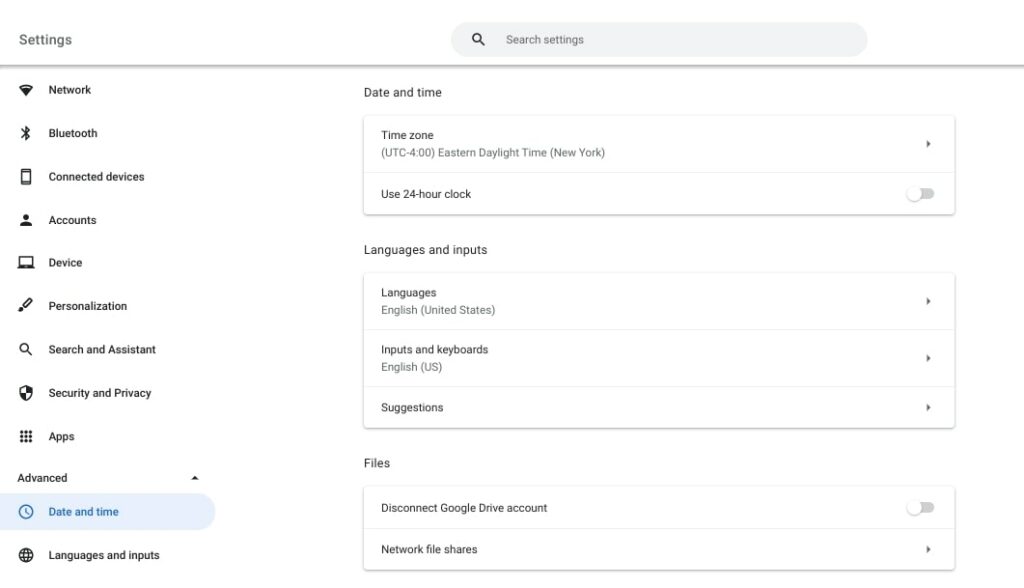
You can do this by clicking on the time in the bottom right-hand corner of your screen. This will open your date and time settings:

Date and time settings in Chrome

Verify the current timezone, time, and date are correct. It’s also essential to ensure you’re not using the 24-hour clock or military time format. Then you can try reloading the page to see if this has fixed the issue.

3. Disable Third-Party Browser Extensions And Antivirus Software

Using browser extensions can be an excellent way to extend your browser’s features. However, sometimes these extensions can cause problems with protocol settings.

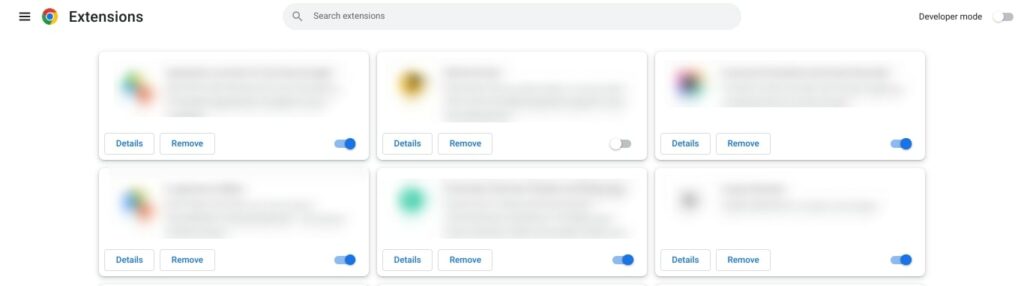
To identify any potential extensions that could be throwing errors, visit your extensions page by navigating to your Chrome menu and clicking on More tools > Extensions:

The Chrome Extensions page

Disable all of your extensions. Then revisit the website showing the error message. If it’s gone, you can assume that an extension is to blame.

The next step is to activate each extension and reload the site between activations. Once you’ve identified the culprit, you can look for an alternative. It’s also a good idea to temporarily disable any antivirus software or firewalls you have installed.

4. Check Your SSL Certificate

If you’re still seeing the error message, the next solution is to check your SSL certificate. As we mentioned, it’s possible that a revoked, missing, or expired certificate can cause the error message. Therefore, it’s important to make sure that the one you’re using is valid.

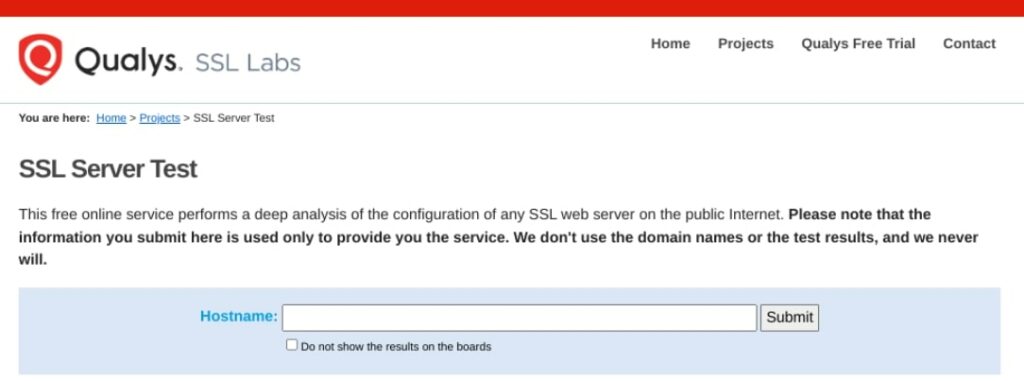
You can use an online SSL checker to verify the validity of your certificate. A popular option is Qualys SSL Labs:

The Qualys SSL server test tool

You can enter your domain name and then click on Submit. When it’s done scanning, you’ll see a report with detailed information about your SSL certificate, including its associated domain, port, protocol, and hostname.

5. Disable the QUIC Protocol

QUIC is a new internet protocol initially developed by Google for its Chrome browser. It is an alternative to the HTTP protocol and aims to improve performance.

QUIC is enabled by default in the latest versions of Chrome, but you can disable it from the settings panel. Disabling QUIC will cause the browser to use HTTP instead, which can be helpful for people who are experiencing connection issues.

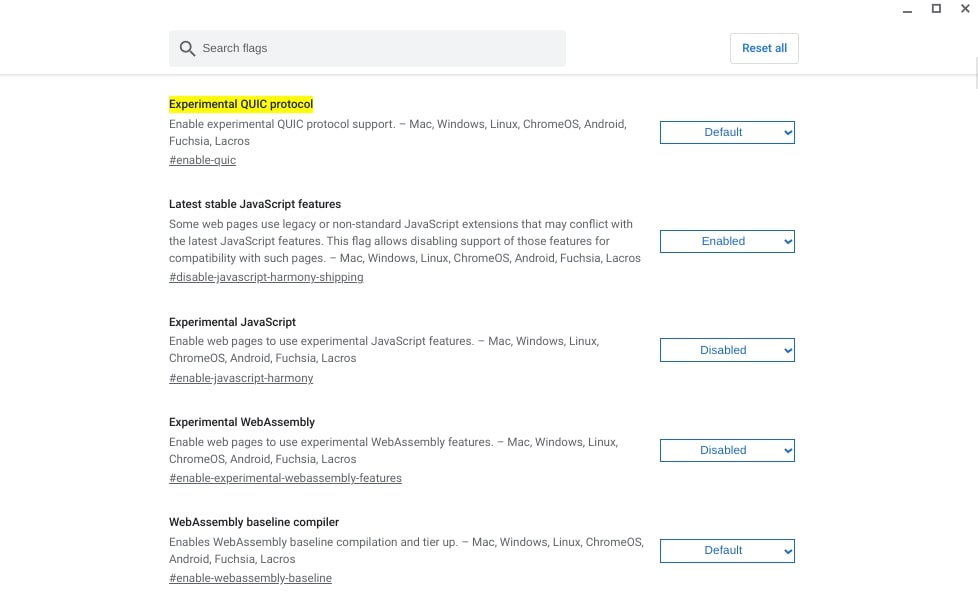
To disable QUIC in Chrome, go to chrome://flags/#enable-quic:

The QUIC Protocol settings in Chrome

Next to Experimental QUIC Protocol, click on the dropdown menu and select Disabled. At the bottom of the page, click on the Restart button. Now head back to the website you’re trying to load and see if the protocol error is still displaying.

6. Enable All SSL/TLS Versions

Another method you can try is activating all SSL/TLS versions. This will cause sites with outdated or insecure protocols to load. While this method isn’t typically recommended, it can help you identify the source of the ERR_SSL_PROTOCOL_ERROR.

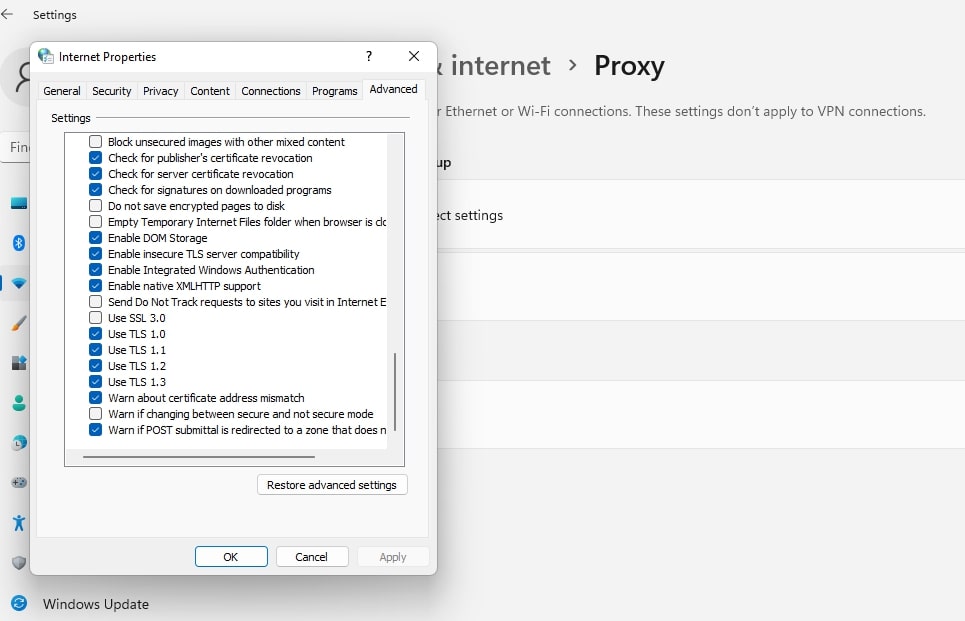
To enable all SSL/TLS versions, navigate to Advanced Settings in Chrome, then click on System. Next, select Open proxy settings and go to the Advanced tab:

The SSL/TLS security settings in Windows

Click on the boxes of all the TLS/SSL versions. When you’re done, reload your browser and see if you can access the website.

7. Change Your Internet Security and Privacy Level

If your internet security and privacy levels are too high, they can restrict your access to certain websites. You can adjust your setting levels to see if they’re causing the ERR_SSL_PROTOCOL_ERROR.

To do this, type “Internet Options” into the search bar of your device, then hit your Enter key. In the Internet Properties window that opens, select the Security tab, then use the slider to set it to the medium level:

The security level in Windows

When you’re done, click on the OK button. Reload your browser, then try revisiting the website.

Summary

Encountering error messages when you’re trying to access a website can be incredibly frustrating. One of the most common ones you may see while using Chrome is ERR_SSL_PROTOCOL_ERROR. Fortunately, you can use a handful of solutions to fix it.

As we discussed in this post, this error can be caused by several different things. The most likely culprits are incorrect cache settings, old or expired certificates, and incorrect protocol or system settings. By clearing your cache, checking your SSL certificate, and updating your protocol and privacy setting, you should be able to resolve this issue in no time.

Are you looking for secure web hosting that can help you out with any technical issues? Check out our DreamPress managed hosting plans and get access to 24/7 expert support, daily backups, and more!

Do More with DreamPress

DreamPress Plus and Pro users get access to Jetpack Professional (and 200+ premium themes) at no added cost!

Managed WordPress Hosting - DreamPress

The post How to Fix the ERR_SSL_PROTOCOL_ERROR (7 Ways) appeared first on Website Guides, Tips & Knowledge.


source https://www.dreamhost.com/blog/fix-err-ssl-protocol-error/

Tuesday, 16 August 2022

How Much Does a Web Designer Make in 2022?

Are you considering a future in web design or development? With so many career trajectories and overlapping skills, it can be hard to choose the right role to pursue. Therefore, you may be weighing the pros and cons, and wondering how much a web designer makes.

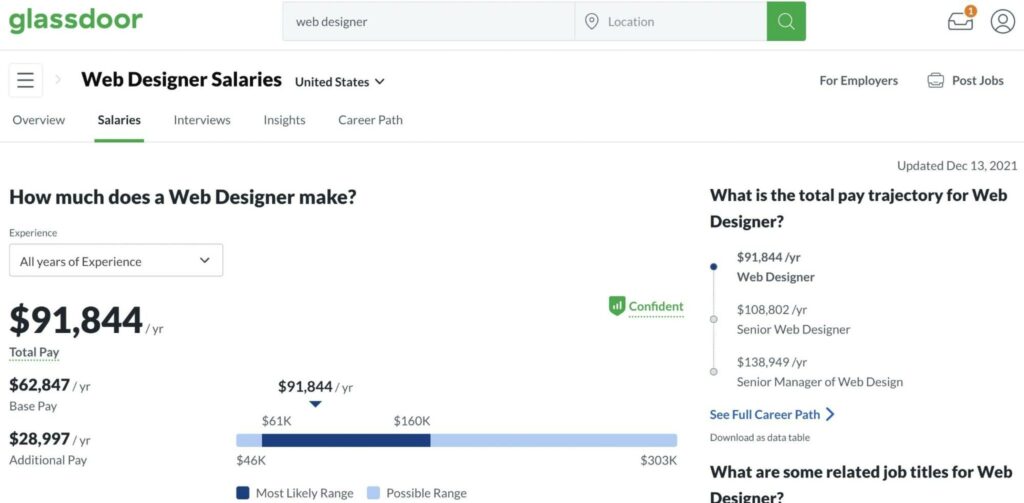
While the average web designer salary varies, you can typically earn around $62,864 per year in the United States. This excludes benefits like bonuses, equity, and profit sharing. Plus, you can increase this figure by moving to a high-paying location.

In this post, we’ll explain what a web designer does and look at the main requirements. We’ll then do a deep dive into the average salary of a web designer in 2022. Finally, we’ll explore the job outlook in this industry. Let’s get to it!

What Does a Web Designer Do?

Before we explore web designer salaries, it’s important to have a sense of what the role actually entails. Simply put, a web designer is responsible for the appearance of a website. This includes elements such as layout, navigation menus, buttons, and more.

Web designers often collaborate with graphic designers and developers. However, some may also have responsibilities in graphic design and front end development.

Typically, web designers specialize in the following areas:

  • User Experience (UX). This refers to people’s experience when they navigate a website and interact with its content. UX design is focused on creating web pages that are beautiful, functional, and glitch-free.
  • User Interface (UI). UI designers determine the look and feel of a website. This can include color schemes, button shapes, fonts, and more.
  • Interaction. As the name suggests, interaction designers are in charge of identifying key instances of interactivity in the visitor journey. They focus on usability and will likely collaborate with marketing and development teams.

These specialties overlap quite a bit, so you don’t need to choose one specifically. However, picking an area of expertise may be useful for jobs or projects that require specific skills.

It’s important to note that a web designer is not a developer. While they may need some front end development skills, designers usually focus on key web design elements. On the other hand, web developers are mainly responsible for a site’s performance and functionality.

What Skills Do You Need to Become a Web Designer?

Since web designer roles can be rather generalized, you’re probably wondering what practical skills you need to have. If you want to work in web design, you’ll need both creative and technical abilities.

Here’s what you’ll need to know:

  • Front end development. Web designers often collaborate with front end developers and back end developers to implement their creations. Still, they’ll need to have a basic understanding of coding languages like HTML, CSS, and JavaScript.
  • Graphic design. Since web design considers every aspect of a site’s appearance, it’s also useful to have a general sense of graphic design principles. An aesthetic eye is essential.
  • Design tools. Some common tools that you may need to use include Adobe Suite, Google Web Designer, Sketch, and InVision Studio. Each company will have its own preferences.
  • Web standards. Web designers should be knowledgeable in other areas, including Search Engine Optimization (SEO), accessibility, and analytics.
  • Communication. Collaboration and communication skills are also important. This is because web designers often work within a team.

Keep in mind that formal education isn’t entirely necessary to become a professional web designer. However, you’ll likely need an associate degree in the subject.

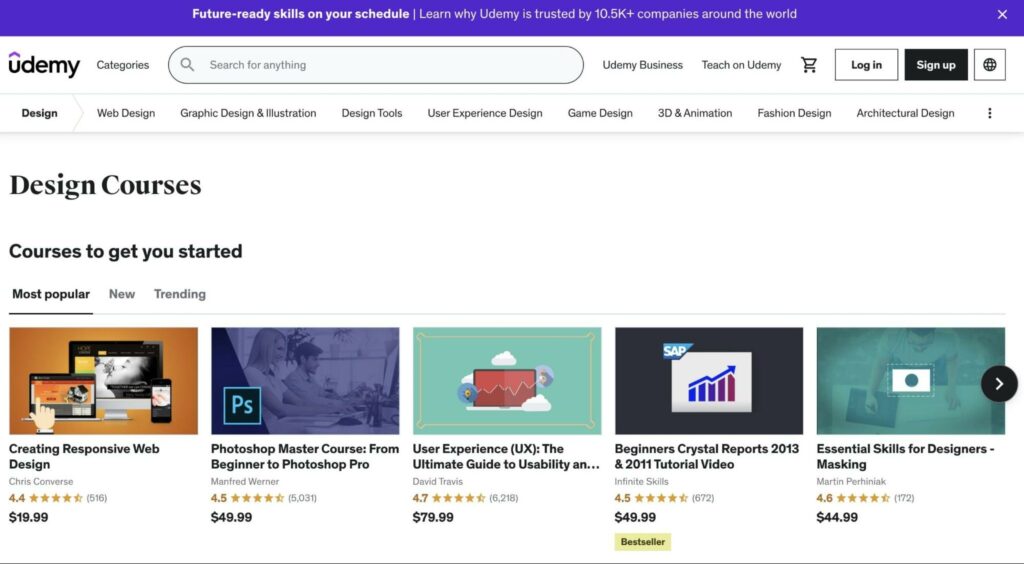
Alternatively, you can do an intensive program on popular learning platforms, such as Codecademy or Udemy:

Udemy design courses

Being self-taught isn’t considered a bad thing. However, a bachelor’s or a master’s degree in a relevant subject can increase your earning potential.

The Benefits of a Career in Web Design

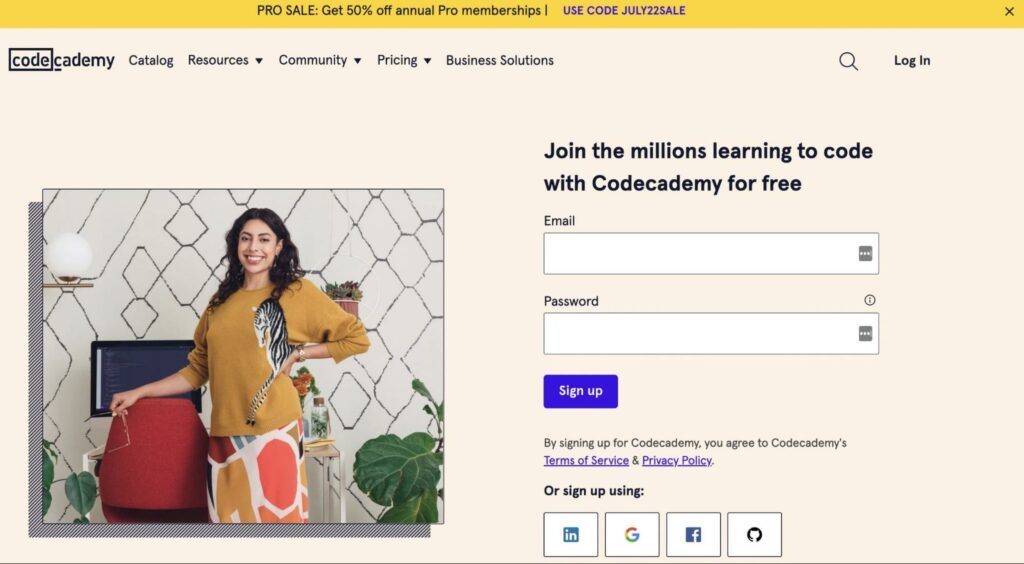
There are many advantages to choosing a future in web design. Firstly, you can get started on this career path relatively quickly. If you choose the right courses and utilize free resources to learn how to code and design web pages, it can be a worthwhile investment:

Codecademy homepage

Additionally, web design can be an excellent option for creatives who want to break into a more tech-forward role. Similarly, a job as a web designer can be a good stepping stone, as it enables you to explore different facets of design.

For instance, you can start off as a web designer and transition to UX design. You might even discover a passion for graphic design or front end development and go with one of those instead.

In a nutshell, web design offers tons of flexibility and space for growth. No matter your trajectory, the skills you gain can be highly marketable. Plus, you’ll probably have an exciting career, since technology and design trends are always evolving.

How Much Does a Web Designer Make in 2022?

Now, let’s take a detailed look at web designer salaries in the United States.

Average Web Designer Salary Overall

First, we’ll explore the average base salary for web designers. Here are the numbers from a few credible sources:

There is certainly some variation in these figures. However, we can presume that the average web designer salary falls somewhere between $51,382 and $76,154 annually.

Still, this likely excludes additional factors such as bonuses, equity, and profit sharing. For instance, Glassdoor states that web designers enjoy an additional pay of around $28,997 annually:

Average web designer salary on Glassdoor.com

Of course, web designer salaries are determined by a variety of factors, including the level of experience and location. We’ll explore these factors in more detail over the next few sections.

Average Web Designer Salary Based on Years of Experience

Let’s look at web designer salaries based on years of experience. Here are the average figures for junior or entry-level web designers:

Once again, these numbers exclude extra pay. Glassdoor reports that entry-level web designers may receive an additional income of around $42,234 annually. This means junior web designers can make almost as much as mid-career professionals.

Moving on to the more experienced web designers, here’s what their average salaries look like after ten years:

  • Payscale: $61,599
  • Glassdoor: $76,518
  • Indeed: $65,774
  • Salary.com (Web Designer III): $93,010

While some of these senior web designer salaries may not be that much higher than entry-level ones, there are some factors to consider. For example, a veteran at a particular company will likely enjoy increased benefits such as bonus vacation days and affordable health insurance. At this experience level, Glassdoor reports an additional pay of around $35,473 annually.

Average Web Designer Salary Based on Specialization

As we mentioned earlier, web designers can choose to specialize in certain areas. These are the average salaries for UI designers:

As you can see, UI designers make slightly more than general web designers. Now let’s see how the average UX designer salary compares:

UX designers have higher salaries too. With this in mind, you may consider specializing in either of these areas. However, even if you don’t want to ramp up your technical skills, web design is still a profitable choice.

You have other options, too. For instance, you can become a web designer that specializes in a particular CMS, such as WordPress. Alternatively, you could establish valuable expertise in mobile design.

Average Web Designer Salary Based on Location

You might be wondering how web designer incomes vary by location. Here are the highest paying cities for web designers:

  • Atlanta, Georgia: $76,268 per year
  • Austin, Texas: $66,623 per year
  • Brooklyn, New York: $57,728 per year
  • New York, New York: $56,456 per year
  • Chicago, Illinois: $55,005 per year

Most likely, these salaries are determined by the cost of living in that area as well as the concentration of technology companies. If you’re willing to move locations for the sake of your career, you’d be wise to thoroughly research your options first.

Remote and Freelance Web Designer Salaries

You might consider working as a freelancer or looking for a remote job. Alternatively, you might want to work for different clients.

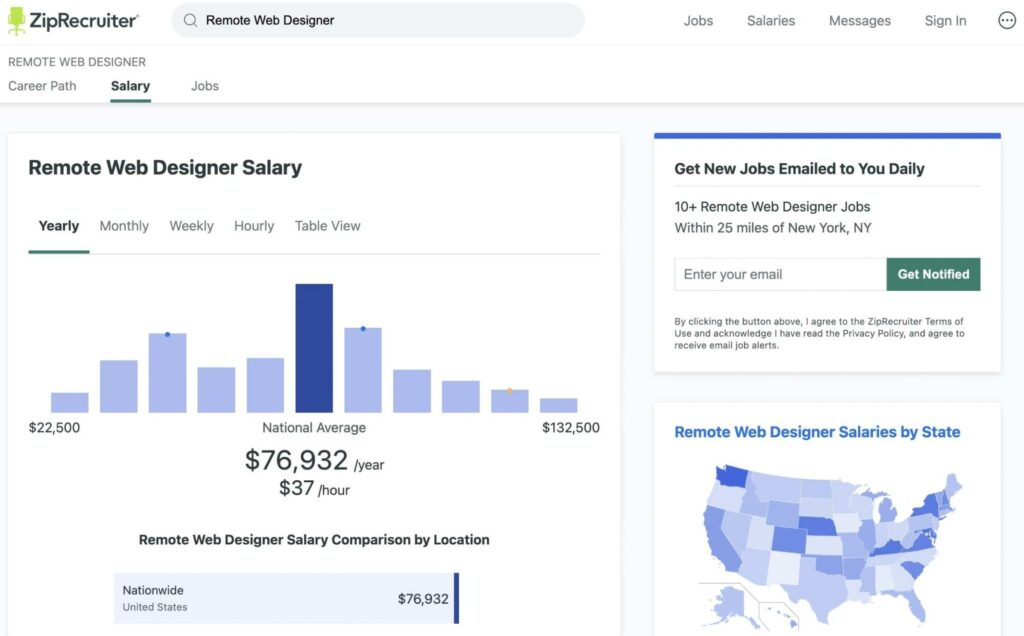
Some companies prefer to hire designers for specific projects, rather than recruit a full-time professional. According to ZipRecruiter, the national average for a remote web designer salary is $76,392 per year:

Remote web designer salary on ZipRecruiter.com

This is equal to $37 per hour. Similarly, freelance web designers make an average of $55,810 per year, which is the same as $27 per hour.

These numbers may seem significantly lower. However, remote or freelance work has its benefits too. For instance, independent web designers can travel as often as they please and create their own schedules.

What’s the Job Outlook for Web Designers?

Data shows that web designers can make a good living, especially when you consider additional pay like bonuses. However, if you’re concerned about job security, you’d probably want to look at the outlook for web designer positions.

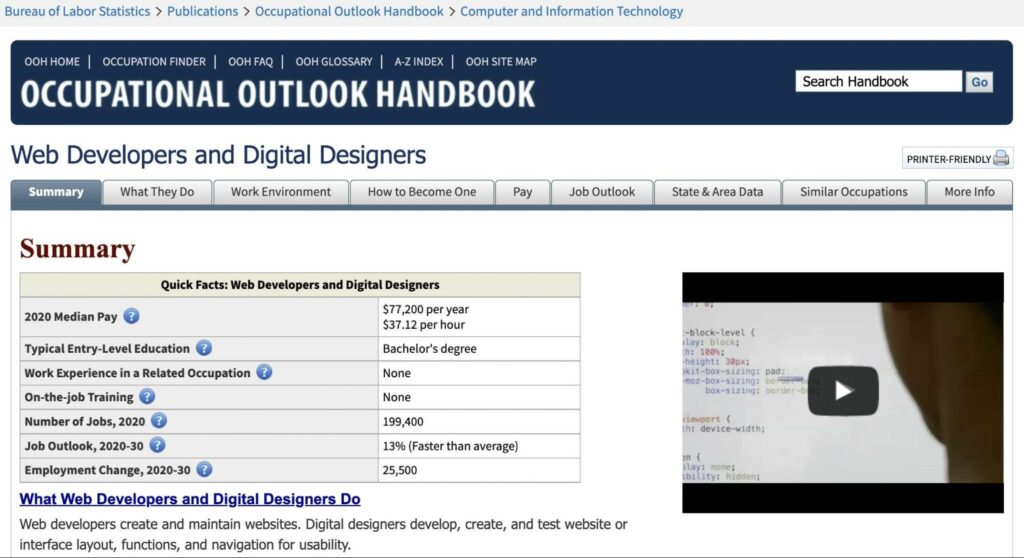
The current market value for web design services is $11 billion. Moreover, the U.S. Bureau of Labor Statistics reports that jobs for digital designers are expected to grow by 13% between 2020 and 2030:

Job outlook for web developers and digital designers

This is faster than the average growth rate for jobs in general. Also, it’s important to remember that web designers are generalists. Therefore, they have added job security because they can always pivot to other fields like graphic design or front end development.

The future of web design will likely focus on accessibility and mobile responsiveness. As such, you may consider specializing in one of these niches. A background in these areas can make you a more attractive candidate.

Dynamic Web Designers Can Enjoy Lucrative Careers

If you want to work in web design, there are several factors to consider before you invest in your education or professional development. For instance, you’ll want to have a good understanding of the earning potential in this industry. Additionally, you might want to look at the job outlook for web designers.

Typically, mid-career web designers make somewhere between $60,000 and $90,000 per year. These figures exclude bonuses and benefits. You can make more if you specialize in areas such as web accessibility or responsive design. While web designers may not make as much as their technical counterparts in web development, they still can enjoy long and profitable careers.

Get Content Delivered Straight to Your Inbox

Subscribe to our blog and receive great content just like this delivered straight to your inbox.

The post How Much Does a Web Designer Make in 2022? appeared first on Website Guides, Tips & Knowledge.


source https://www.dreamhost.com/blog/web-designer-salary/

Saturday, 13 August 2022

How to Learn SQL… Fast

Whether you want to become a back end developer or simply familiarize yourself with databases, you’ll need to learn SQL. However, programming languages can seem a little daunting for beginners.

Fortunately, you can start learning SQL even without coding experience. Watching YouTube tutorials and taking online courses are some of the best ways to master SQL.

In this article, we’ll introduce you to SQL and the benefits of learning it. Then, we’ll show you how to learn this language as quickly as possible. Let’s get started!

An Introduction to SQL

SQL is an abbreviation for Structured Query Language. Put simply, it is a programming language that you can use to manage relational databases.

In a relational database, structured data is organized into tables with rows and columns. All Relational Database Management Systems (RDMS) like MySQL, PostgreSQL, Oracle DB, and SQL Server use SQL to communicate with this data.

In WordPress, your site data is stored in a MySQL database. Using SQL queries, you can store, alter, or delete data from this database.

For example, you can use a MySQL query to manage your spam comments. This will inform WordPress to locate comments marked as spam and delete them:

DELETE FROM wp_comments WHERE wp_comments.comment_approved = 'spam';

If you want to view your customer transactions, you can query the purchased items or customer ID. This enables you to quickly access information about your online store:

SELECT *
FROM users
JOIN orders
 ON orders.user_id = users.id
WHERE state = 'Washington';

There are different types of SQL commands that you can use:

  • DDL (Data Definition Language): this creates and modifies database objects.
  • DML (Data Manipulation Language): it creates, modifies, or deletes data.
  • DCL (Data Control Language): this controls access to data in the database.
  • DQL (Data Query Language): this performs queries to find information.

However, SQL can only be used in relational databases. Since non-relational (NoSQL) databases do not store data in tables, they require different query languages.

Get Content Delivered Straight to Your Inbox

Subscribe to our blog and receive great content just like this delivered straight to your inbox.

Why You Might Want to Learn SQL

After you master the fundamentals of SQL, you can use it to extract relevant data from a large database. Whether you’re a data analyst, business owner, or website administrator, you can benefit from learning SQL.

Although SQL was first introduced in the 1970s, it remains one of the most popular programming languages. In fact, SQL ranks the third most frequently used coding language behind JavaScript, HTML, and CSS.

Plus, SQL is a standard language that many businesses use to manage their data. Even social media platforms like Facebook use SQL to store and analyze information about their users. Since SQL is so common, learning this language can give you new job opportunities.

As a data scientist or analyst, you’ll have to extract, analyze, and interpret data. Without needing to download data into a spreadsheet, you can use SQL to directly access and analyze the information in a database.

Here are some additional jobs that may require SQL:

  • Back end development: create, update, and delete data on the back end of a website.
  • Digital marketing: use SQL queries to find actionable insights about business processes.
  • Accounting: retrieve and analyze a business’s financial data.
  • Database administration: manage databases with SQL and database software.

Even though SQL can seem complicated at first, it is an easy programming language to learn. Its syntax is made up of common English words, so you can quickly understand the purpose of each query or command.

Chances are you deal with data on a daily basis. Using SQL, you can access and interpret information on your website or business. Then, you can perform data analysis to solve problems and understand your audience.

How to Learn SQL (3 Methods)

There are plenty of online resources that you can use to learn SQL. Let’s look at some effective ways to master this language.

1. Find a YouTube Tutorial

If you’re looking to learn SQL as fast as possible, YouTube is a great place to start. Rather than completing a lengthy course, you can find a tutorial that simplifies the language into its core concepts.

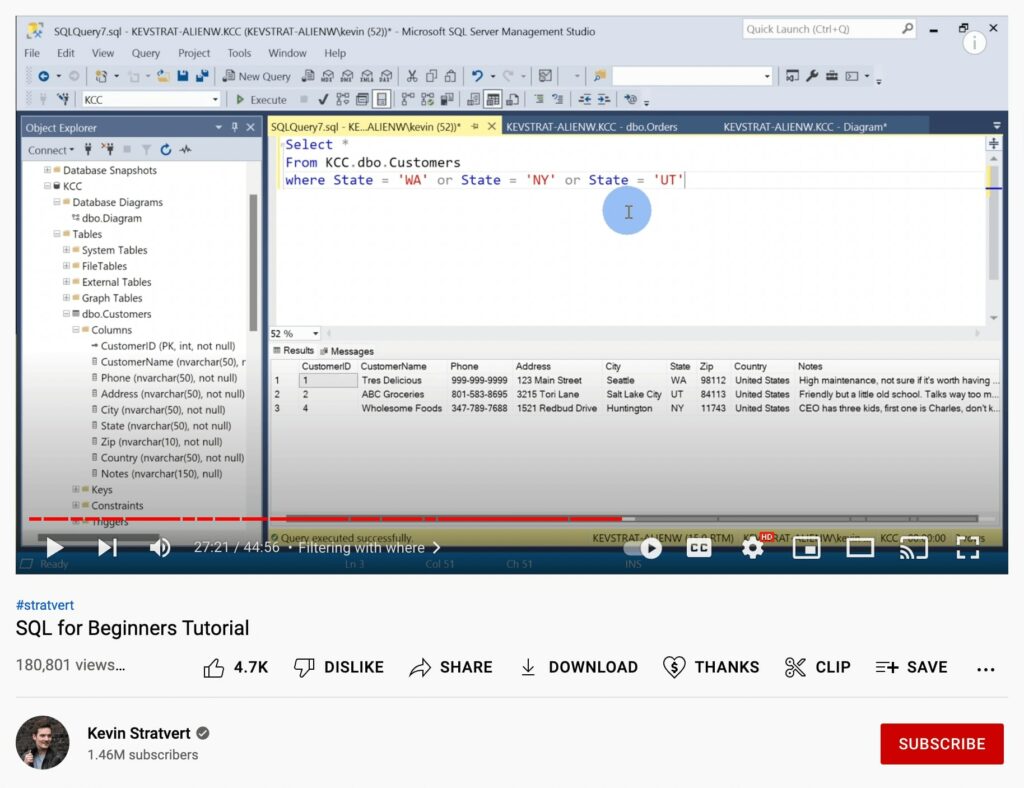
For example, the SQL for Beginners Tutorial will teach you how to retrieve data from a database:

Learn SQL for beginners course on YouTube

In this 45-minute video, you’ll learn the basics of SQL, databases, and Relational Database Management Systems. The creator will walk you through installing Microsoft SQL Server and SQL Server Management Studio. Using these free tools, you can familiarize yourself with tables, primary keys, data types, and more.

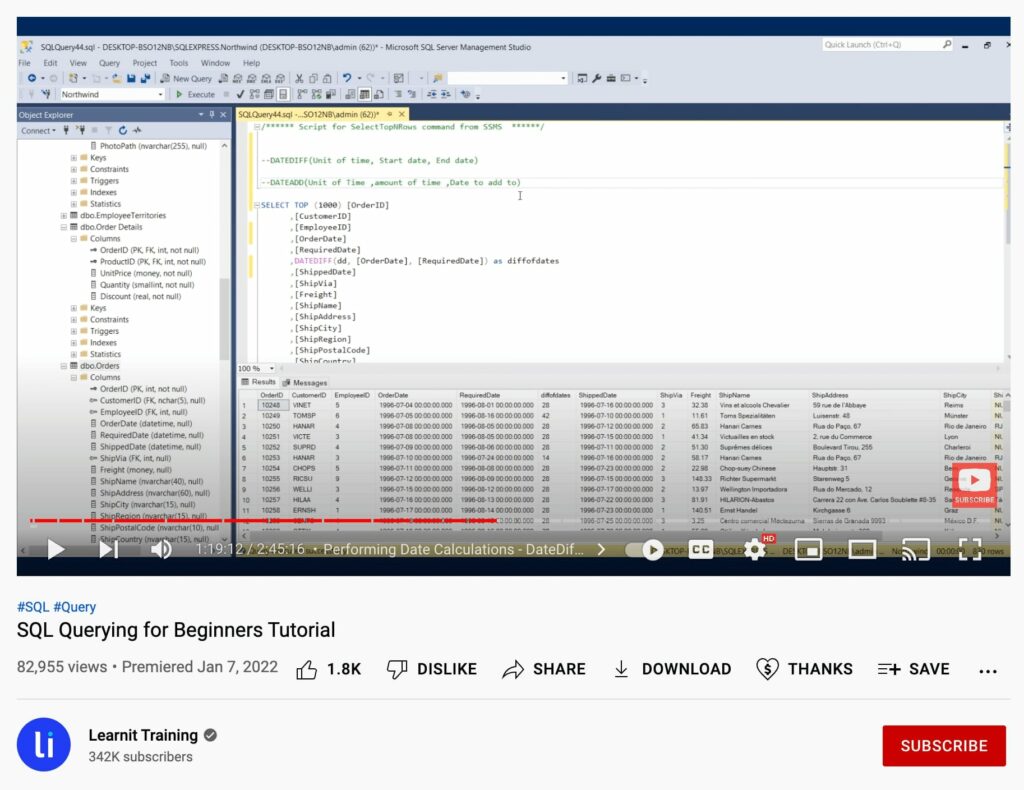
You can also find free courses that dive into more complex SQL topics. If you want to learn about queries, Learnit Training provides a 3-hour video called SQL Querying for Beginners:

Learnit Training SQL Querying Tutorial

This video starts by explaining some basic SQL terminology and its main uses. It then shows you how to perform an SQL query. By the end of the video, you’ll be able to use criteria conditions, retrieve data from multiple tables, and organize and export the query results.

Before watching a video, we recommend checking its publishing date and view count. You’ll want to make sure its information is still relevant. You can also review its comments to see if other users found the tutorial helpful.

2. Take a Free Course

Some people prefer structured courses. Fortunately, there are many e-learning materials that focus on the fundamentals. By completing untimed modules, you can become an SQL developer at your own pace.

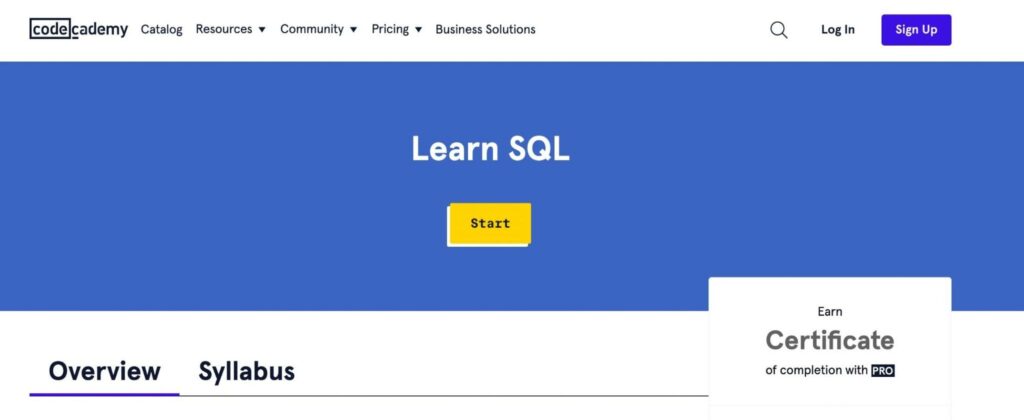
One of the best platforms to learn coding skills is Codecademy. After you create an account, you can look for beginner courses such as Learn SQL. This course will teach you how to use SQL to communicate with relational databases:

Codecademy Learn SQL course

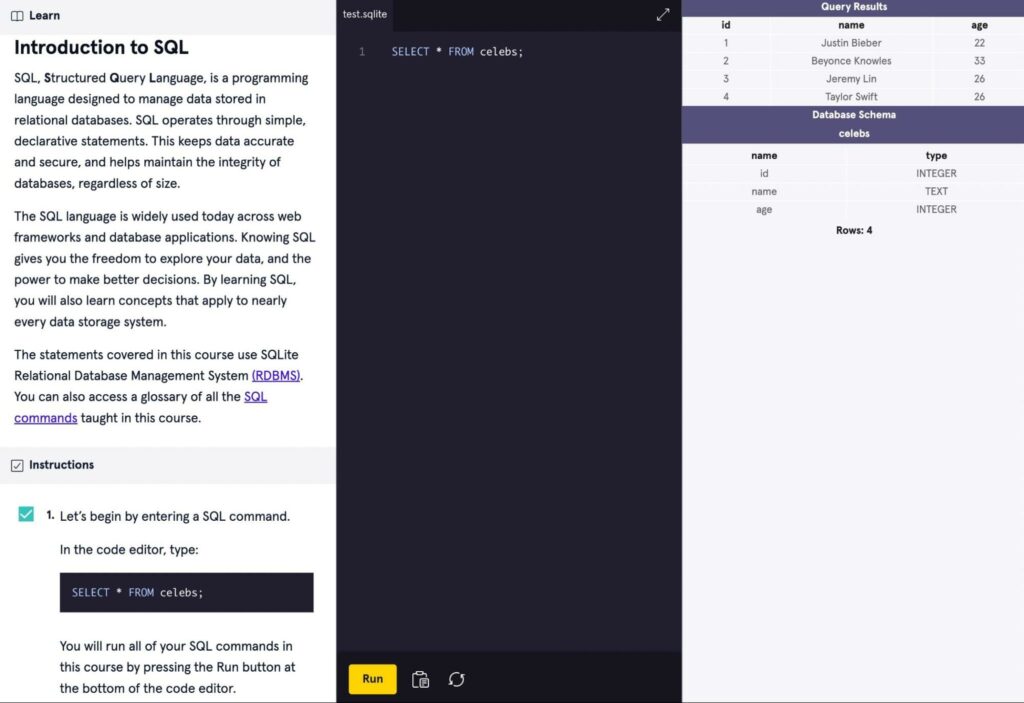
In each module, you’ll be able to enter commands, run queries, and use functions to perform database operations:

Codecademy course module

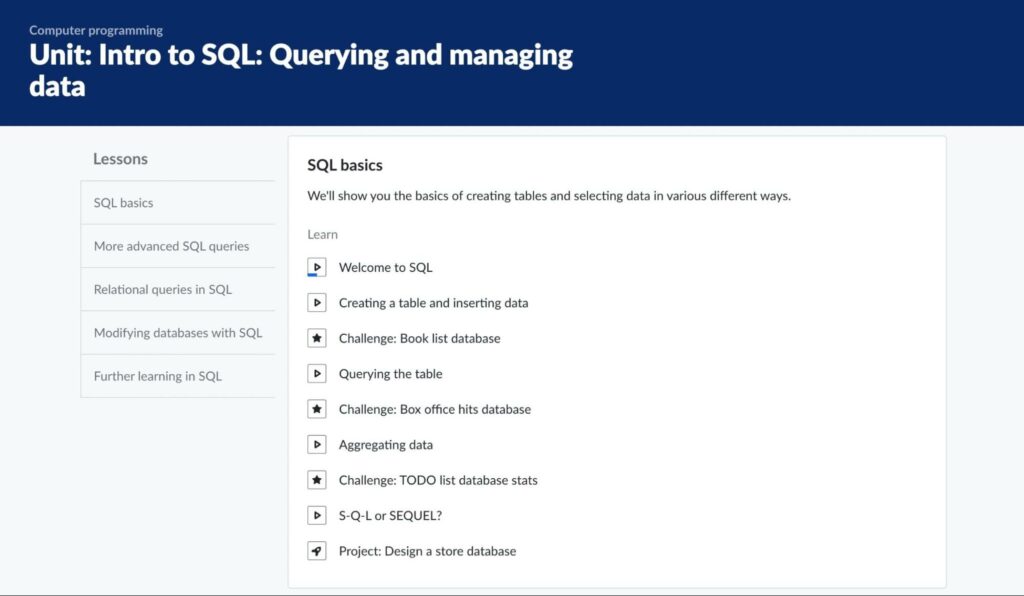
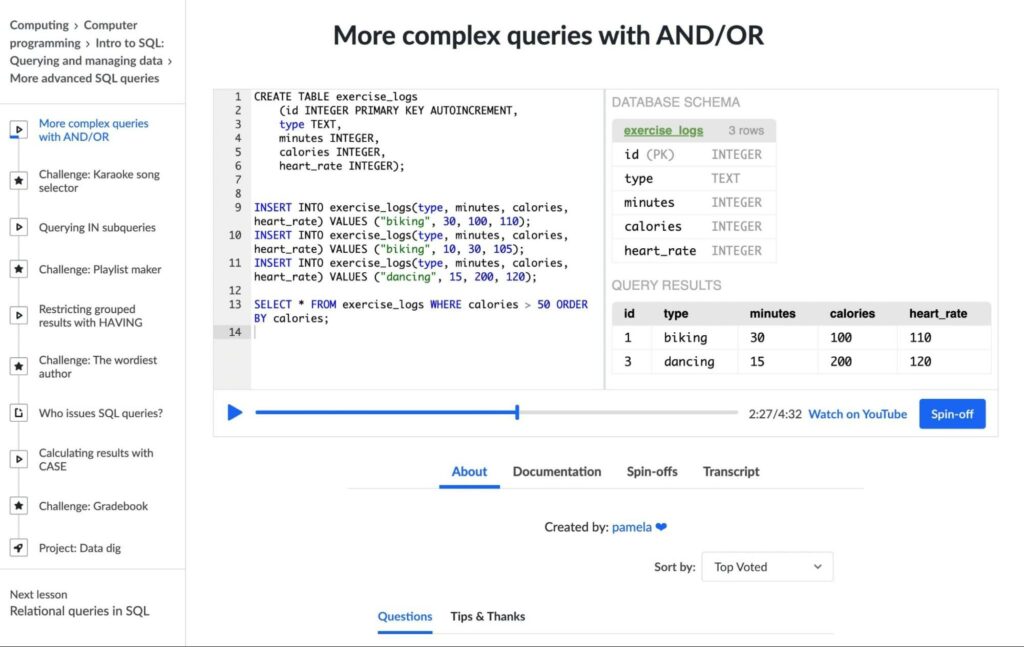
If you like educational videos, Khan Academy’s Intro to SQL course may be the right course for you. It teaches you the basics of making queries and modifying databases with instructional videos:

Khan Academy SQL course

During the course, you can watch code being written in real-time. You’ll also be able to copy it from the video:

Khan Academy course module

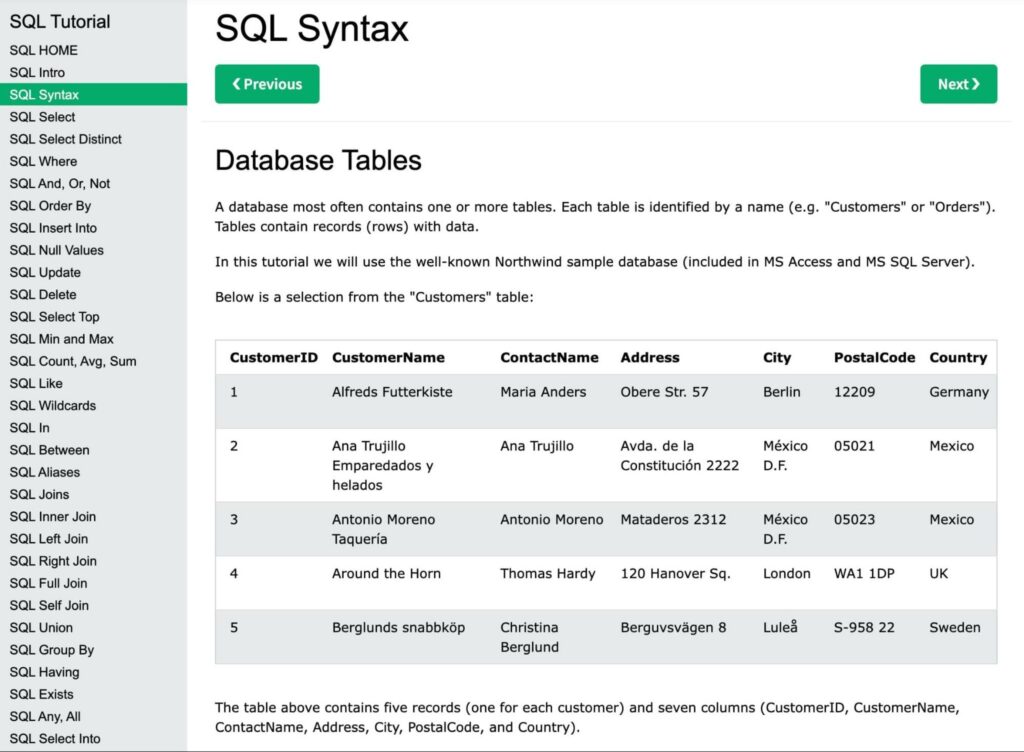
For a more in-depth explanation of SQL, you can complete the SQL Tutorial on W3Schools. This shows you how to write SQL statements with proper syntax, as well as more complex tasks like creating and altering a database:

W3Schools SQL tutorial

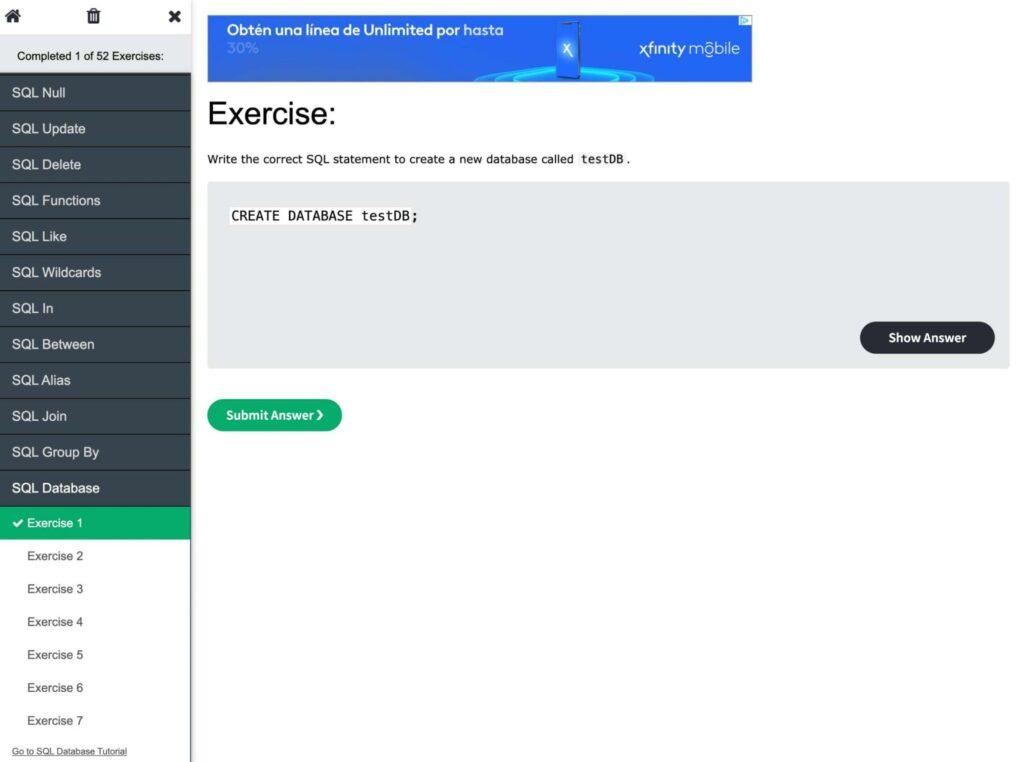
Once you learn about these processes, you can test your new knowledge with practice exercises:

W3Schools SQL exercise

As you can see, there’s no shortage of online courses you can take to learn SQL. All you need to do is find the one that suits your needs.

3. Earn a Certification

In most cases, you won’t need a college degree to work with SQL. However, you might want to showcase your coding skills on your resume. When looking for a position that requires knowledge of SQL, having a certification can increase your chances of getting hired.

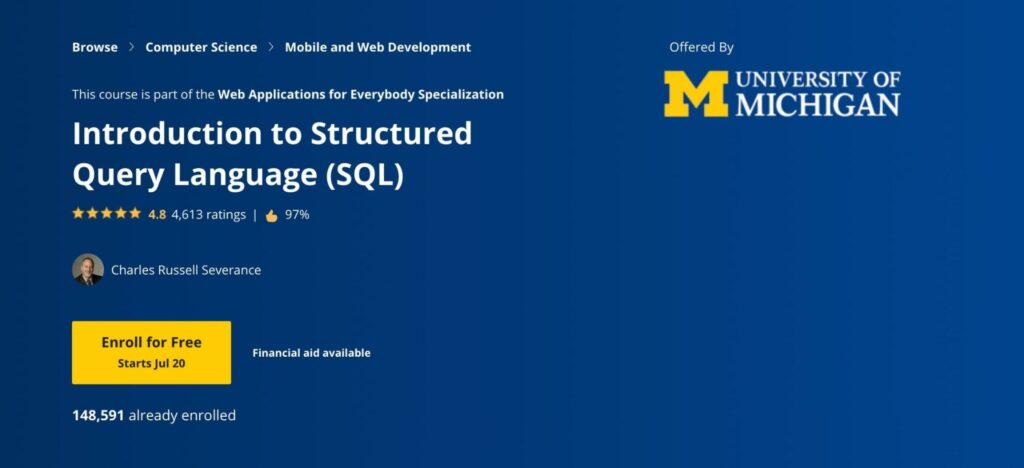
Fortunately, you can easily gain a SQL certification online. Coursera’s Introduction to Structured Query Language teaches you how to create a MySQL database. Once you complete the course, you’ll receive a certificate:

Coursera SQL course

Keep in mind that this is the second level in the Web Applications for Everybody Specialization. To get up to speed, you’ll have to first take the Building Web Applications in PHP course. If you’re already familiar with PHP, HTML, and CSS, feel free to sign up for the SQL lessons.

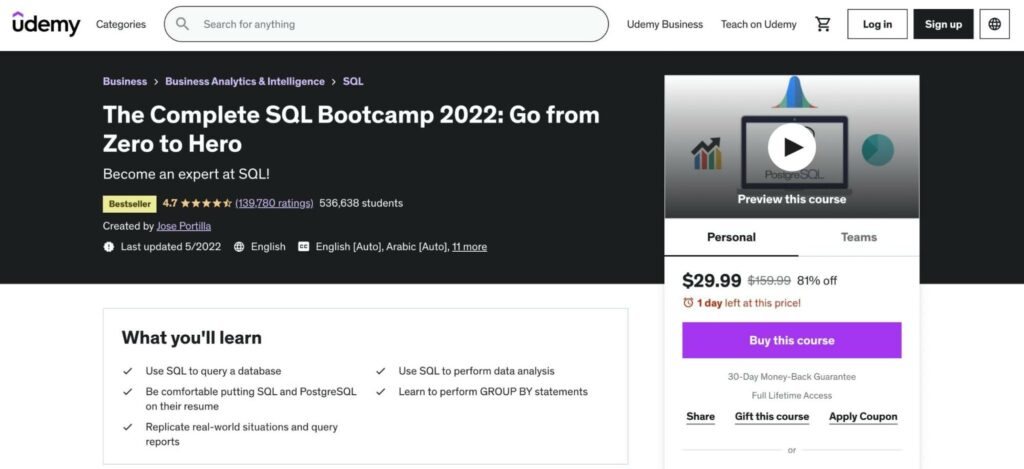
Another way to get certified in SQL is to purchase a course on Udemy. In the Complete SQL Bootcamp, you’ll learn about analyzing data, creating tables and databases, and more:

Udemy SQL course

This Udemy course teaches you how to set up a PostgreSQL database management system. Since this applies to other SQL databases, it can be beneficial to include this certification on your resume.

Start Managing Your Database with SQL

If you own a WordPress website, your data will be stored in a MySQL database. When you learn the SQL query language, you can instruct WordPress on how to deal with this data. Plus, SQL skills can also help you get high-paying jobs in data science, marketing, and development.

To review, here are some simple ways that you can start learning SQL:

  1. Find a YouTube tutorial from creators like Kevin Stratvert or Learnit Training.
  2. Take a free course on Codecademy, Khan Academy, or W3Schools.
  3. Earn a certification from Coursera or Udemy.

Once you learn the SQL basics, you’ll likely want to create a new MySQL database. With a DreamHost shared hosting plan, you can build unlimited databases and enjoy faster queries!

Power Your Website with DreamHost

We make sure your website is fast, secure and always up so your visitors trust you. Plans start at $1.99/mo.

shared hosting

The post How to Learn SQL… Fast appeared first on Website Guides, Tips & Knowledge.


source https://www.dreamhost.com/blog/learn-sql/

Wednesday, 10 August 2022

A Beginner’s Guide to Affiliate Marketing

There’s no shortage of ways you can make money online. However, few are as flexible and rewarding as affiliate marketing. If done right, it can be a lucrative way of earning an income by producing creative and valuable content.

In a nutshell, affiliate marketing enables you to monetize your content by promoting other companies’ products using affiliate links. When somebody buys a product or service based on your referral, you earn a small commission on that purchase.

In this article, we’ll introduce you to the basics of affiliate marketing and discuss how it works in practice. We’ll also show you how you could benefit from using it and give you some help in getting started.

(The article continues below — but before you scroll, consider subscribing to our content below so you never miss an update!)

Get Content Delivered Straight to Your Inbox

Subscribe to our blog and receive great content just like this delivered straight to your inbox.

An Introduction to Affiliate Marketing

Affiliate marketing involves promoting products from external vendors on your own website. While definitions sometimes vary, there are generally three or four parties involved in an affiliate setup. Since these terms can be confusing, let’s take a moment to clarify the ‘who’s who’ of affiliate marketing:

  • The affiliate. Also known as ‘the marketer,’ this is the person running a site that contains affiliate links. The affiliate receives a commission on each purchase made by visitors who found a product by clicking on one of their links.
  • The consumer. This is a visitor on the affiliate site who clicks on an affiliate link and completes a purchase (whether that’s the original item being promoted or something else from the same company).
  • The network. This refers to the internal or third-party platform that the affiliate program operates on. This means they’re the ones providing the links that the affiliates use and paying the affiliate their commissions.
  • The merchant. This is a company that sells products being marketed by the affiliate. In many cases, the merchant and the network are the same, as some companies run their own affiliate programs. For simplicity, we’ll be combining these last two entities throughout the rest of our discussion here.

Those are the essential elements of any affiliate marketing deal. Now let’s talk about how those elements come together to help you make money.

Examples (And Types) of Affiliate Marketing In Action

Affiliate marketing may look simple on paper, but actually making money from it requires a lot more work than you might imagine. Let’s discuss several examples of different programs to understand better how affiliate marketing works!

Web Hosting Affiliate Marketing Offers (Pay-Per-Sale)

You might have noticed that many web hosts offer affiliate marketing programs. DreamHost is no exception. Our Web Hosting Affiliate Program, for example, offers up to $200 per every web hosting client that affiliates send our way:
The DreamHost affiliate marketing program

The way the program works (and how most do) is that a website owner applies for it. If they’re approved, they get access to a custom dashboard where they can track referral activity and earnings.

We say if they get approved because most serious affiliate programs filter people who can access them. That way, the program owner or the “network” can protect its brand by deciding who can promote it.

Once you’re part of a network, you’ll get what’s called a referral link. The referral link leads visitors from your website to the network. It contains a unique identifier (a cookie) that tells the network, “This visitor came from over here!”. If that visitor completes a purchase using the link, you get the referral bonus:
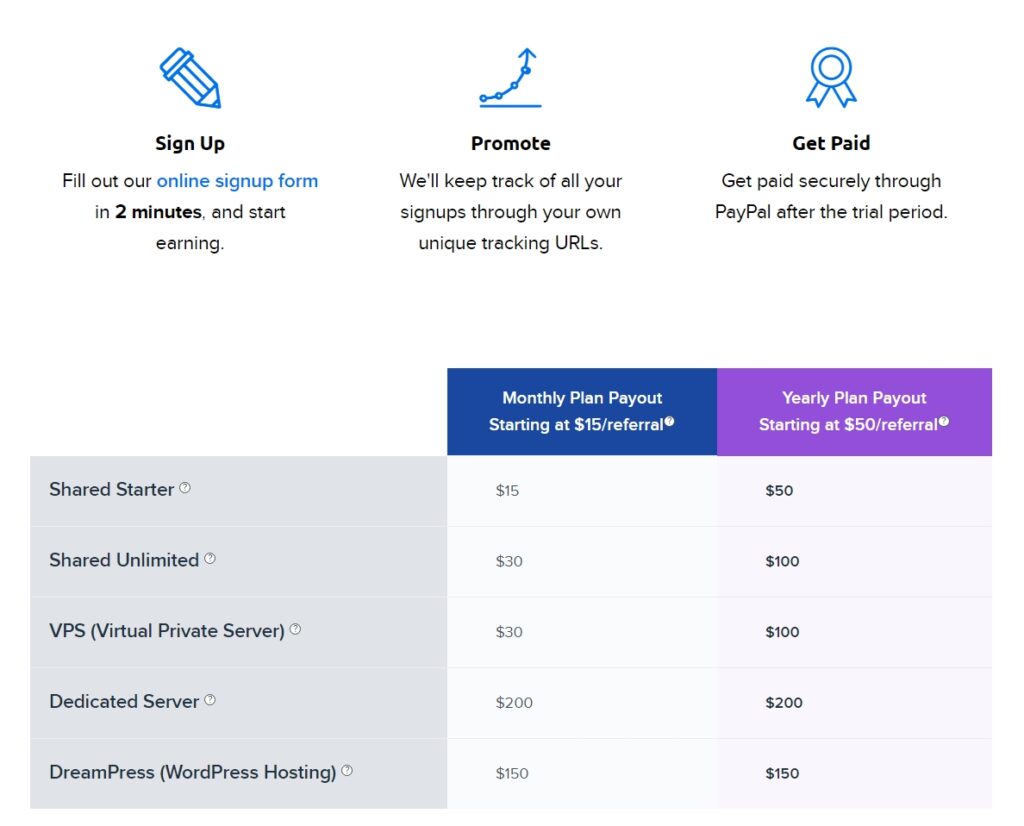
Examples of referral bonuses from the DreamHost affiliate program

Hosting affiliate programs are outliers because they tend to pay much higher referral bonuses than other networks. Most other programs pay you a small percentage of your sales. With hosting affiliate networks, you tend to receive flat fees instead.

As an affiliate, there are a lot of ways that you can promote hosting products. Some common examples include creating content such as:

  • Hosting platform reviews
  • Hosting platform comparisons
  • Recommending your favorite hosting platforms

On paper, the process is really simple. You publish hosting reviews, wait for users to find and read them, and collect payment on link clicks.

However, that process can take a long time in practice. Moreover, most affiliate programs pay in net terms. That means you might have to wait one, two, or even three months to see referral payments. That setup exists to prevent any abuse of the program.

It’s important to understand that convincing real people to spend their money on your recommended products requires trust. Affiliate marketing can be incredibly lucrative. However, you need both decent traffic and a trusting relationship with your audience to get there.

E-Commerce Affiliate Programs (Pay-Per-Sale)

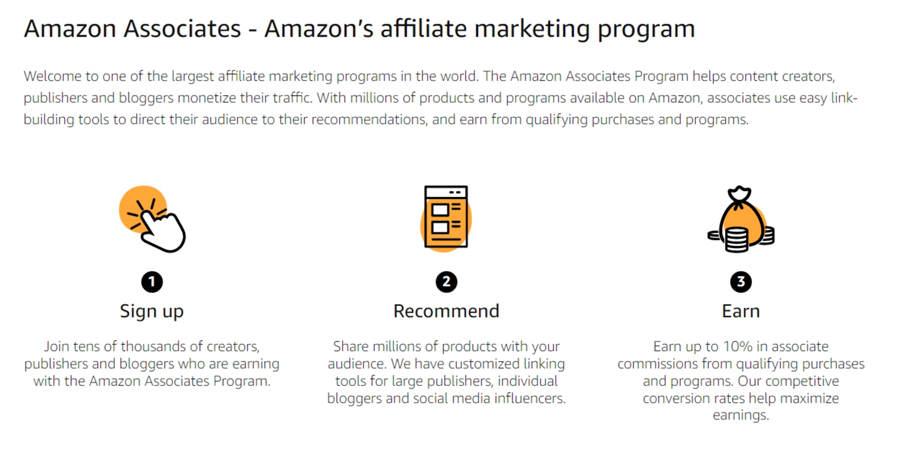
One of the best examples of an e-commerce affiliate program is Amazon Associates. Amazon accounted for 36.9% of all e-commerce sales in the US during 2020. That’s a staggering figure, reflecting the massive scale of Amazon operations.

One component of that market share is Amazon’s affiliate program. The basis of the program is that Amazon pays you up to 10% in commissions from the products that users buy through your affiliate links:
The Amazon Associates program The Amazon Associates program The Amazon Associates program

Amazon Associates accepts several kinds of websites, but it focuses mainly on sites with blogs. You can also apply for the program if you have a mobile app or a YouTube channel. Plus, there’s a separate category for social media influencers.

Applying for Amazon Associates requires a well-established blog. Amazon usually filters applicants with fewer than ten blog posts on their sites. However, you’ll need a website that gets a lot of traffic to make decent money from the program.

Amazon Affiliates is incredibly popular because the platform is so well known. With Amazon, you don’t need to convince people to buy from the store. Instead, it’s all about getting them to trust your specific recommendations.

This program pays commissions on a Net-60 basis and offers multiple payment methods. Options such as getting a check or cashing your earnings as Amazon Gift Cards make this affiliate program popular in many countries that don’t have access to other payment platforms.

It’s also worth noting that most affiliate cookies have relatively long lifespans. Amazon Affiliate cookies, for example, last 24 hours. That means someone can click on an affiliate link from your website, get to Amazon, check out a few products, and leave the site. If they return to Amazon within 24 hours and make a purchase, you still get the commission.

Acorns Affiliate Program (Pay-Per-Lead)

After two examples of pay-per-sale affiliate programs, we’re going to discuss a different model of business. Pay-per-lead programs don’t reward affiliates for successful sales. Instead, you get paid a flat fee for specific types of leads.

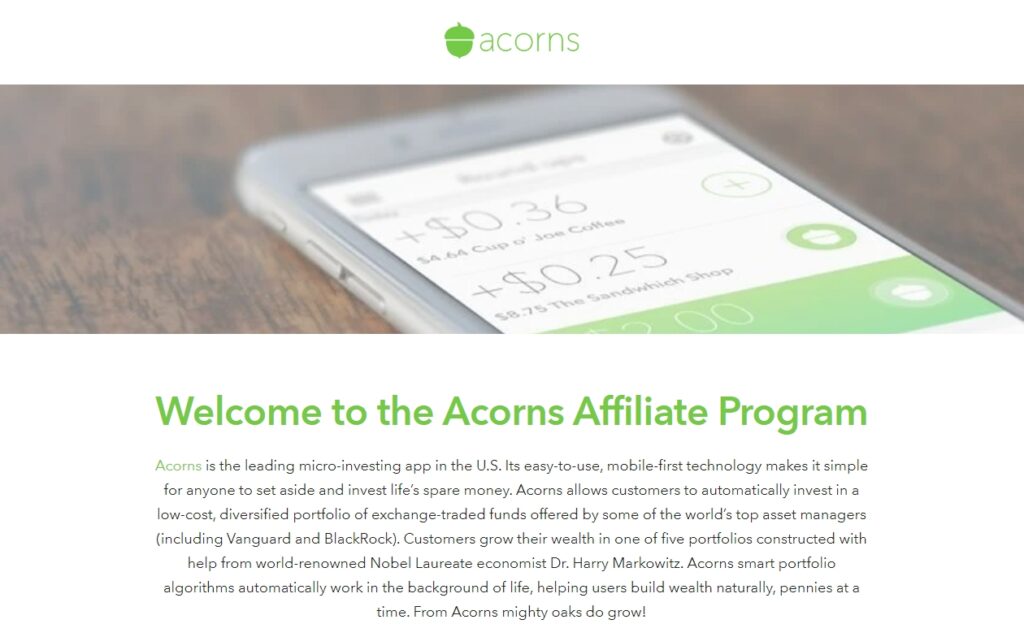
For instance, Acorns is a micro-investing platform. It enables everyday users to invest modest sums of money without talking to brokers or dealing with regular banking platforms. The Acorns affiliate program pays $10 per each successful signup:
The Acorns affiliate program

Right off the bat, most pay-per-lead programs offer smaller commissions than their pay-per-sale counterparts. The upside is that it’s often much easier to get users to become leads than it is to get them to buy products.

Most pay-per-lead programs, including Acorns, have requirements for valid leads. In the case of Acorns, users must be from within the US. That means you’re competing with many websites and influencers trying to teach people how to invest their money.

Signups are just one type of lead that companies pay for. Depending on the program, other networks may pay you to get users to sign up for free trials, download an app, or even fill out a contact form.

Skyscanner Affiliate Program (Pay-Per-Click)

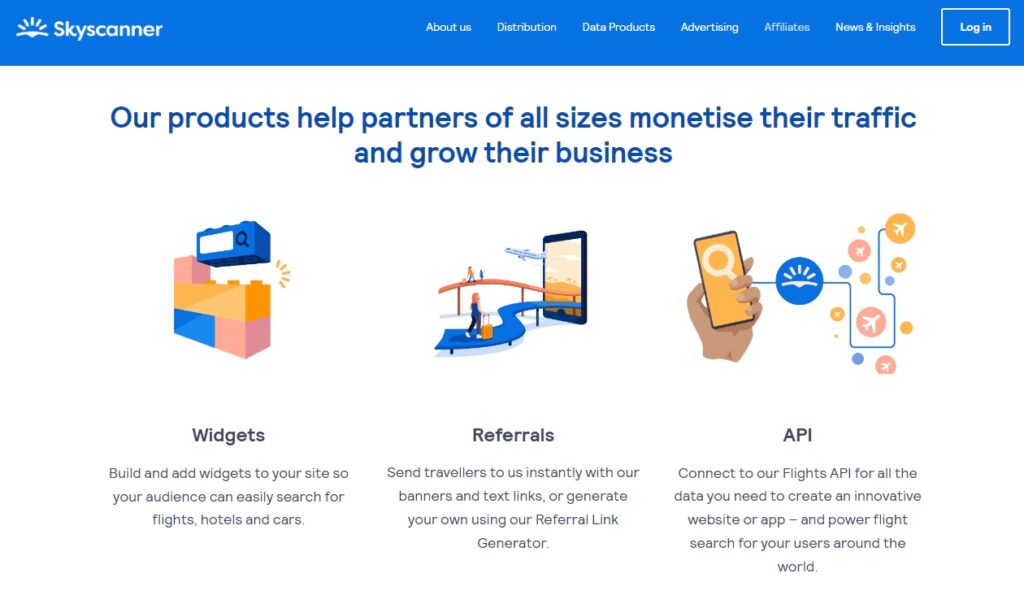
Pay-per-click programs are relatively rare because most companies prefer to pay for leads or sales. However, Skyscanner offers multiple affiliate programs, including one for sales and another for clicks:
The Skyscanner affiliate program

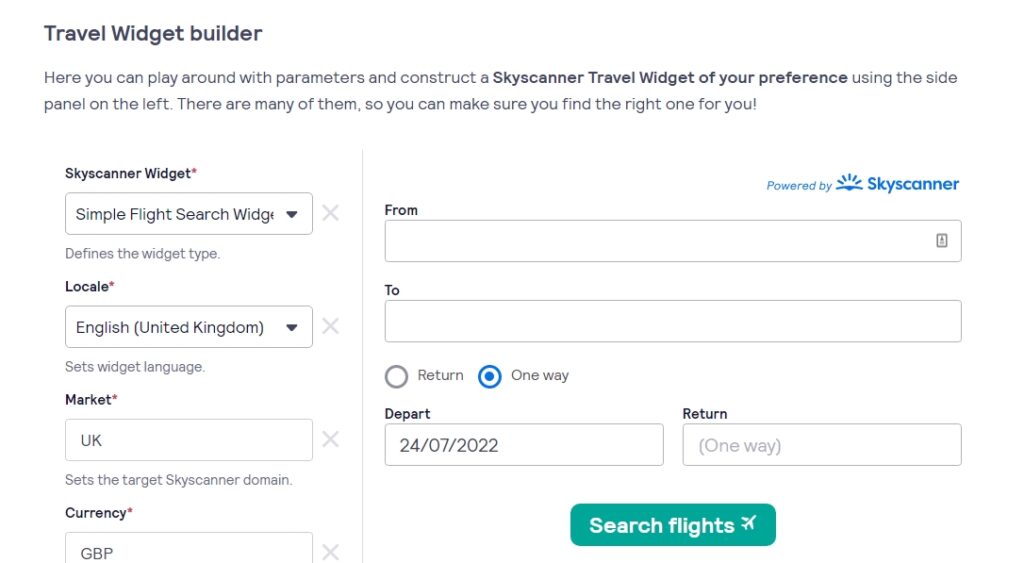
The Skyscanner pay-per-click program enables you to place a travel widget on your website. Visitors can use the widget to search for flights and get directed to the Skyscanner website:
The Skyscanner travel widget

In this case, the program pays you for every successful search through the unique widget on your website. As you might expect, pay-per-click affiliate programs tend to pay a lot less in commissions than their sale or lead counterparts.

The advantage of this type of program is that it tends to be highly targeted, and it’s relatively easy to convince users to click on something. For example, this particular program can be a fantastic fit for travel blogs.

If you search for pay-per-click affiliate programs, you’ll find information about a lot of ad networks such as Google AdSense or Mediavine. It’s important to understand that ad networks are not the same as affiliate marketing programs. An ad network can also pay you for clicks, but that’s where the overlap between both monetization methods ends.

What Are the Pros and Cons of Affiliate Marketing for Monetization?

No single website monetization method is a good fit for every website. However, affiliate marketing offers many upsides that other monetization methods don’t. Let’s go over the pros and cons of being an affiliate!

The Pros of Being an Affiliate Marketer

Perhaps the most significant advantages of affiliate marketing are its flexibility and low barrier to entry. You can become an affiliate by running a blog, a YouTube channel, through your social media profiles, and even using email marketing. If you have a channel where you can promote links, you can be an affiliate marketer:
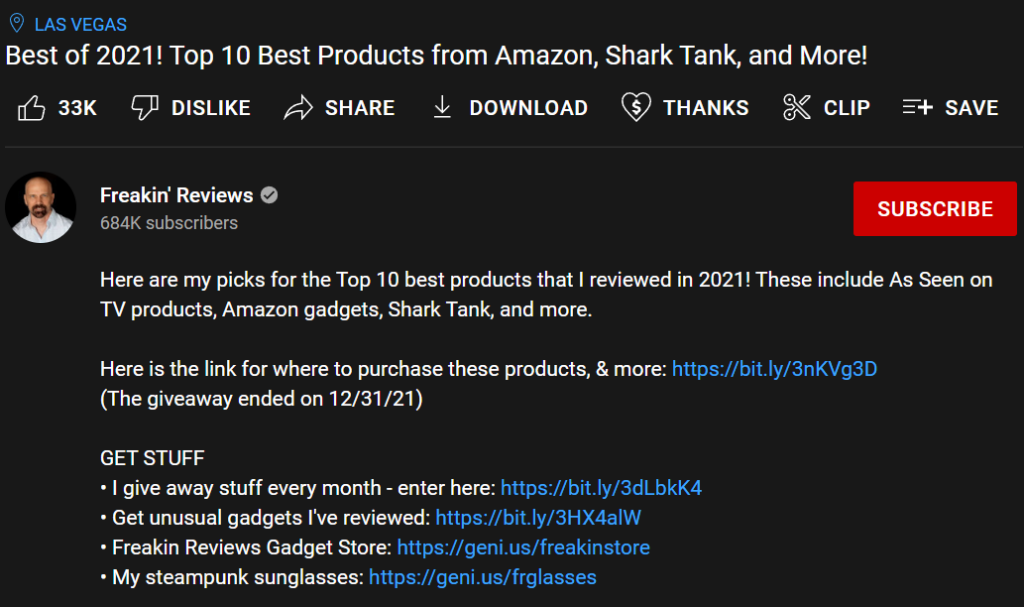
A YouTube channel promoting an affiliate link

Moreover, affiliate marketing payouts tend to be a lot higher than other monetization methods, such as running ads on your website. Ads might bring in a steady income if you have a lot of traffic, but so does being an affiliate.

You can choose precisely what programs to sign up for with affiliate marketing. That gives you complete control over which products and services you promote to your audience. Furthermore, you can simply avoid a specific program if you’re not comfortable with it.

In our experience, there are also affiliate programs for most niches. As long as you promote products your audience is interested in, you shouldn’t have a problem converting some of them. In affiliate marketing, even a few conversions can translate to significant payouts (such as hosting affiliate programs).

The Cons of Affiliate Marketing

Although affiliate marketing can be a great monetization method, it’s not without its downsides.

For starters, many programs require your website to fit specific criteria if you want to join them. These networks do this to protect their brands and to prevent low-effort marketing from tarnishing their reputations:
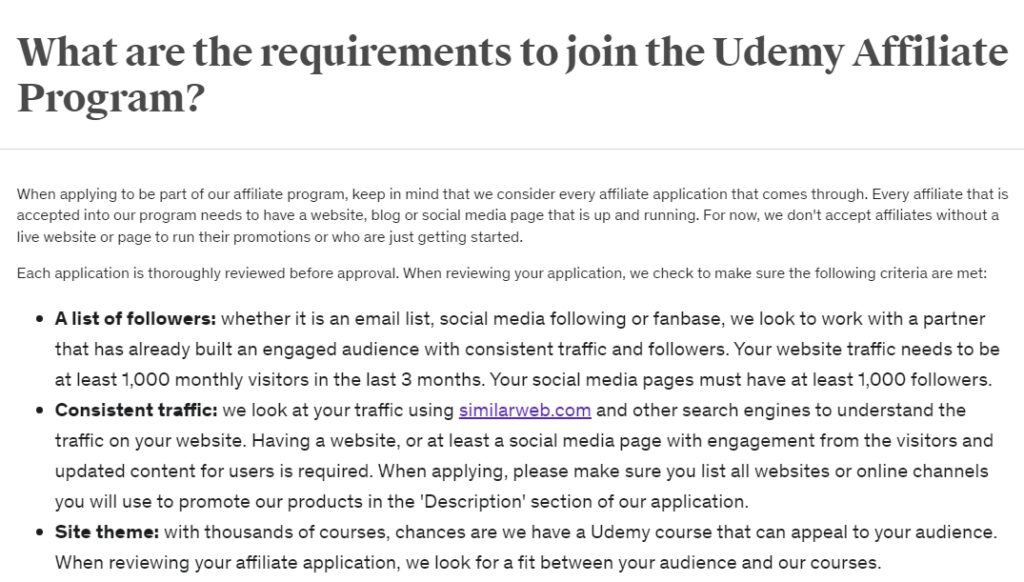
The requirements for joining the Udemy affiliate program

Often, the application process for affiliate programs can be long and grueling. It’s not uncommon, for example, to be rejected from the Amazon Associates program. You might even need to re-apply multiple times before you’re accepted.

Another critical aspect of affiliate marketing is that you must disclose that you’re being paid to promote products. Not doing this can go against affiliate and even government guidelines in many jurisdictions.

Additionally, it’s worth noting that affiliate payouts tend to take a long time to process. For affiliate programs, it’s not uncommon for networks to pay one, two, or even three months after your links deliver a purchase or a lead. This is a common practice to discourage users that would exploit affiliate programs. Still, it means you need to be patient if you want to see your money.

Overall, affiliate marketing can be a fantastic way to make money online. However, it requires a lot of patience and setup if you’re using a website. It might take months or years before your site can successfully apply to programs and get conversions since you need to build an audience.

Moreover, many affiliate niches, such as tech gadgets and appliance reviews, tend to be incredibly competitive. This is because there’s so much money in those programs.

How to Get Started With Affiliate Marketing (In 3 Steps)

As we’ve already mentioned, affiliate marketing has a relatively low barrier to entry. To help you get started quickly, we’re going to walk you through the first steps for turning your site into an affiliate marketing success.

Step 1: Choose a Suitable Affiliate Niche

If you’re starting a new affiliate site, you’ll need to consider what niche you will work within. Your site’s niche determines what type of content you create, who your target audience is, and which kinds of products you will promote.

Naturally, it’s crucial to choose a niche that’s financially viable. This means you need to find a subject that enough people will be interested in. That may seem tricky, but there are actually a lot of options you can choose from. Performing keyword research is also a smart idea at this stage to find out what keywords are driving the most traffic via search engines.

If you’re unsure where to start with keyword research, your best bet is using free tools such as Google Keyword Planner. You can utilize Keyword Planner to find out what users are looking for in the niches you’re considering:
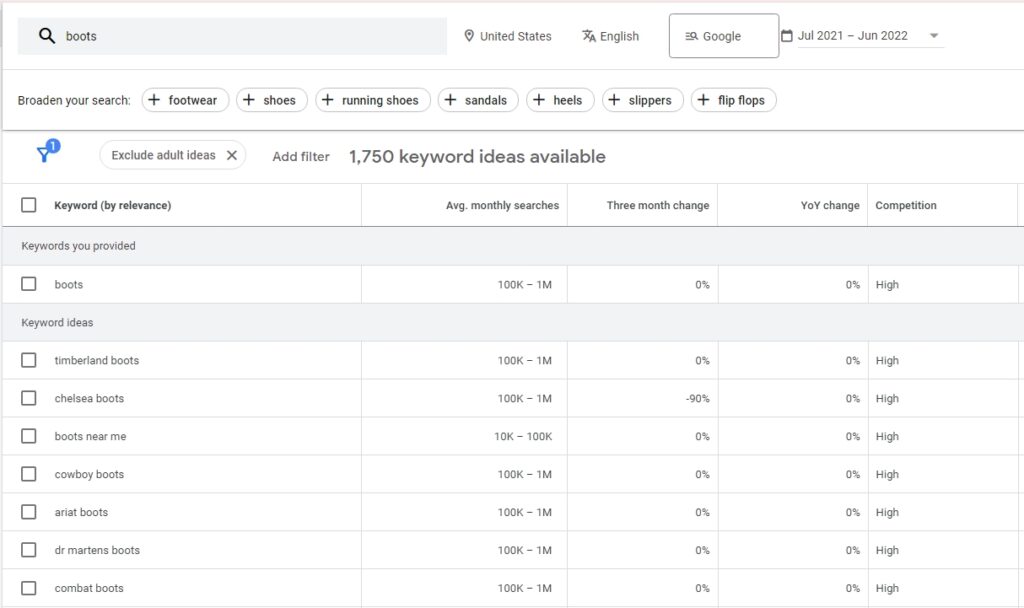
A search using Google Keyword Planner

Keyword research tools won’t just give you an idea of which topics you might need to cover. They’ll also tell you how competitive they are.

If you’re considering a niche where most keywords have high competition, you’ll have a hard time “breaking in”. That’s not to say you shouldn’t attempt to, but it might take a long time.

This step isn’t just about finding the niche that pays the most or the one that’s not as hard to break into. To be successful, you should also aim for a niche that suits you personally. If you already have some knowledge and interest in your chosen area of focus, you’ll be in a position to create authoritative and engaging content to go along with your affiliate links.

You’ll also have a better understanding of your target audience’s needs and desires. This is essential since it helps you build trust with your visitors. If they feel like they can rely on your judgment and recommendations, they’ll be more likely to click on your links and make purchases based on your suggestions. Therefore, the best niche will have plenty of potential consumers and will be something you can create knowledgeable and trustworthy content about.

Step 2: Find and Sign Up for the Right Affiliate Programs

Once you have a niche and site ready to go, it’s time to look for affiliate programs. As we mentioned previously, many programs are run directly by a merchant, with the goal of promoting their own company’s products.

When deciding which programs to sign up for, you should first look at what products they want you to promote. Most importantly, they’ll need to offer products that are popular in your selected niche. Therefore, look for brands that speak to your target market, and see if they offer affiliate programs. For example, if your site is about running websites, you could look for web hosts with their own affiliate programs.

In addition to merchant-driven programs, there are also dedicated affiliate networks, such as Rakuten, Awin, and CJ. These programs encompass several merchants and thousands of products. This gives you access to multiple types of products without needing to join lots of programs.
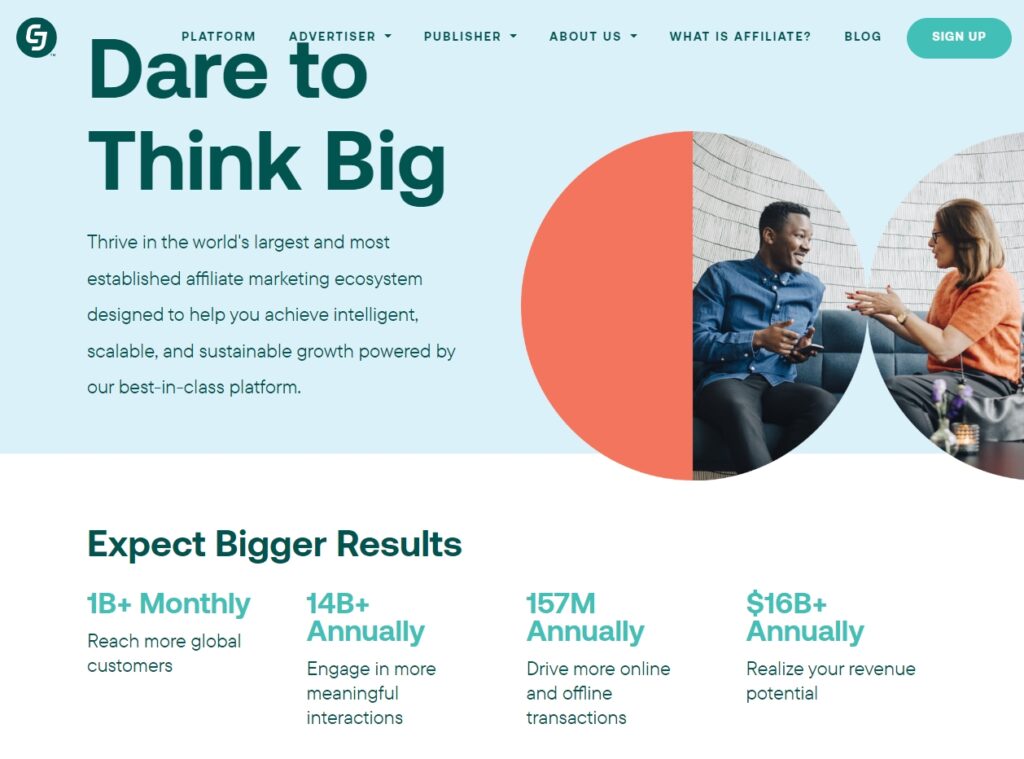
The CJ affiliate network

Before you sign up, it’s also a smart move to research each program and see what experiences other affiliates have had. Naturally, it’s also important to find programs that will pay you well. After all, you’re putting a lot of effort into promoting the merchants’ products, so you should see a fair share of the profits.

You might even find it useful to seek out an affiliate community, such as Wealthy Affiliate. There, you can get advice and help from those who have been publishing and marketing for a long time. This can be particularly helpful when you’re a novice. Then, in a few years’ time, you might be the one helping another beginner get started.

Step 3: Add Affiliate Links to Your Site

At this point, you’ve signed up for the best affiliate programs in your carefully chosen niche. Now it’s time to really get to work, which means sharing your affiliate links. Of course, how you actually implement these links on your site will vary, depending on what type of content you’re creating.

For example, if you’re running a review site, it makes sense to place relevant affiliate links within your reviews. The simplest way of doing this is to include them as text links in the content itself. However, this approach can be seen as misleading since it’s less clear that you’re promoting the products in question.

There are a lot of creative ways to include affiliate links without being disingenuous. For example, Spotern lets viewers identify and buy the outfits they see in movies. Each buy button has an affiliate link:

A page from Spotern

You can see a similar approach taken by OutdoorGearLab. This site links to each product’s page alongside the pricing information in its reviews. However, these product sections are clearly separate from the body of their reviews:

Product pricing information from OutdoorGearLab

Some affiliate programs will also provide you with assets, such as banners, that you can use to promote products. These might be more suitable if you want to keep your marketing and content clearly separated.

As with your niche, your approach to implementing links will depend on your site’s purpose. Feel free to experiment with different strategies, but always remember that your focus should be on providing value to your audience. If you fail in that task, visitors won’t trust you, click on your links, or return in the future.

Make sure you write quality content, therefore, and keep an eye on your conversions to see what’s working (and what’s not). You might also consider using an affiliate marketing theme to make your site look more professional.

Finally, we once again want to stress the importance of disclosing your affiliate links. This is a crucial part of complying with the endorsement guidelines provided by the FTC. Violating these guidelines could lead to legal action, which is naturally something you’ll want to avoid at all costs.

As such, you should provide information about your links’ nature and purpose, which you can do by creating an ‘affiliate disclosure’ statement. The notice should be unambiguous and clearly visible anywhere affiliate links are used. This will keep your site out of trouble and help to promote trust with your audience.

Affiliate Marketing Tips for Beginners

When you’re starting as an affiliate, it’s easy to fall into the trap of believing that it’s easy money. However, it takes a lot of rapport to recommend products and services to your audience and for them to trust you. After all, you’re asking people to spend real money on your recommendations.

If you want to succeed as an affiliate marketer, there are many tips you should keep in mind. Here are some of the most important aspects to remember if you’re new to affiliate marketing:

  • Don’t recommend products you can’t trust. Recommending products that are low quality might yield some sales, but it also burns bridges with your audience. If you steer a reader wrong once, they’re much less likely to trust your recommendations in the future.
  • Update your recommendations when needed. One of the best ways to be a successful affiliate marketer is to stay on top of trends and update your recommendations accordingly. If the best product or service for a specific situation changes, you should change your content. Doing this helps position you as an expert and keeps that content relevant well into the future.
  • Don’t opt for the highest-paying programs blindly. A lot of affiliate programs woo members in with high commissions. Affiliates join without testing the quality of the products, and they end up making the wrong recommendations to readers. If you’re going to sign up for a program that offers high commissions, check to see if it provides the kind of products that you can honestly recommend.

Aside from those tips, a huge part of being a successful affiliate is building an audience and engaging with them. To increase sales, you’ll want to keep publishing content regularly and ensuring that your visitors return to your website when they need further recommendations.

Get Started With Affiliate Marketing

New websites can take a while to start seeing affiliate marketing results. However, if you already have a library of content and a growing audience, becoming an affiliate can be one of the best ways to monetize your site. Moreover, nothing is stopping you from promoting multiple affiliate products and still looking into other monetization methods (it’s never wise to put all of your eggs in one basket!).

If you’re considering becoming an affiliate, we can summarize the process in three steps. Those steps are:

  1. Choose a suitable affiliate niche.
  2. Find and sign up for the right affiliate programs.
  3. Add affiliate links to your site.

Ready to start your own affiliate marketing website? Consider DreamPress, our managed WordPress hosting solution. With automatic updates and strong security defenses, DreamPress takes server management off your hands, so you can focus on what you do best: selling products. Learn more about plan options today!

Become a DreamHost Affiliate

Join the DreamHost Affiliate Program to get cash quickly. Earn up to $200 per referral!

affiliate and social marketing

The post A Beginner’s Guide to Affiliate Marketing appeared first on Website Guides, Tips & Knowledge.


source https://www.dreamhost.com/blog/beginners-guide-to-affiliate-marketing/
Creating and Mastering GA4 Explorations

In the switch from Universal Analytics (UA) to Google Analytics 4 (GA4) — which will go fully into effect July 2023 — a lot of things have...