There are a lot of A-list bloggers out there. We interviewed a handful of them to gather 20 expert blogging tips that will help take your blog content to the next level this year.
Just open your Instagram app, and it’s obvious: There are a lot of bloggers out there. Influencers sharing content on a myriad of topics — from paleo diets to patio furniture — seem to occupy every inch of internet real estate, sharing travel tips and gardening how-tos. With glossy photos and witty copy, it seems they’ve got it figured out. They’re real bloggers, right?
Is there even room for aspiring bloggers like you and me?
Short answer? Yes!
Nearly 409 million people view more than 20 billion pages each month, according to WordPress. That’s a lot of opportunities. If you’re looking to enter the blogosphere (or increase the success of your already-established blog), you might think you need a lot of luck to make it happen. But there’s no need to buy lotto tickets or wish on shooting stars. You just need some expert advice.
Luckily, we’ve got that in spades.
We’ve done the legwork for you, talking with the web’s blogging elite and garnering their best tips. Consider these 20 tips an all-inclusive handbook to blogging success, chock-full of guidance from a handful of virtual mentors. These expert bloggers will instruct you on the keys to blogging success: how to get the ball rolling, create quality content, and stay dedicated, even in an evolving blogging environment.
Are you ready to be a more professional blogger in 2022? Read on!
Blog More with DreamPress
Our automatic updates and strong security defenses take server management off your hands so you can focus on content creation.

1. It’s About Time
Before you even think of pursuing a blog — with the intent to make money blogging or simply as a hobby — you have to be real with yourself. Know your capabilities, as far as time and availability go.
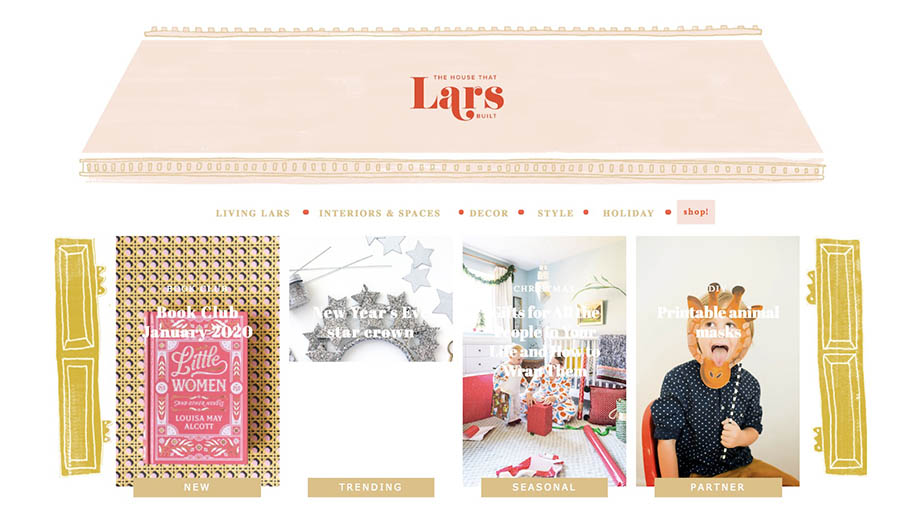
“Successful blogging requires time, dedication, and some strategic planning,” says Brittany Watson Jepsen of powerhouse DIY craft blog, The House That Lars Built. “I wouldn’t plan on doing it if you don’t have sufficient time to devote to it.”
According to a survey of more than a thousand bloggers, a typical blog post takes nearly four hours to create. The same study reveals that a large number of bloggers write outside of regular “work hours,” including on weekends and at night. Bloggers are always on; blogging is their lifestyle, and it requires quality time to produce success.
And writing blog posts is just the beginning; in addition to creating content, bloggers must optimize for search engines, make time for social media, market their content, network, and engage with readers.
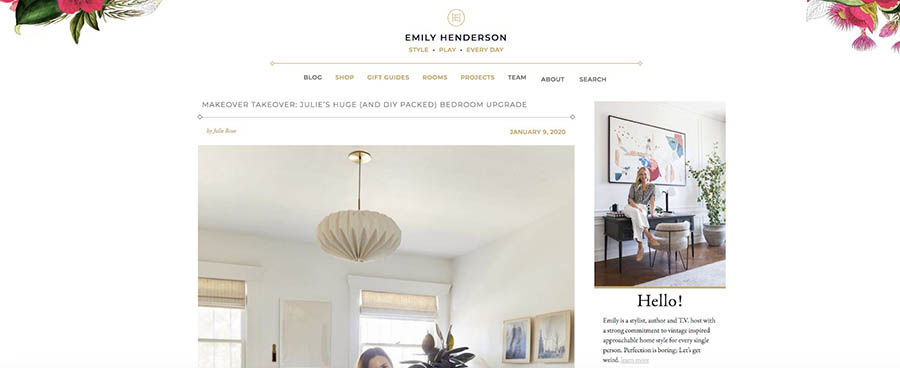
For design guru Emily Henderson, running a blog isn’t a back-burner endeavor, either.
“I had to make it a major priority or else it won’t get done,” the full-time blogger says. “Now I have a staff that helps keep it running on a daily basis, and we fill it with original content every single day.”

Not being fully committed is what separates amateur bloggers from the pros.
“I think the main mistake I see in new bloggers is not being totally committed to what they’re doing,” says Jill Nystul, industry expert and creator of phenom blog One Good Thing by Jillee. “You can’t do anything halfway in the blogging industry and expect to be successful. I see a lot of people start blogs, post a few things over a couple of months, and then wonder why they aren’t getting any traffic. Commit to a topic and a posting schedule and show your readers that you are dedicated to providing great content consistently.”
2. Invest in Good Gear
When you decide to start a blog, use whatever tools you have to get the ball rolling. But when you are financially able, your blog will benefit from getting your hands on some professional equipment.
“The look of my blog definitely got a lot better when I invested in a real camera rather than using my phone, which I totally did in the early days of my blog,” Nystul says. “And you don’t have to spend a fortune. We still use a Canon Rebel, and it works great.”
A few other popular blogging tools: WordPress software, the Adobe Suite, a web hosting package, email marketing software, and useful plugins. The more professional and put together your blog, the more trust you’ll earn from readers.
3. Your Mission (Should You Choose to Write It)
You’ve got a burning passion for blogging, yes? Well, first, take a breath.
It’s crucial that you figure out a few things first, like what your blog is all about and what you want to do with it. Having a kick-butt blog is a good goal, but let’s dig deeper.
Ever heard of a mission statement? It’s commonly used by businesses to identify values, goals, and purpose — typically in a few easy-to-remember sentences. And it’s critical to the success of your blog.
“I wish I would have found my mission sooner,” Jepsen says. “But I started it in a time when bloggers weren’t making money, and I didn’t know that was a trajectory I could take, so I didn’t write it accordingly. If you’re looking to make money, you will write differently than someone who does it just for fun. Create a focused mission statement in order to know what your content should be and who your audience is.”
Let’s look at a few examples of mission statements.
- Amazon: “Our vision is to be earth’s most customer-centric company; to build a place where people can come to find and discover anything they might want to buy online.”
- IKEA: “Our vision is to create a better everyday life for the many people. Our business idea supports this vision by offering a wide range of well-designed, functional home furnishing products at prices so low that as many people as possible will be able to afford them.”
- Nike: “To bring inspiration and innovation to every athlete* in the world.”
Can you see how these concise statements guide how each business operates, shepherding big decisions to even the tiniest ones? It works the same way with your blog.
Take creating content, for example.
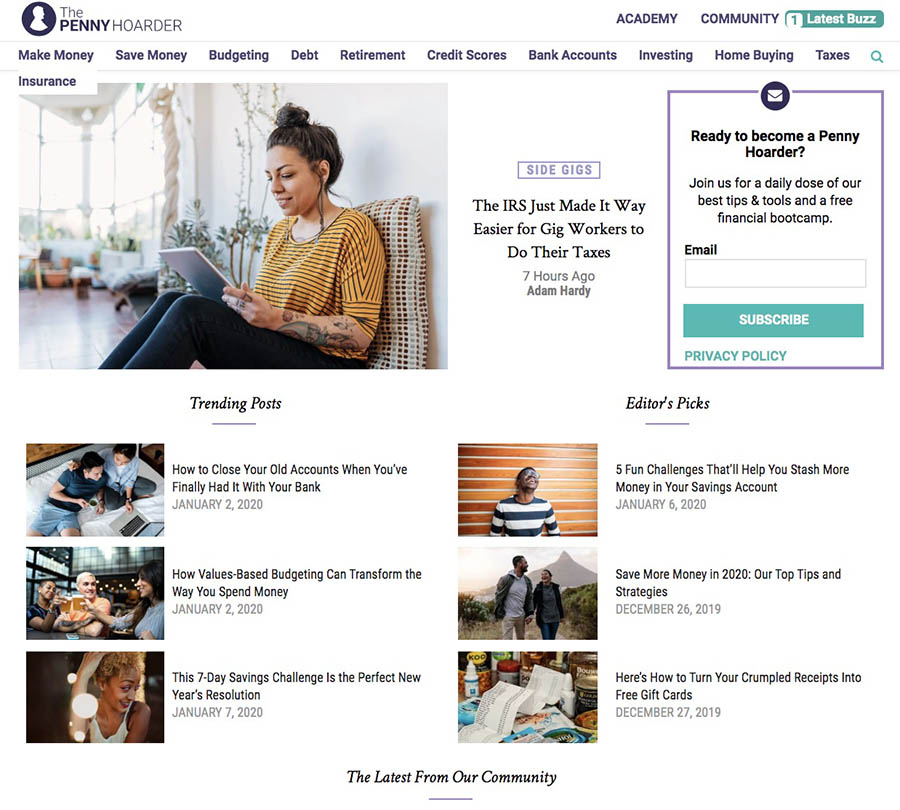
“Before we write a single post, we ask ourselves, ‘Does this help our readers make or save money?’” says Kathleen Garvin, editor and marketing strategist for finance blog The Penny Hoarder. “That’s key for us. We’re content creators, but we only want to publish a story if we think it’s truly helpful or interesting for our readers.”
Ideally, a well-crafted mission statement will inspire and steer — but not confine — your choices and provide a roadmap for content, structure, and voice. A few minutes of work for a valuable return.
Great! Now. Where to start? Begin by pondering the following questions:
- Why did you start blogging?
- Who is your target audience or blogging niche?
- What questions do you want to answer?
- What are you passionate about?
- In what way is your voice unique?
Next, try to organize these answers into a few short statements that summarize your goals. Try the Twitter approach — spelling out your purpose and goals in 280 characters or less. You could even try this fill-in-the-blank formula:
My mission is to _______ for _______ through _______.
- Keep it short and sweet, grammar-and-spell-checked, specific but jargon-free, realistic, and focused.
- Put it where you can see it — preferably in BIG, bold letters.
- Refer to it often and adjust as needed.
Related: How Much Does It Actually Cost to Set Up a WordPress Website?
4. Just Get Started
Achieving top-tier blogging status can seem like a long shot. But every successful blogger started somewhere.
“Produce, produce, produce,” Henderson says. “Leave your perfectionism at the door and just put your work out there. Get feedback, adjust, move on. Without creating and putting your product or service out there, no one will find you and hire you. Just start.”
Begin with exercises to simply get you writing every day. This will help you form the habit that will make blogging easier.
For content ideas, try a brainstorming worksheet to collect your thoughts (you can do this on a device too).
“Write as often as you possibly can,” says Erin Loechner, design and lifestyle blogger at Design for Mankind. “This does not mean publish as often as you possibly can. Get in the habit, work on your craft. Discover your voice. It takes great practice and great patience. Do it anyway. Sit down in your chair and type it out. Edit later. Publish later. For now, just write.”

Related: How to Start a Blog: A Comprehensive Guide
5. You Get What You Go After
If you’ve been around the block, you know that blogging involves two very crucial Cs: content and consistency. These skills may be the most vital keys to success. We already discussed the importance of creating. Now, let’s talk consistency.
It’s proven that marketers who prioritize blogging efforts are 13x more likely to see positive ROI. That’s a big deal. Consistency is an essential part of those efforts.
“A common mistake early bloggers make is not posting on a consistent schedule,” Garvin says. “Yes, it can be tough, especially in the beginning when you might not have much of a readership, but it’s important for SEO and to build a community. Producing quality content and consistently has been essential to our growth. Like they say, if content is king, consistency is queen!”
Related: The 6 Most Common Content Ownership Mistakes
Brittany Watson Jepsen found consistency key to achieving success when she created her blog.
“I think one of the best things you can do as a blogger is to keep your content constant and consistent,” Jepsen says. “Even when I started out nine years ago, I worked on my blog every single day. That consistency kept people coming back because they didn’t have to wonder if there was content. There was! The next best thing to focus on the main message I was trying to convey. It took me a while to figure out the main thing I wanted to focus on, but once I did, that’s when the traffic started to roll in. Once I focused on crafts and DIY making, I became known for that, and people started to see me as a trusted voice.”
If you want to be the authority, the go-to on a particular topic, your readership needs to trust that your blog will have the content they need. Your quality content, consistently posted, will draw a following. The two Cs really are inseparably connected.
“There are a lot of more detailed keys to blogging success like photography, SEO, social media tips and tricks, etc., but the number one thing I always tell bloggers is that content is king,” Nystul says. “That can mean different things depending on the topic of your blog, but readers will always respond to quality content. My team uses CoSchedule for our editorial calendar, and we love it. It helps keep us super organized and on the same page even when we all work remotely. A couple of other things we love are Slack for messaging and Wunderlist for making to-do lists.”
There a host of useful tools available online for planning posts and establishing a schedule.
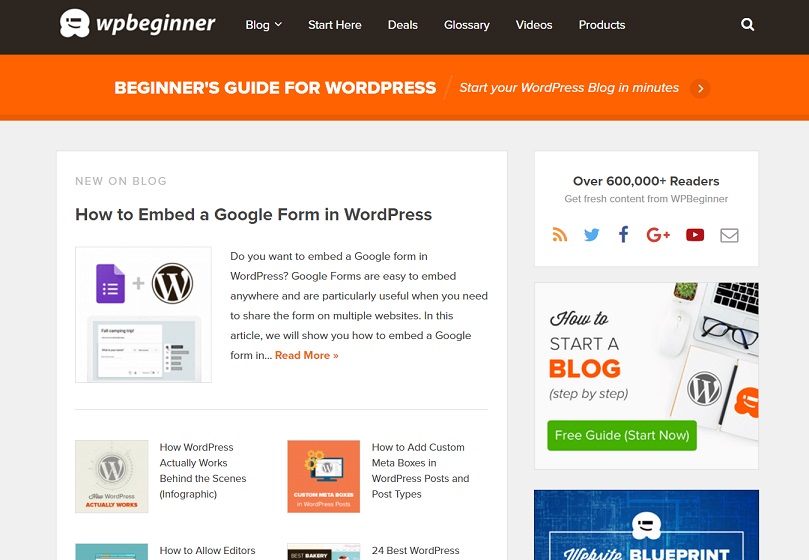
“An important key is to have a plan for what you are wanting to post rather than sitting down and writing every time,” says Syed Balkhi, founder of tech-help site WPBeginner. “Tools like Asana or the WordPress plugin Edit Flow are great for planning out blog posts in advance.”
To nail down a consistent blogging schedule, try an online calendar or a variety of template worksheets available.
Related: How to Do Keyword Research for Your WordPress Blog
6. Be Your Own Reader
When you want to have a successful blog, you really should put yourself in a new pair of shoes — the shoes of your reader, that is. While you are blogging to share a passion, you’ve got to stay focused on your blog visitors and how your content can appeal to their needs and questions.
The team at The Penny Hoarder made their content more functional to readers by breaking down complex and jargon-heavy financial information into useful, readable packages.
“When people think of personal finance, they usually expect the content to be dry or boring,” Garvin says. “So we do our best to make it accessible and fun. We write in a friendly, conversational manner, and try to showcase that tone across all media. With that said, we take our readers’ trust seriously.”

The team at Emily Henderson takes a similar approach when considering their blog’s usability for readers.
“With every post, we want to be our own reader and ask ourselves, ‘Would I find this interesting, helpful, informative, and beautiful?’” Henderson says. “If not, then we come up with different content that we feel will better suit the audience.”
Sure, while you’re slaving away at your keyboard, it’s easy to forget that someone is on the other side. But keeping your reader in mind will help you create attractive, useful content that draws a crowd.
Related: How to Write a Blog Post — A Step-By-Step Guide
7. Think (Twice) Before You Hit Publish
As tempting as it may be, resist the urge to hastily click “Submit” the instant you finish a blog post.
“Once the blog posts are planned out,” Balkhi of WP Beginner says, “a common mistake is not going back through to take a look at some of the finer points of the blog post to ensure it reads well for your visitors as well as search engines.”
Prep your post for publishing by working through a checklist (or a WP plugin) to help you optimize the content — a tool like Naytev works well — and make it appealing to search engines (48% of consumers start mobile research with a search engine) and readers.
Take time to make sure you’re citing sources correctly and that you haven’t overlooked glaring grammar mistakes (don’t make the off-putting their/they’re/there error). This extra time is a worthwhile investment.
Related: The WordPress Blogger Checklist — 10 Things to Do Before Hitting Publish
8. Talk About Yourself
It may seem like a silly thing, but talking about yourself on your blog is important. And by this, I mean, don’t neglect your blog’s About Me page.
This page is crucial for helping readers to get to know you, your purpose, and what they can expect to find on your site.
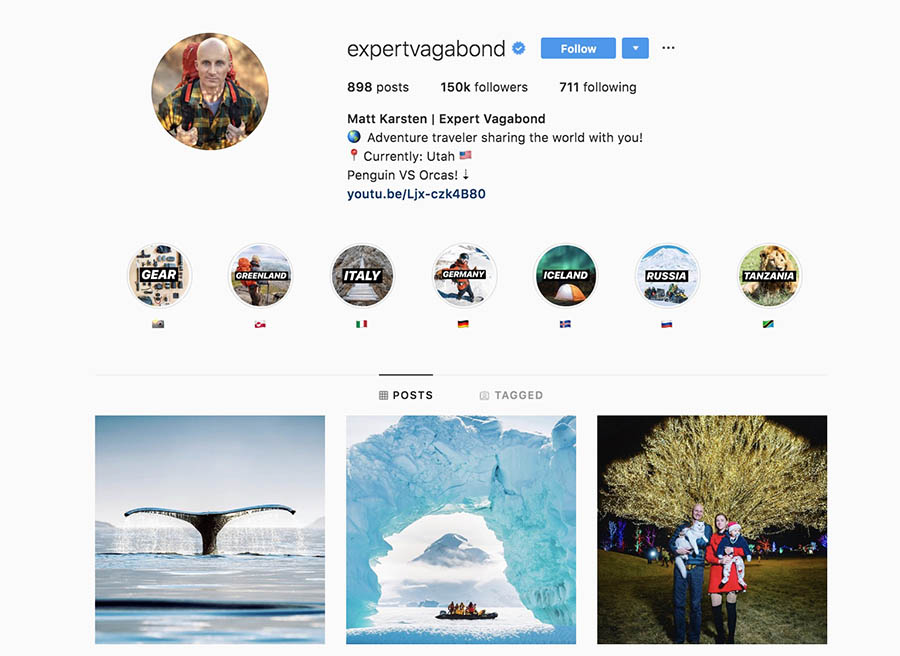
“This is one of the most highly trafficked pages on any blog because it tells people who you are, gives your background, and explains why someone should follow you,” writes Matthew Karsten, travel blogger at The Expert Vagabond. “Keep it fun and personable. Let your readers know who you are!”
Instead of listing random facts about yourself, have a purposeful statement that answers the following questions.
Who Is Your Audience?
Let’s look at Karsten’s blog, Expert Vagabond. On his About Me page, he writes:
“It’s a place for people like you who are looking for daily inspiration and motivation to live a life full of adventure.”

For whom? Check. Karsten clearly identifies the intended audience of his blog.
Related: 17 Great About Us Pages to Inspire You
What Value Are You Offering to Readers?
Look at The Penny Hoarder’s manifesto:
“[The Penny Hoarder’s] purpose is to help people take control of their personal finances and make smart money decisions by sharing actionable articles and resources on how to earn, save, and manage money.”
Bam. Garvin and her team have readily identified what they’re offering to those who visit the site.
Related: How to Bring Value to Your Users to Keep Your Audience Engaged
What Credibility Does Your Blog Have?
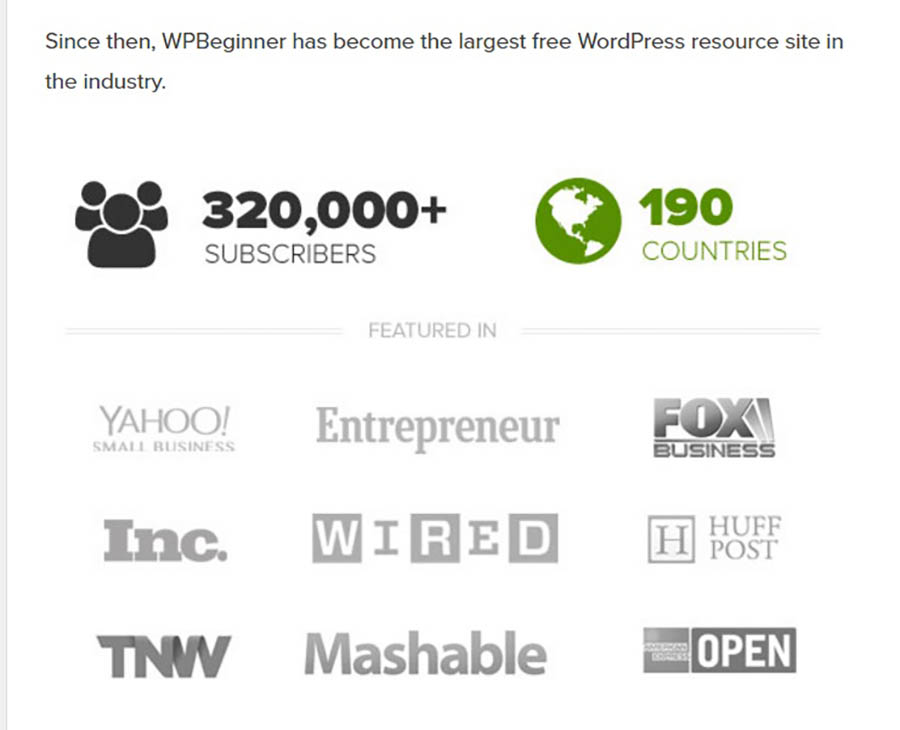
You could share sites your blog has been featured on, like on WPBeginner’s About Me page or reader testimonials. Share why your content can be trusted.
Why Are You Passionate About What You Do?
While it’s better not to be haphazard about the info you share, you should let readers connect with you by offering a snapshot of yourself and, specifically, how your blog grew out of your passion. After all, your readers’ connection to you is what will likely draw them back for more.
Take Jepsen’s About Me page, for example. A little of her bio:
“Brittany Watson Jepsen here. I grew up teething on the seaweed of Southern California though I preferred reading and creating in the great indoors. My mom’s favorite quote was ‘a creative mess is better than tidy idleness,’ and so my childhood was spent creating artwork, music, and yes, lots of messes.”
See? Well-written, purposeful statements connect Jepsen to her readers and them to the purpose of the blog.
What Is Your Call to Action?
Don’t let your readers browse your About Me page and click away with an “Oh, that’s nice.” Encourage them to visit other pages of your blog by providing links to more content, whether that be additional blog posts or social media handles. After all, more clicks equal more traffic.
And if it wasn’t already obvious, make sure your About Me page is accessible and easy to navigate.
Related: 7 Tips for Writing Winning Calls to Action for Your Website
9. Give Your Blog a Facelift
Ever happened upon a website that seems like it never left the dial-up, over-animated era of the early internet? Well, we have. Shudder.

Even if your site isn’t outfitted with rainbow colors and crowded layouts, its design could be unintentionally frustrating readers. A smart design sets your reader up for a pleasant experience that will entice them to visit again. Never neglect a user-friendly design.
“A good site design is like settling in to write at a clean, beautiful-to-you desk,” Loechner says. “It is surprisingly important for you and for those who might be visiting such a desk. Pay attention to it; design needn’t be complicated.”
Be flexible and willing to alter your blog design based on what works best for your readers.
“Keep learning and always be willing to adapt,” Garvin says. “For instance, we recently got rid of display ads on our site because it negatively affected our user experience. It can be scary to remove a revenue source and pivot, but it’s necessary for continued growth. Don’t be afraid of change, but do find out what works best for you and your readers.”
Have a friend or outsider look at your blog and consider a few questions:
- Is it dated, confusing, or “broken” or attractive, functional, and engaging?
- Is there clutter?
- Does the site load quickly?
- Would a first-time visitor immediately know what it is about and how to navigate it?
Utilize themes on WordPress for tried-and-true designs, consult experts, or outsource to a designer (we can help with that!) to ensure your design is aesthetically pleasing. Trust us — no one wants spinning graphics or animated mouse icons. No one.
We’ve Got the Ultimate Website Design Tool
When you partner with DreamHost, you get access to WP Website Builder and more than 200+ industry-specific starter sites for free!
10. Think Mobile
It’s a pretty startling statistic: 80% of internet users own a smartphone.
Chances are good that readers are accessing your blog on a mobile device, likely while they’re commuting to work, sitting in a waiting room, or logging miles on the treadmill. So along with establishing a beautiful design, you’ve also got to optimize for mobile users.
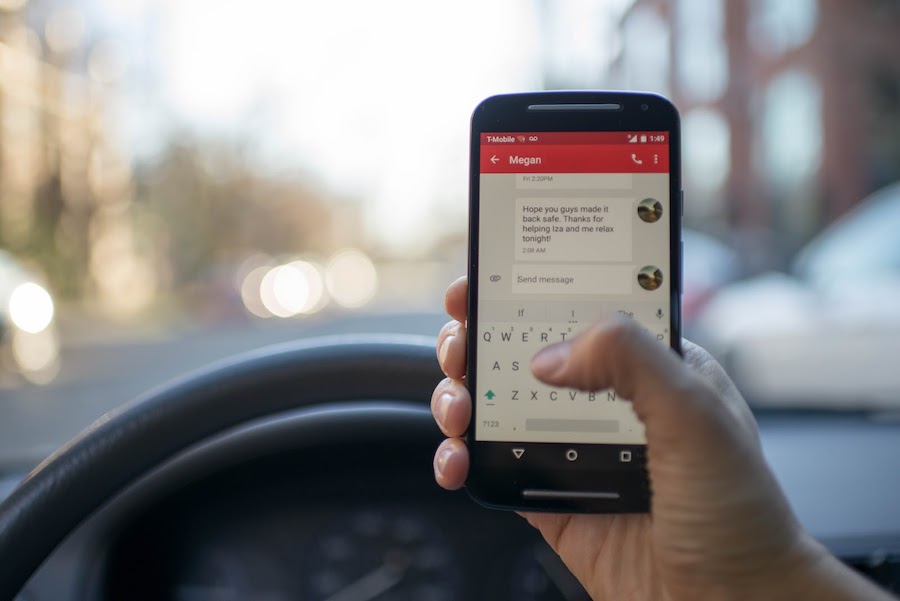
“Blogs are widely read on the go, so consider a simple and minimal design that looks just as great on your phone as it does in the cubicle,” Loechner says.
Often, this means choosing a responsive template, but you can also utilize plugins to optimize a WordPress theme. You should consider the following as well:
- If using a pop-up opt-in form or ad, are mobile users able to navigate around it?
- Are outbound links mobile-friendly?
- Do your social media buttons work properly?
- If using video, does the player work? Some mobile devices don’t allow Flash.
- Is your comment platform still mobile-friendly?
- Are slideshows functional?
- Can users read infographics?
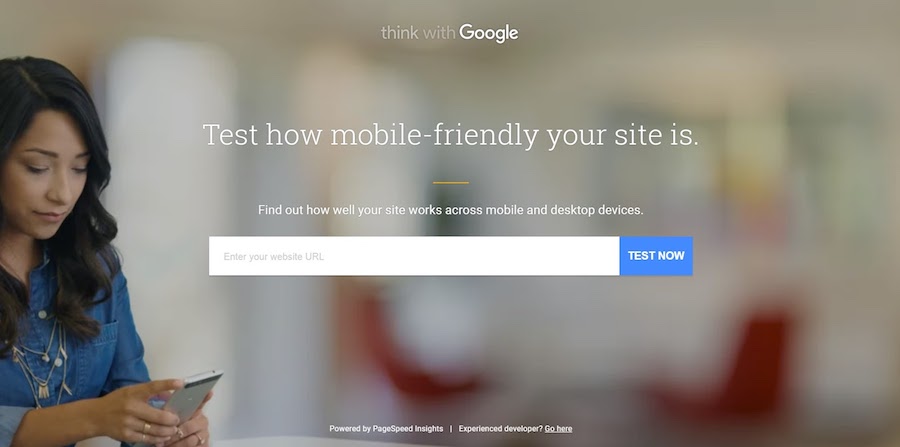
And really, the only sure way you have to analyze your site for effectiveness across devices is to test it. Use this handy Google tool.
11. You’ve Got Mail
You’re probably used to sending most of your inbox to the trash bin, so you might not think that email plays a significant role in blogging success. Think again.
“One mistake we’ve talked about is neglecting our email list,” says Garvin. “In the beginning of The Penny Hoarder, Kyle used to write a regular, personal email to readers; it was one of his best traffic sources, and he had an open rate of over 50%! However, as the site started taking off and he was pulled in different directions as CEO, we dropped the personalization in favor of a simpler format. We turned things around this year: We’ve started offering a ‘weekender’ roundup email, a daily newsletter, and several other targeted ones. So start an email list early, and keep working to improve it for your readers.”
Think about this: a survey reported that most of us spend more than five hours checking our email each day. FIVE! Why not capitalize on the habit? It’s easy to monitor your success with email marketing, and it can help you establish a lasting relationship with readers.
Be Awesome on the Internet
Join our monthly newsletter for tips and tricks to build your dream website!

12. Accept the Daily Grind
You’ve heard that the biggest part of success comes from showing up, right? Ask anyone at the top of their field — Michael Jordan, Martha Stewart, or Yo-Yo Ma — and we’re pretty sure they’d be the first to say that their success amounts to hours, days, and years of putting in hard work.
Well, that’s true in blogging too.
“Determination is an essential quality to have as a blogger,” Balkhi says. “There are no overnight successes with blogs, but when you write about what you are passionate about, they can be great successes.”

Remember Malcolm Gladwell’s 10,000 hours principle? Just like playing the piano, painting, or running sprints, honing your blogging skills requires lots of work.
“Our keys to blogging success are practice, practice, practice,” say Ryan and Sam Looney of travel blog Our Travel Passport. “Seriously, it’s just about putting in the time to learn your skill and becoming an expert at what you do. We think it’s important to remember that the industry is always changing and content is king. Be original and adaptable and authentic. Don’t use bots. Focus on what makes you unique and tell your story in a way that people can relate to what you have to say.”
Try a goal chart to keep you motivated when the going gets rough (blogger’s block is real). And of course, keep your mission statement close by. Sometimes all it takes is to remember why you started in the first place.
“I think the main quality that is essential for bloggers is passion,” Nystul says. “Blogging is not an easy business, and when the going gets tough, passion is the thing that keeps you motivated and working hard.”
13. Have a Strategy
Say you’ve got great content and a snazzy site. How do you get people to see it? If you have social media platforms, then you have multiple channels to market your content.
“Our social media, video, and PR teams work to amplify our content, engage our readers, and raise our profile,” Garvin says. “All of these things contribute significantly when growing our community.”
The Penny Hoarder team is right. According to consumers, the three characteristics of an effective social media strategy are:
- The brand shares new content.
- The brand’s content is relevant.
- The brand engages with followers.
That said, social media is the most effective digital marketing tactic for customer retention after email; it’s essential to choose the right social platforms to get your content in front of readers.
If you intend to manage your social media marketing on your own, then utilize tools like HootSuite or NUVI to manage and monitor on one dashboard. And there’s no shame in admitting that assembling a social team or hiring an agency to help distribute the content online could be best for your blog. You can only bootstrap so much, right?
Related: 36 Brilliant Blogging Tools to Help You Write Better, Publish More, and Increase Traffic
14. Engage With Others
In the blogging game, it’s not you against the world. In other words, it’s not you against every other food/travel/tech blog in your field. Running a successful blog can be a collaborative, community effort that’s personally validating (as opposed to competitive). Go, team!
Good engagement starts with your content. (Need a refresher? Return to tips No. 4 and 5.)
The Looneys recommend staying engaged by posting regularly. “Whether that means posting blog posts once a week or on Instagram every day, it’s important to keep your community involved in what’s going on and what you have to share.”

15. Go Easy with Analytics
Numbers say a lot. For instance, a game score tells us who’s on the winning side — and who’s not. The nutritional information in a meal tells us whether or not we can justify dessert.
Numbers are important. But they aren’t everything.
We know it’s tempting, but clicking the refresh button every 10 seconds on your website’s analytics page fuels an unhealthy obsession that won’t help your success as a blogger (or your blood pressure). Instead, focus on your content, prepare for fluctuations in the stats, and breathe.
“Forget stats,” Loechner says. “People are not numbers. Readers are not stats. They are humans in all of their lovely complexities. Do not fret yourself over bounce rates and conversion metrics. There are plenty of other things to fret over, after all.”Keep an eye on a few metrics for goal purposes, but don’t obsess — numbers change.

16. Understand Revenue Sources
The ideal for most people is that their blog becomes a valid source of income. This won’t happen right away, so don’t panic (see No. 11). But, you should understand the different ways you can make money online, so you can decide how — and if — you want to incorporate those methods into your blog.
Consider using affiliate programs to earn a kickback for the products you promote on your site or running display ads with Google’s AdSense. These revenue streams increase as traffic increases. So if you want to make money by blogging, your first priority should be getting eyes on your content.
“The more traffic your blog receives, the more money you can make with it,” Karsten says. “But it takes time to build an audience and grow traffic. Don’t focus on making money right away. Focus on building your audience.”
Related: How to Get Started with Affiliate Marketing
17. Combat Internet Trolls
It seems like anyone who dares to send their work out into the web is, sadly, bound to face the ceaseless negativity of cyberbullies.
You don’t have to grin and bear it, though. Be intentional about combating the mean-spiritedness you might encounter (no boxing gloves required).
“For better or worse, I can be really emotionally affected by how people perceive or respond to my blog,” says Lindsay Ostrom, creator of viral food blog Pinch of Yum. “I wish I had that toughness factor, but what I have is more like Sensitivity with a capital S. So I set rules for myself when it comes to reading and processing my social media content and blog comments. Bottom line: be selective about what voices you let speak into your life.”

Whether you decide to refrain from reading blog comments before noon or you post a motivational message above your computer as a reminder of your potential, know that it’s your blog. Take control and set your own rules.
18. Don’t Be a Copycat
Imitation may be the highest form of flattery, but in the blogosphere, it’s just plain ol’ copying. And it’s not going to do anything for your online rep — readers can see right through it. With the inundation of blogs and content creators out there, it can be H-A-R-D to produce content that’s new, fresh, and original. But for a quality blog, a loyal following, and a distinguished brand, it’s more than essential to think outside the box.
“It’s important to remember that you need to create your own original content,” the Looneys say. “A lot of people go to the same places and pose in the exact same way as big travel bloggers. That’s not creative or original. That’s copying someone else’s work, which doesn’t tell anything about you or your story.”
Build a blog that allows people to get to know you — and what you’re passionate about, not just posting a CTRL + C reproduction of similar work produced in your field or industry. Be aware of the exhausted been-there-done-that content. Followers will reward the extra effort you take to put your own touch on what you produce.
Related: How to Start a YouTube Channel
19. Find A Cheerleader
With all the hard work, long days, and (probably) blood, sweat, and tears that go into creating a successful blog, you really need someone in your corner — an encouraging mentor who will wave that foam finger when the going gets rough.

“Having a single person — literally just one, although more friends equal more party — to talk with when things are spinning into that downward spiral is so important to your ability to bounce back,” Ostrom says. “I guess that’s just true in life, right? And it’s especially true for me in blogging. Find someone who really understands and can relate in some tiny way or another why it’s frustrating when people scrape your content, or what it feels like to deal with that rude comment, or how challenging Facebook’s news feed changes have been lately. It is one thing to talk about this stuff, but it’s another thing to talk about it with someone who really understands blogging.”
Who is this person for you? A spouse, a friend, a coworker? Finding that supportive someone will help you to overcome any blogging mistakes and celebrate your blogging successes.
20. Lower Your Expectations
Yeah, we know how that sounds. But let us explain.
When getting started, “It’s important to not go into it with high expectations of becoming the next big blogger,” says pro blogger Julia Berolzheimer. “That pressure alone could ruin the whole experience for you. Starting a blog should be fun, and you should do it because you’re passionate about a topic(s)!”
Blog because you love it. Of course, we know you have the potential to make it to the big leagues of blogging, but that name-in-lights mentality shouldn’t be the end-all, be-all of your efforts. Early on, establish your “why” and remain rooted in it. Not only will it help sustain your motivation through the hard moments, but it will keep your passion ignited.
Once you’re sure of your “why,” GET GOING. “Ask yourself, why am I creating this?” Berolzheimer says. “If you can answer that question, then just start! I live by this quote: ‘Doubt kills more dreams than failure ever will.’”
Related: How to Create a Content Marketing Strategy
Become an Expert Blogger
We know you’re champing at the bit to get your own blog up and running. We get it. To help you get started, we’ve put together a series of guides on different blogging niches:
Now that you’re equipped with the best tools, resources, and you-can-do-it! encouragement from the web’s best bloggers, we’ve got one more blogging tip for you: Choose a great web host!
Our Managed WordPress Hosting plans will start your brand-spankin’-new blog off on the right foot with the high-tech tools, stellar support, and abundant resources offered by DreamHost. 2022 is your year!
The post From the Experts: 20 Great Blogging Tips for 2022 appeared first on Website Guides, Tips & Knowledge.
source https://www.dreamhost.com/blog/expert-blogging-tips/