Thursday, 15 October 2020

36 Brilliant Blogging Tools to Help You Write Better, Publish More, and Increase Traffic

Running a blog can be tough. There are times when it can feel like having multiple jobs. Not only do you need to create fresh, high-quality content, but you’ll also have a website to manage, social media posts to schedule, and data to analyze.

Having a versatile bag of tools at your disposal can keep your blogging gig from becoming overwhelming. There are solutions for most of your day-to-day tasks, from design to Search Engine Optimization (SEO) and everything in between.

With all the possibilities to choose from, you could spend weeks just combing through your options. So we’ve done the hard work for you. In this article, we’ll cover why you need the right tools. Then we’ll detail 36 brilliant blogging solutions worth checking out. Let’s get started!

Why You Need the Right Blogging Tools

As a blogger, you’ll want to find tools that help you become more productive and successful. For example, discovering topics to blog about that your audience will love can be tricky. The right solution can help you brainstorm ideas and explore new niches you weren’t previously aware of, saving you a lot of time in the process.

What’s more, there’s more to blogging than just writing. You need to be sure people can discover and share your website. Therefore, to maximize your reach, you’ll want to look into blogging tools that give your SEO and social media a boost. This can make up for any lack of knowledge or experience on your end, and free up your attention for your actual content.

36 Brilliant Blogging Tools to Help You Write Better, Publish More, and Increase Traffic

We’ve argued the case for having the right blogging tools at the ready. Now let’s explore 36 of the top options and see what they can do.

Research

Content creation requires lots of research. You need to be sure people are searching for what you’re going to be writing about. You’ll also need someplace to keep ideas and notes.

1. Google Keyword Planner
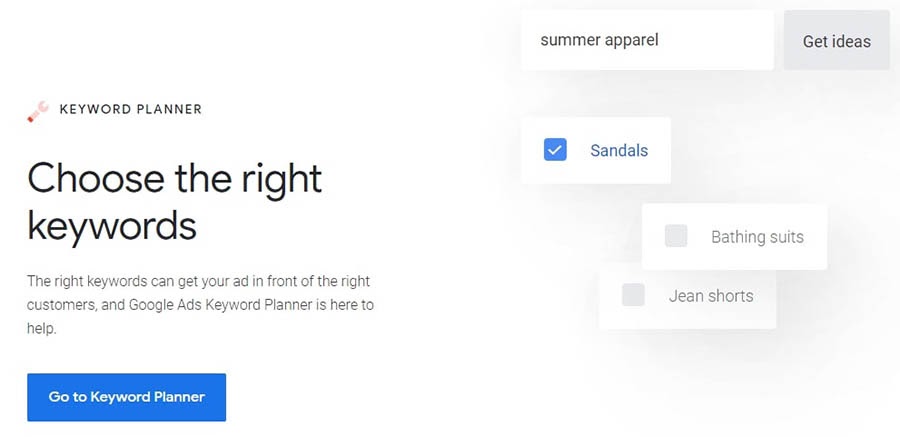
The Google Keyword Planner home page.

Before you start writing a new blog post, you might want to make sure you’re using words that people are searching for. Google Keyword Planner can provide you with feedback on your potential keywords.

This great tool will help you by showing you how popular each chosen keyword is through search volume metrics. You’ll also get some suggestions for other relevant phrases you may want to use.

Price: Google Keyword Planner is free to use, as long as you have a Google Ads account set up.

2. Google Trends

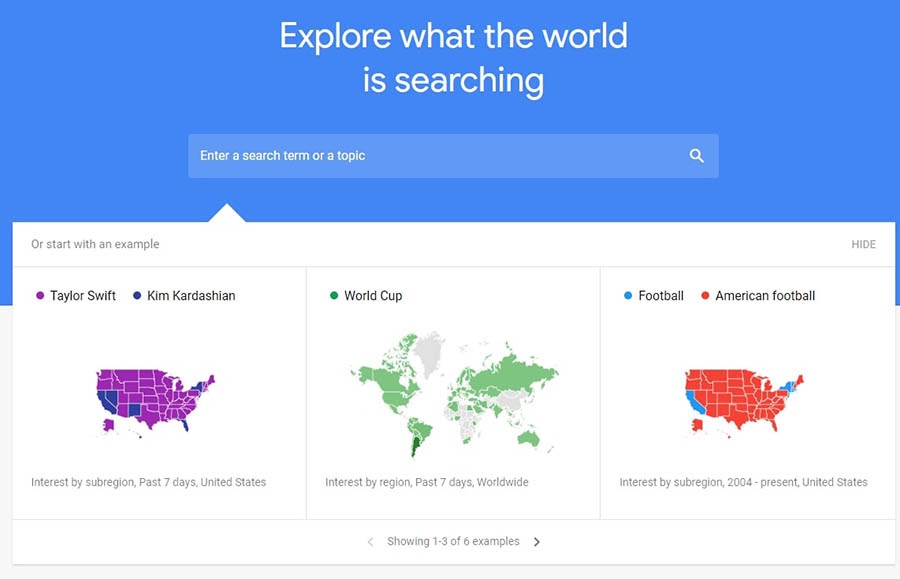
The Google Trends website.

When trying to nail down an idea for a successful blog post, you might want to start with Google Trends. You can enter any topic into the search box, and this tool will provide you with a ton of information and history about it.

You can filter your results, which is especially useful if you’re trying to capture a particular region’s attention. Google Trends also provides you a list of related topics, which you can use to brainstorm more content ideas.

Price: Google Trends is entirely free for anyone to use.

3. BuzzSumo
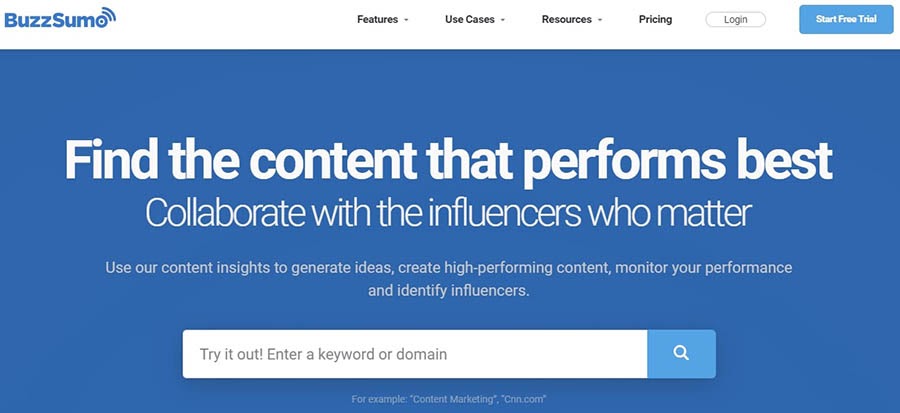
The BuzzSumo website.

If you’re wondering what’s trending in your niche, BuzzSumo can tell you. Just search for the topic you’re interested in, and you’ll get a list of the top-performing content in that area.

You can also enter the URL for one of your competitors. BuzzSumo will give you a list of the top-performing content from that site, so you can see what’s resonating with your potential audience.

Price: BuzzSumo offers a seven-day free trial. After that, you can choose from several tiers starting at $79 per month.

4. HubSpot’s Blog Ideas Generator

HubSpot’s Blog Ideas Generator.

When you start blogging, it’s hard to imagine ever running out of ideas. However, the day will likely come when you sit down to write and come up empty. That’s where HubSpot’s Blog Ideas Generator comes into the picture.

Provide the generator with up to five nouns, and it will return a week’s worth of blog ideas. If you need a year’s worth of topics, you can enter some details and unlock 250 more potential blog posts.

Price: The Blog Ideas Generator is free for anyone to use. But, if you want more ideas at once, you’ll have to trade some information to get them.

5. EvernoteThe Evernote website.

With all those new blog post ideas, you’re going to be doing a lot of research. If your bookmarks bar is becoming a disorganized mess, Evernote can provide a place to keep all of your screenshots, notes, and articles.

What if you prefer a mix of handwritten and electronic notes? You can actually scan your notes with your phone into the app. You can even search these scanned documents since Evernote can read handwriting.

Price: Evernote has several plans to choose from, including a robust free version. You can upgrade to one of the paid versions starting at $7.99 per month.

Writing and Grammar

Well-written, readable content is crucial for a successful blog. Even the most compelling ideas will suffer without the right words to convey them.

6. Grammarly
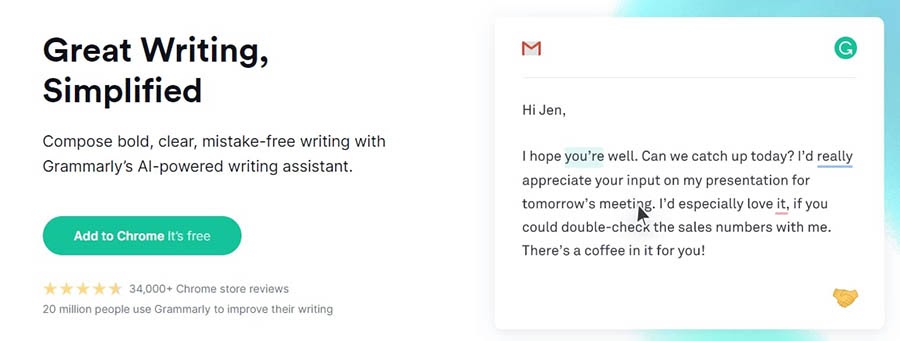
The Grammarly writing tool.

Even the strongest writer can benefit from having a second pair of eyes look over their blog posts. Grammarly is like having an experienced editor making suggestions to improve your writing and style.

Each time you open a new document in Grammarly, you can set goals for its tone, formality, and intent. You’ll then receive feedback to help you hit those targets. Grammarly also has a Chrome extension, so you can check your emails and Google Docs as well.

One downside: Grammarly is currently only available in English. If you’re looking for a multilingual grammar checker, consider Language Tool, which can check your writing in more than 20 languages. It’s what our team uses to review Spanish content.

Price: Grammarly’s free plan checks your grammar, spelling, and conciseness. The premium tier adds more style and genre checks (as well as a plagiarism detector) for $11.66 per month.

7. Associated Press (AP) Stylebook

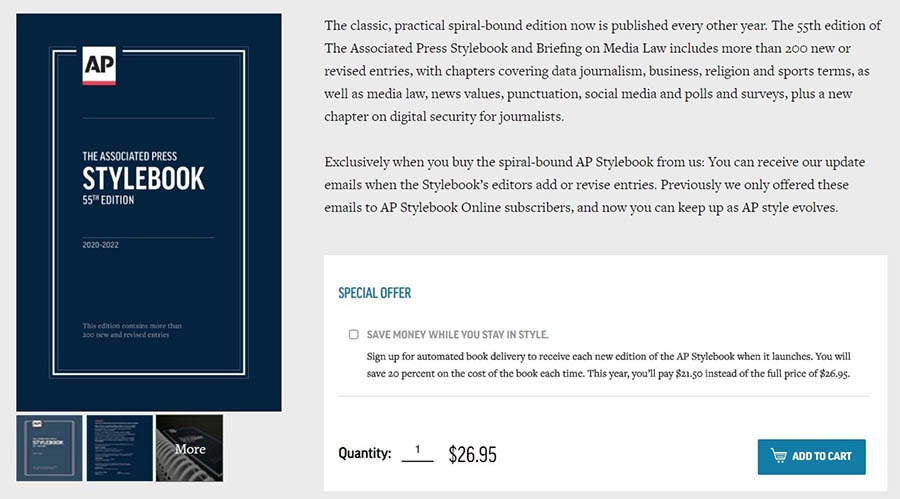
The Associated Press Stylebook.

The Associated Press (AP) Stylebook is a reference every blogger should have on their bookshelf. Using AP style for blog posts can help to keep them concise, clear, and informative.

The AP Stylebook is updated frequently. If you buy the book from the official website, you’ll receive email notifications about these changes. It’s a simple way to keep up with stylistic adjustments.

Price: You have multiple options for purchasing the AP Stylebook. A spiral-bound physical copy will cost you $26.95. The online stylebook starts at $22.00 for one user.

8. Google Docs
The Google Docs home page.

Google Docs is a web-based word processor. You can use this application to compose, edit, and format your blog posts.

One advantage of Google Docs is that you can access your documents anywhere, regardless of your device. For a blogger on the go, this is a must-have feature!

Price: Google Docs is free to use. You can upgrade to G Suite for additional features and applications, starting at $6 per month.

Project Management

Blogs have a lot of moving parts. Project management tools can help you stay organized, so your blogging tasks stay on track.

9. Asana

The Asana project management tool.

Asana enables you to build a roadmap for your blog projects. You can group tasks to make up a project or divide them into smaller chunks.

If you collaborate with other writers on your blog, Asana is a powerful tool for team management. You’re able to see at a glance where each post is in your pipeline.

Price: Asana’s free option allows collaboration with up to 15 people. Premium plans begin at $10.99 per user per month.

10. Trello
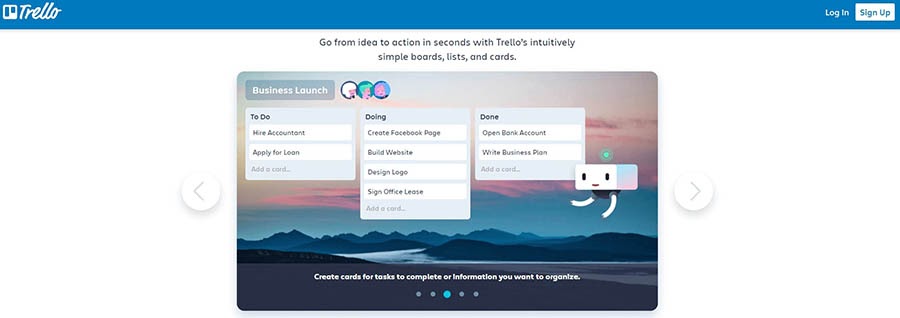
The Trello productivity tool.

Trello’s design is based on cards, lists, and boards. It’s an intuitive system that can hold a ton of information.

Trello is an excellent alternative to Asana if you’re looking for something a little more streamlined. You can keep all the attachments and notes you need for a task on its card. This format is also easier to handle if you’re a team of one.

Price: Trello has a robust free option that enables you to have an unlimited number of personal boards and ten team boards. Upgraded plans begin at $9.99 per user per month.

Design

Gorgeous visuals to complement your words are an essential part of creating branded, shareable blog posts. You don’t need to be an artist, but the right tools can help you fake it.

11. Adobe Photoshop

The Adobe Photoshop website.

When you think of photo editing software, Adobe Photoshop probably comes to mind. Whether you’re touching up a stock photo or creating a new logo, you can probably do it with Photoshop.

One exciting aspect of this platform is that new features are always being added. One of the latest is the object selection tool. You can lasso or draw a rectangle around an object, and the selection snaps into place around it.

Price: You can try Adobe Photoshop for free for seven days. After that, plans start at $20.99 per month.

12. Canva
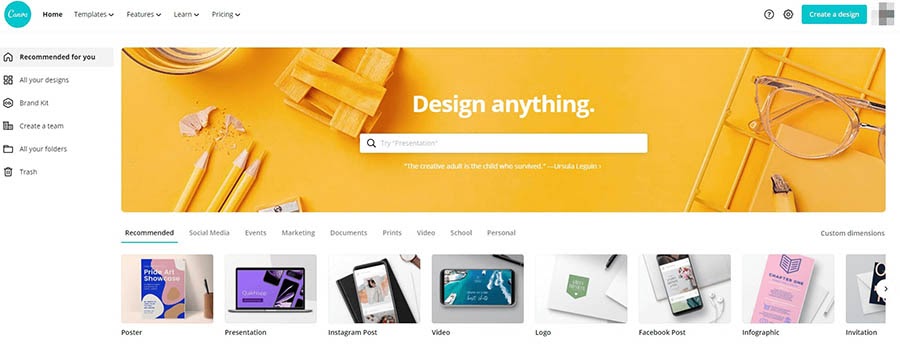
The Canva photo editing tool.

Canva is like Photoshop’s younger but no less accomplished sister. The free plan gives you generous access to templates, stock photos, and other design elements. However, Canva Pro contains some valuable features as well.

With a Brand Kit, for example, you can collect the colors, fonts, and logos that make your blog recognizable all in one place. Imagine the time you could save on looking up HTML color codes!

Price: You can upgrade to Pro for $9.95 per month. There’s also a 30-day free trial.

13. Logaster
The Logaster home page.

Are you struggling to come up with a logo? If so, Logaster can generate a variety of options to choose from in seconds. Just enter your blog’s name and scroll through the possibilities.

If you’d like, you can give Logaster more information to build your logo with. For instance, you can try specifying a color and industry for more personalization. If you’re not entirely happy with the design, you can do some editing by signing up for a free account.

Price: You can download and use the small version of your new logo for free. However, Logaster also offers packages that include different size logos, letterheads, favicons, and more. These range from $19.99 to $89.99.

Search Engine Optimization (SEO)

SEO has many different facets that all need your attention. The following tools can help you analyze and optimize your blog’s content, so you’ll have a fighting chance for higher rankings.

14. Yoast SEO

The Yoast SEO plugin.

If you have a blog on WordPress, you’ll probably want to install the Yoast SEO plugin. This tool makes optimizing each of your posts easy.

For example, you can give Yoast SEO a keyphrase, and it will return actionable advice that you can use to improve your post. The premium version can even account for other forms of that keyphrase, including synonyms and plurals.

Price: You can get started with the free version or go all-in with Yoast SEO Premium. The latter starts at $89 for one site.

15. SEMrush
The SEMRush website.

It might be unfair to give SEMrush only one spot on this list, as it provides multiple tools. SEMrush offers insights on everything from social media to Pay-Per-Click (PPC) advertising.

Most importantly, however, SEMrush’s SEO Toolkit can give you an edge over your competition. The Domain Overview lets you see which keywords your competitors use. You can use this information to hone your content plan over time.

Price: SEMrush plans range from $83.28 to $333.28 per month. Higher tiers get you access to more reports and extended limits. The good news? We’ve worked out a free SEMrush trial for our readers, so you can see if this tool is a good fit for your blog without a long-term commitment!

SEMrush

16. MarketMuse

The MarketMuse solution.

MarketMuse is a complete, AI-based solution for content. This tool can lend a hand with anything from research to content creation.

The ability to optimize content can make MarketMuse a valuable part of your blogging strategy. Its AI analyzes your copy and makes suggestions for the language you should use. This can boost your SEO rankings, as you’ll be using the same words your audience uses to search.

Price: You can try MarketMuse’s Pro plan free for a month. After that, the cost is $325 per month.

17. Ahrefs

The Ahrefs SEO tool.

Ahrefs is an invaluable resource if you’ve been blogging for a while and want to move to the next level. This SEO toolset can help you maximize your efforts.

While Ahrefs offers a wide range of features, it started as a backlink checker and still excels at that task. The Content Explorer tool analyzes individual pieces of content and displays how many backlinks they receive over time.

Price: Ahrefs offers a seven-day trial for $7. Full plans start at $82 per month for a single user.

18. Can I Rank?

The Can I Rank tool.

Can I Rank may be the next best thing to hiring an analyst. This tool uses AI to deliver actionable insights that can help you improve your blog’s SEO.

To do this, Can I Rank’s reports provide steps towards ranking for your target keywords. You’ll get suggestions for improving your current content, and new keywords you may want to focus on going forward. The AI will also connect you to other SEO tools that may be helpful.

Price: Can I Rank has a free plan, which limits how many times you can access each report. Paid plans start at $49 per month, and a free trial is available.

19. Ubersuggest
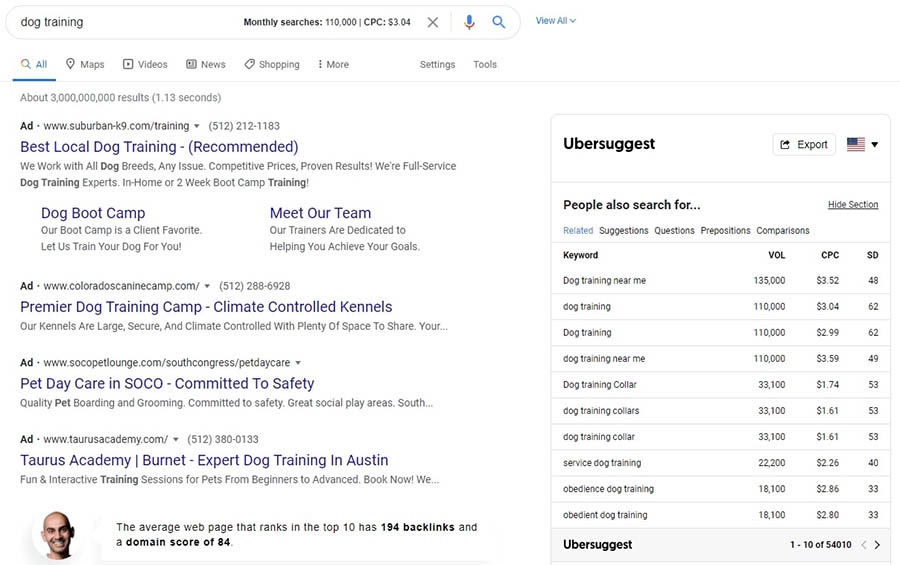
The Ubersuggest Chrome extension.

Installing the Ubersuggest Chrome extension gives you access to SEO metrics and insights every time you search.

Ubersuggest can help refine keywords that you’ve researched. If you perform a search with one of your target keywords, you’ll receive a list of related target phrases, along with the search volume for the current month and the estimated competition for the keyword.

Price: This extension is free. You don’t even need to create an account, although you’ll gain access to more features if you do so.

20. LinkMiner
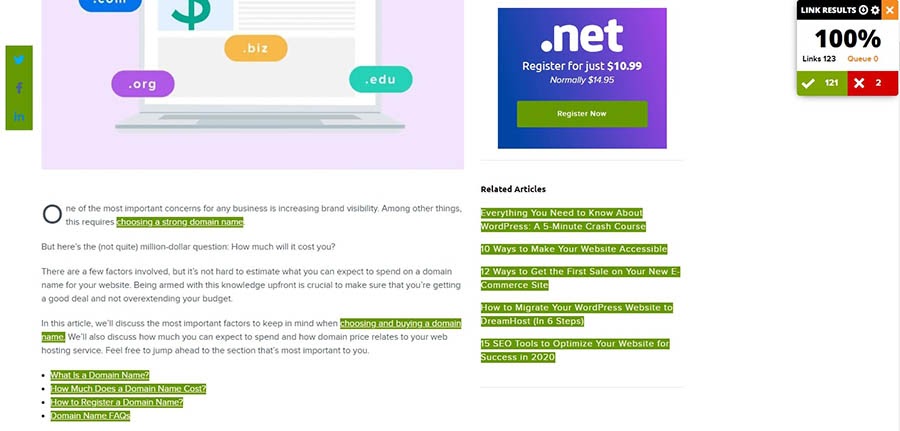
The LinkMiner extension.

Broken links can hurt your site’s SEO. They’re easy to fix but not always simple to find. Fortunately, the LinkMiner Chrome extension unearths broken links for you.

This extension provides you with overall results for each page you analyze. It also highlights all the links in your content in red, so you can get them fixed right away.

Price: You can use this extension for free.

Site Management

A user-friendly CMS can make managing your website much more straightforward. When you pair that with reliable hosting, you’ll have a solid foundation for your blog.

21. WordPress
The WordPress.org home page.

WordPress powers 37% of all sites on the internet, and for good reason. This free, open-source platform is powerful, flexible, and supported by an active community.

One appealing feature for bloggers is the Block Editor. This editor makes it easy to create stunning, rich content, with no design or coding experience necessary. The drag-and-drop interface makes it possible to rearrange your content and experiment with different possibilities.

Price: WordPress itself is free. You’ll just have to pay for a hosting plan. You can also choose to purchase premium themes and plugins.

22. A Managed WordPress Hosting Plan

DreamHost managed WordPress hosting.

You’ll probably get more out of WordPress if you complement it with a managed WordPress hosting plan. These specialized plans come with extras that can make your website building and upkeep a lot easier.

After all, just because you’re a blogger doesn’t mean you’re a web designer. That’s why our DreamPress managed hosting plans include a website builder specifically designed for WordPress sites. After you’ve created your site, we’ll keep it safe by performing daily and on-demand backups.

Price: Managed WordPress hosting can vary in cost depending on your provider. Our hosting plans start at $16.95 per month.

Blog Better with DreamPress

Our automatic updates and strong security defenses take server management off your hands so you can focus on content creation.

23. Wordable
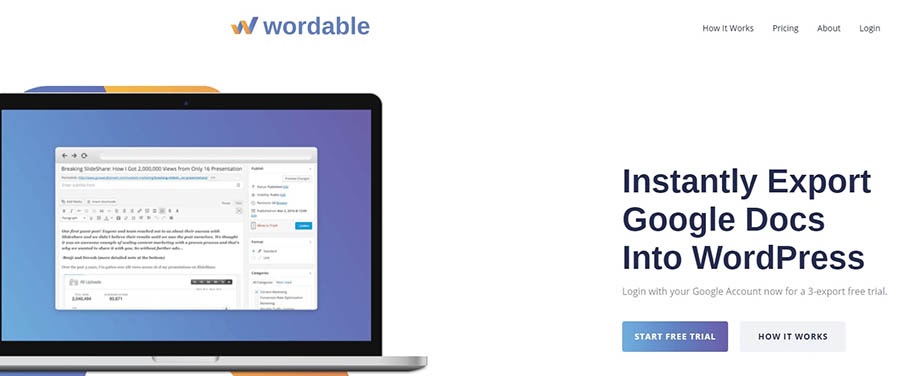
The Wordable plugin.

As awesome as the Block Editor is, there are advantages to composing your blog posts in Google Docs. However, you’ll lose a lot of time copying and reformatting your posts before publishing them.

The Wordable plugin accomplishes all of those tasks in a single click. Wordable doesn’t just import text; it also brings along the images and headings. You can have guest writers submit their pieces as Google Docs and import them with Wordable. You don’t have to set up an account on your site for them, and you won’t have to reformat their posts either.

Price: You can test out Wordable with a three-export trial. After that, plans start at $19 per month for one user and one WordPress site.

Social Media

Handling multiple social media channels can create confusion and the potential for mistakes. To avoid that, you can stay on top of your social media schedule with the help of these tools.

24. CoSchedule
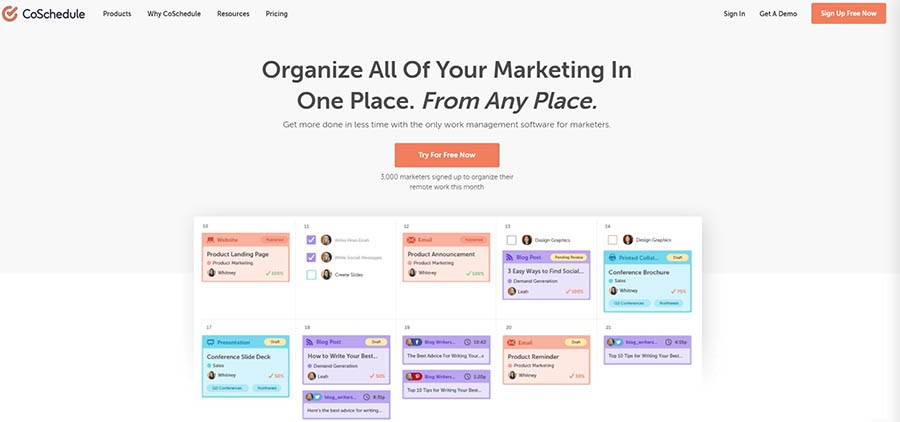
The CoSchedule plugin.

CoSchedule is the editorial calendar of your dreams. It can help you manage blog posts and get them onto social media platforms.

CoSchedule’s Blog Calendar lets you see your scheduled blog and social media posts in one place. If you need to reschedule a post, you can just drag and drop it wherever you’d like. The calendar automatically adjusts the accompanying social media messages.

Price: You can get the Blog Calendar for $14 per month. If you’d like to add more functionality with the Marketing Calendar, the price increases to $29 per month.

25. Social Snap

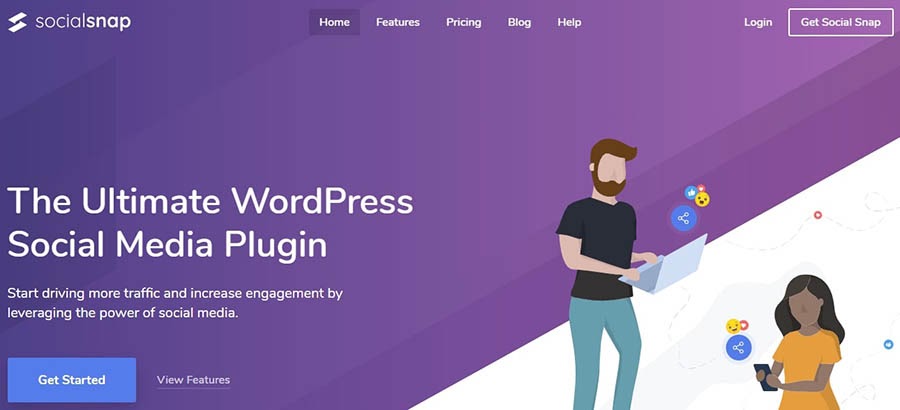
The Social Snap plugin.

Social Snap is a social media plugin for WordPress. This solution comes with a suite of tools designed to get more traffic to your blog.

With Social Snap, you can place social sharing buttons anywhere in your blog posts. The floating sidebar could be an effective strategy if you tend to write longer content. You can also customize the buttons to match your website’s design.

Price: Social Snap offers plans starting at $27.30 per year. There is no free trial, but there is a 30-day money-back guarantee.

26. Buffer
The Buffer platform.

If you’re in the market for a complete social media solution, you may want to check out Buffer. This platform provides tools to help you publish and analyze your content.

Buffer’s Publish tool enables you to manage all of your social media channels from one dashboard. With some determination and a lot of coffee, you might schedule a month’s worth of content in a single afternoon.

Price: Buffer Publish begins at $12 per month. The Pro plan enables you to schedule up to 100 posts.

27. Click to Tweet

The Click to Tweet plugin.

Click to Tweet is a free plugin provided by CoSchedule. If you have your eyes set on the Twitterverse, you’ll likely want this blogging tool at your side.

With it, you can pull out especially tweet-worthy wisdom from your content. Your readers can then share these insights with their followers in one click.

Price: Click to Tweet is free to download and use. You do need to provide some personal information and sign up for CoSchedule’s mailing list to access the tool.

Video

You may already include video on your blog, as it can increase the time visitors spend on a page. If not, these solutions can get you started.

28. YouTube

The YouTube home page.

You may already use YouTube to host your videos, but there’s more you can do with the platform. For example, did you know that you can live stream with YouTube?

Live streaming is a fun way to connect with your audience and has been growing in popularity in recent years. It’s a great way to build a sense of community around your blog.

Price: YouTube is free to use. All you need is a Google account.

29. Adobe Premiere Rush

The Adobe Rush website.

If creating video content sounds like a lot of work, you can check out Adobe Premiere Rush. This helpful tool makes producing a video (almost) as easy as posting to social media.

With Adobe Premiere Rush, you can capture and edit footage right from your mobile phone. You can even add graphics, overlays, and voiceovers. Then you’ll be able to share the video to your YouTube channel, Instagram account, Facebook page, and other social media platforms.

Price: Adobe Premiere Rush offers a free trial that limits you to three exports. After that, you can access the software for $9.99 per month.

Analytics

By keeping an eye on your blog’s statistics, you’ll be able to see where you can improve. If you’re not a data analyst, you might appreciate some help in that department.

30. Google Analytics

The Google Analytics website.

If you haven’t already installed Google Analytics on your blog, what are you waiting for? Its many tools will give you access to the metrics you need for running a successful blog.

While your hosting provider may provide you with some traffic data, Google Analytics offers you a wide range of numbers. Knowing where your traffic is coming from will help you focus your efforts on those channels.

Price: Google Analytics is free to use. You just need to add a tracking code to your website.

31. MonsterInsights
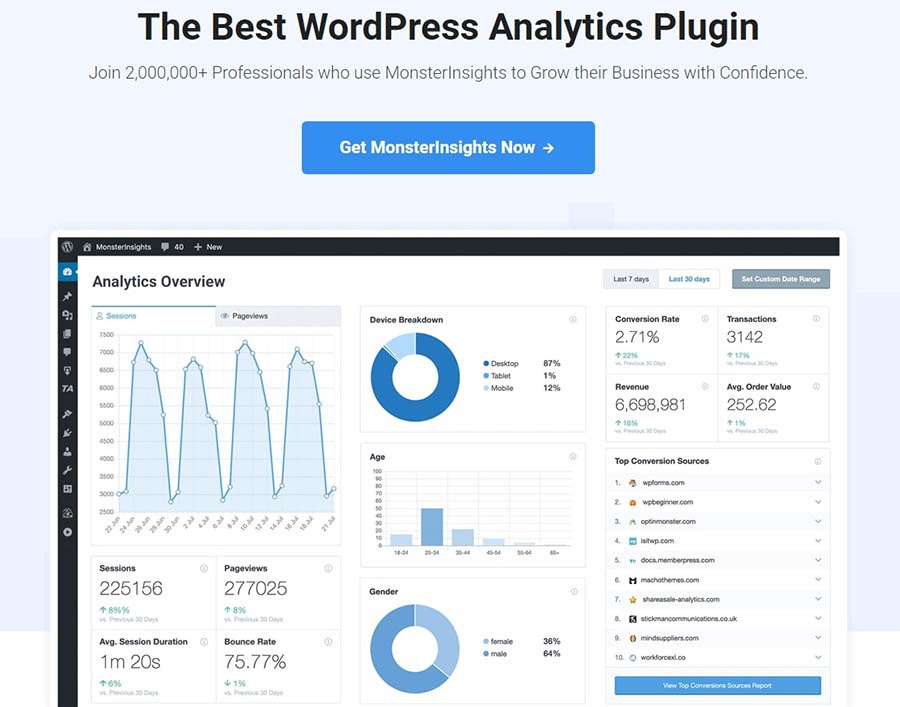
The MonsterInsights plugin.

MonsterInsights is a plugin that helps make Google Analytics even more powerful. It’s a match made in blogging heaven.

A favorite feature of MonsterInsights is the Google Analytics dashboard. Instead of navigating away from WordPress, you can view all that data right in your admin dashboard. You’ll also be able to see what’s happening on your blog in real-time.

Price: MonsterInsights plans begin at $99.50 per year. There’s no free trial, but there is a 14-day money-back guarantee.

Marketing Your Blog

Having the best content on the web won’t do you any good if no one knows it exists. Fortunately, you can get your blog in front of more people with these tools.

32. OptinMonster

The OptinMonster plugin.

As a blogger, convincing readers to sign up for your email newsletter is critical. OptinMonster can help you create opt-in campaigns that turn casual readers into devoted fans.

If your opt-in isn’t user-friendly, it’s unlikely to convert. OptinMonster gives you powerful targeting options, such as device-based targeting. This ensures that mobile users only see campaigns that are optimized for their devices.

Price: OptinMonster’s basic plan will cost you $9 per month.

33. Hunter
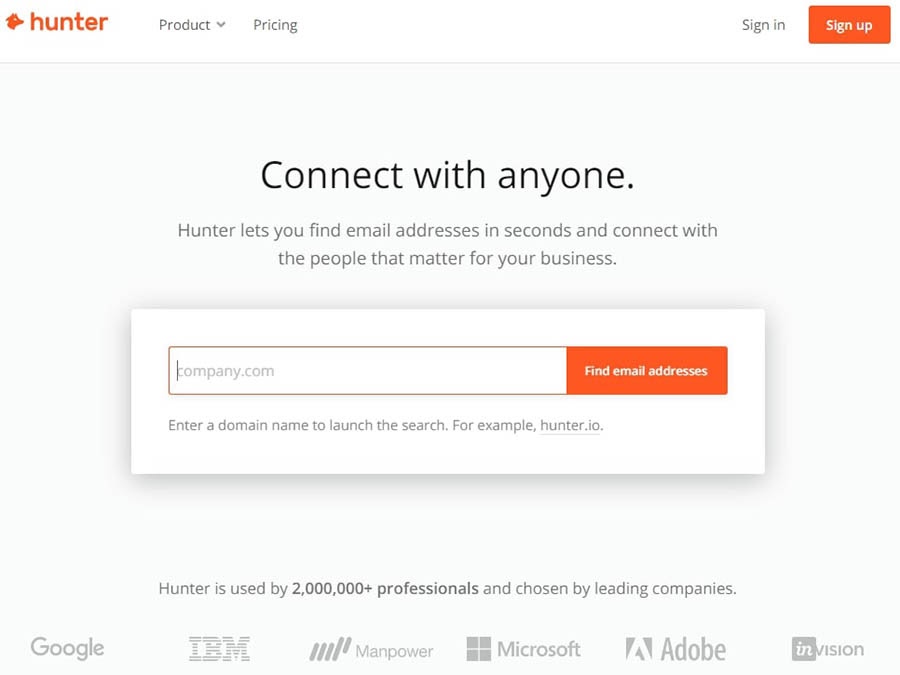
The Hunter tool.

Guest posting is a tried-and-true link building technique for bloggers. Crafting a strong pitch is hard enough, but sometimes the most challenging part is finding the right email to send it to.

To make things easier, you can simply enter a domain name into Hunter’s search box, and the tool returns every email address it can find for that company. You can use this to see a particular individual’s email or search for a role, such as “submissions@” or “editorial@”.

Price: You can perform 50 free searches per month. Paid plans start at $34 per month.

34. NinjaOutreach
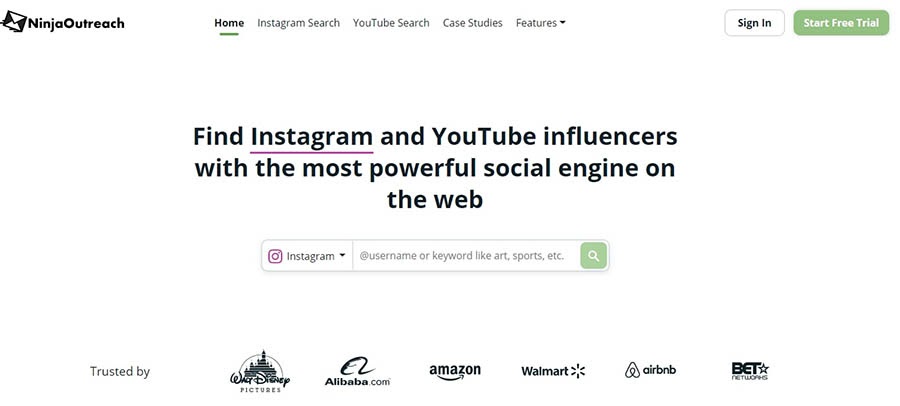
The NinjaOutreach platform.

Partnering with an influencer can increase your blog’s audience. NinjaOutreach enables you to filter through lots of influencers in your niche, so you can find the right one.

Whether you’re targeting Instagram, Twitter, TikTok, or YouTube, NinjaOutreach has you covered with its extensive database of influencers. You can even find other bloggers who may be interested in collaboration.

Price: NinjaOutreach offers a 7-day free trial. A monthly plan starts at $119.

35. Mailchimp

The Mailchimp platform.

There’s more to email marketing than sending out a blast whenever you publish a new post. Mailchimp helps you organize your list and send out updates on time.

No one wants to read ugly emails, but thanks to Mailchimp’s drag-and-drop builder, you can make customizations and even add images and videos. Then, real-time analytics lets you monitor how effective your campaigns are.

Price: Mailchimp offers a generous free plan to get you started. You can get an upgraded email-only plan for $9.99 per month.

36. Teachable

The Teachable home page.

Sharing your knowledge is an effective way of establishing yourself as an expert in your blogging niche. Unfortunately, setting up an online course can be a challenge.

Teachable is a complete solution for building and running an online course. You can make your lessons extra special by taking advantage of Teachable’s live features. For example, you can schedule one-on-one sessions with your students to check in on progress and answer questions.

Price: Teachable’s Basic plan comes with everything you need to create your first course, and costs $29 per month.

11 Blogging Tools We Use on the DreamHost Blog

While all of the blogging tools on this list are excellent, we have some favorites we use for the DreamHost blog itself. Here’s some extra love for the solutions that make our job so much easier:

  1. Google Docs: When it comes to collaboration, you can’t beat Google Docs.
  2. Grammarly: Even the most seasoned writers miss an Oxford comma from time to time.
  3. Language Tool: This is a useful grammar checker if you need support in languages other than English. We use it for our Spanish content!
  4. MarketMuse: If you love the content on our blog, we have to give some credit to MarketMuse.
  5. WordPress: Like so much of the internet, we love how easy WordPress is to use. It really is our favorite blogging tool!
  6. DreamPress Hosting: Not to toot our own horn, but we’re really good at this hosting thing.
  7. OptinMonster: No one wants to annoy their blog visitors with unwanted opt-ins, and we’re no exception.
  8. Yoast SEO: We’re proud of what we publish, and Yoast SEO helps ensure that our blog content gets seen by plenty of visitors.
  9. CoSchedule: Keeping track of when and where we’ve published our content is much easier thanks to CoSchedule.
  10. Canva: The one-click resize option for various social media channels is a gift.
  11. Google Analytics: We use Google Analytics to be sure we’re giving you more of what you want.

If you’re not sure where to begin, the above tools should start you off on the right foot.

Ready to Launch Your WordPress Blog?

Whether you need help choosing a blogging platform, understanding affiliate marketing, or picking a WordPress theme, we can help! Subscribe to our monthly digest so you never miss an article.

What’s Your Next Blogging Tool?

Handling a blog on your own is a difficult task. Taking advantage of a few of the many blogging tools available can give you back some valuable time.

Today, we’ve looked at a few reasons why you might want to invest in some blogging tools. If you’re just getting started with your blog, you might try out Google Docs and Grammarly to keep your content organized and polished. If you’re ready to step up your marketing game, Mailchimp can give you the edge you’re looking for.

Ready to put those new blogging tools to work? It may be a smart time to upgrade your hosting service, to prepare for all the new traffic you’ll be getting. Check out our managed WordPress hosting plans!

The post 36 Brilliant Blogging Tools to Help You Write Better, Publish More, and Increase Traffic appeared first on Website Guides, Tips & Knowledge.


source https://www.dreamhost.com/blog/blogging-tools/

Tuesday, 13 October 2020

“Power Outage” Brings Tabletop RPGs to Young Players (And Their Grown-Ups)

Bebarce El-Tayib didn’t learn that Dungeons & Dragons or other tabletop RPGs (role-playing games) existed until he was well into adulthood. He was intrigued, and on his first Father’s Day — his daughter was eight months old at the time — his wife encouraged him to check out a local game shop that was debuting the fourth edition of D&D. He was hooked and eventually branched out to other RPGs.

Fast forward a few years: El-Tayib’s baby girl is six and now has a four-year-old sister. His gaming was going strong, but with one hiccup — the girls kept stealing his dice. “Eventually I realized if I ever wanted the dice back, I’d have to come up with a game for the girls to play,” he says.

So he started looking around for options to introduce his kids to tabletop RPGs but came up short. “Considering their ages, most of the role-playing games out there were either too advanced or too adult,” El-Tayib says. “Some of the few that I found, while good, were often just simplified versions of adult games.”

His solution? Invent a new game to play with the girls.

Several years and hours upon hours of work later, the Power Outage world was built, and its corresponding Core Rules Book finally ready to be published.

“Power Outage is a superhero-themed tabletop role-playing game that is designed for kids, but fun for adults looking for a more casual, light-hearted gaming experience,” El-Tayib says. “It’s absolutely drenched with puns as well.” Built to engage kids as young as four years old, Power Outage’s cast of characters pits such villains as Break Fast, InstaGator, and The Bulshefist up against the Pocket Protector, SuburbanKnight, Rockin Troll, and other heroes.

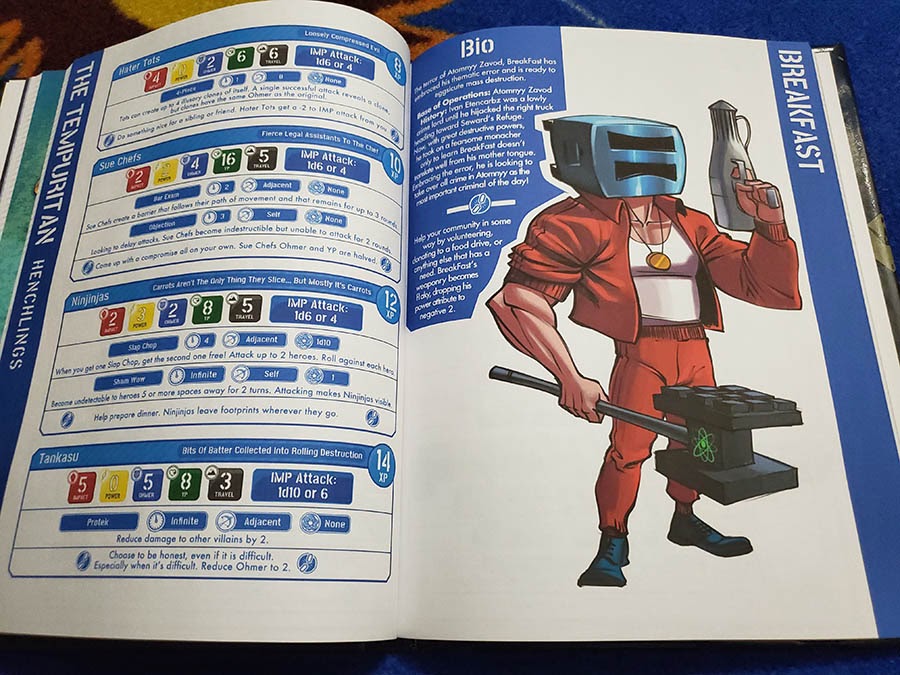
“BreakFast” character description in the Power Outage Core Rules Book.

After reaching its funding goal on Kickstarter and making an official debut in 2019, Power Outage was nominated twice for an Ennie, a notable award in the RPG world. El-Tayib is building an audience for Power Outage and has gotten great feedback from fans so far.

“I think the best compliment I ever received was when someone referred to me as the ‘Mr. Rogers of role-playing games,’” El-Tayib says.

And along the way, he’s relied on DreamHost to power this and other passion projects.

Choose Your Own Adventure

As a kid in elementary school, El-Tayib loved Choose Your Own Adventure books. “So much so,” he adds, “that I would write my own and run them with kids at the lunch table. That was before I knew that RPGs existed.”

He was introduced to the concept as an adult through the early Penny-Arcade podcast crew, which was testing out and describing the new Dungeons & Dragons fourth edition. The idea of RPGs “immediately shot me right back to elementary school,” he says. His favorite game these days, other than Power Outage, is Tales from the Loop, which represents the kind of quality he’s chasing with his own game.

“My goal was to create a game that brought parents and kids to the table, have fun, and maybe learn a little,” El-Tayib says. “I’ve yet to meet a person that hasn’t claimed to have had a blast playing Power Outage.”

In creating the game, El-Tayib relied on his daughters for playtesting to craft an RPG that was truly centered on a child’s experience. “I built it from the kids’ perspective up — I think that really informed the shape of the game,” he says.

While most traditional RPGs focus on battles and fighting, Power Outage was built with a choose-your-own-adventure flair that gives kids — and their parents — different options for what kinds of games they can play. El-Tayib created a system he calls CAPE: Combat, Alternative, Puzzle, and Exploration. Each path creates a custom adventure that styles gameplay according to the preferences of both parents (who lead the game) and kids.

“Don’t want your kids fighting? Choose an Alternative path,” El-Tayib explains. “Want your kids to practice problem solving? Choose a Puzzle path. Additionally, I created a substantial amount of guidance for new gaming parents that I’ve been told sheds some light for even veteran players when switching to gaming with kids.”

Ultimately, he hopes the game can help parents, gamers or not, connect with their kids in a way that resonates.

“I want kids to have experiences with their parents that they’ll remember growing up,” El-Tayib says.  “I want a channel to open up about themselves, without fear of reprisal. The ability to instill into an avatar their desires and see those play out, and in doing so, educate those adults playing with them.”

Feedback on Power Outage has been overwhelmingly positive — especially once he can help players ditch the expectation that this child-oriented game aligns, or should align, with Dungeons & Dragons gameplay.

“It’s also amazing seeing pictures from fans holding up kids, often infants, next to my book with the promise that a new player will be starting up soon,” he says.

Child’s Play

By trade, El-Tayib is the chief technology officer for a public school system in New Jersey. Part of his work includes considering the needs of students with disabilities, and in developing Power Outage, accessibility was top of mind.

The Power Outage rule book has a section outlining accommodations to make the game playable for all children, including those who need physical, communicative, behavioral, cognitive, and emotional adjustments to the gameplay. In creating this content, he consulted experts in special education to review his recommendations and terminology.

“Role-playing games allow all of us to not only break free of the limitations we find in our everyday lives, but express our real selves through our avatars,” El-Tayib says. “The absolute need to make that process available to everyone is imperative. We need to be accessible. We need to be inclusive. We need to bring everyone to the table, and if we can’t, then we need to drag that table over to them.”

El-Tayib wants his entire mythology — based on Outage, an ancient, mysterious island that appeared in the Pacific Ocean — to be fun and understandable to children of all ages and abilities.

A map of the world of Power Outage in the Core Rules Book.

“I eliminated death from the game, changing your standard HP (health points) to YP (yield points),” he says. “Kids are freer to enjoy their creative spirit with the knowledge that they can get up and try again. All the villains are fun and humorous, but many have deeper contexts that parents can use to exemplify lessons.”

Power Outage does have a slight amount of number crunching, and still uses the “‘math rocks’ — i.e.,  dice — my kids loved to steal in the first place,” El-Tayib adds. The game is designed to allow players of different skill levels to work together on the same goal, so kids of all ages can still play together. It lists generic powers for the avatars to use but leaves the details up to players’ imaginations. Power Outage throws out the traditional RPG character races or classes — wizard, human, elf, etc. — to give kids more wiggle room to create the avatar they want, be it a robot, a werewolf, or a princess.

“The sky is literally not even the limit,” El-Tayib says. “It allows kids to keep their creative mind, while conditioning the effects into manageable gameplay. Heck, it even has a comic strip in the back that explains all the powers.”

Running the Game

Creating and testing the game and teaming up with designer Rosanna Spucces to give it a polished look was the fun part. Getting Power Outage, a self-published, indie game, out in front of an audience, has been El-Tayib’s biggest challenge.

“I’ve often described promotion of an indie game with the analogy of a crowded bar,” El-Tayib explains. “Everyone is in there, clamoring to have their story heard, often talking over each other. You have that solid group of people that are always there listening to you, but your story never really branches out from your table. Your friends will share it, but the message doesn’t get much farther out from where you are. Then someone walks in and everyone in the bar looks up at once and shouts “NORM!” You’re incredibly appreciative and flattered by those that you have with you — your small group of friends and fans. But you always wonder, ‘Man, what makes everyone like Norm so much?’”

El-Tayib’s found that his best tool for promotion is creating loyal fans of the game. He’s given the rule book to podcasters and Twitch streamers and has run games online and at conventions.

Earlier this year, he coordinated Shelter in Play, a quarantined-themed charity sale with 17 other kid-friendly game creators, who offered their products together as part of a $10 bundle. Proceeds were split between Extra Life 4 Kids and the Child’s Play Charity, with each charity receiving a little over $3,500 each.

“I’ve probably given away eight times or more digital copies than I’ve sold,” El-Tayib says. “On the whole, I believe people in the communities I’ve engaged with have a bit of faith in my character, and they’ve rewarded me by helping me to promote things.”

Home Base

El-Tayib has been a proud DreamHost customer since 2006. So when it was time to get serious about publishing Power Outage, he knew exactly where to build its website, which he hopes to grow into a community hub for game players and fans.

“I like that it’s built with WordPress, which has a lot of adaptability and the allowance for personalization,” El-Tayib says.

He’s built websites for others and himself for years. Along with a website for Go Nerdy, his parent company that publishes Power Outage and other resources, El-Tayib runs a personal website, bebarce.com (“Who else gets to claim their own first name as a domain name?”), and is developing a wiki site to provide resources to make tabletop RPG play more accessible to people of all abilities.

“DreamHost’s support is great,” El-Tayib says, “and absolutely tolerant of my late night blunderings. There have been quite a few times they have bailed me out of a hotspot. The site structure on the back end is super intuitive and it offers a lot of control. Honestly if I’m not building a site directly on DreamHost, I’m often encouraging others to migrate to it.”

We’ll Support Your Dream

Whatever your online goals, we’ll be right there with you, making sure your site is fast, secure, and always up. Plans start at $2.59/mo.

Work Ahead

Outside of his day job and work on Power Outage, El-Tayib is passionate about writing. He’s written a few children’s books, and he’s working on a series of princess-themed STEM stories with titles like “The Princess and the Placebo” and “A Princess’ Primer to the Theory of Evolution.”

“I also enjoy woodwork, even though I’m a bit of a novice at it,” he says. “I made a tie rack and, recently, some custom sandboxes for my kids and extended family.” Tech consulting and side gigs also keep him busy, not to mention juggling his family and trying to invest time into advocating for more accessible gaming tables.

As far as Power Outage goes, he isn’t done promoting or working on the game. He’s working on supplemental adventures — a necessary component to keeping a tabletop game growing and earning money.

“The biggest mountain is sustainability,” he says. “I have to find a way to create future products faster, with better turn around, and increased promotion.”

Currently in the works: an adult version of Power Outage.

“It’s called Power Outage: Neon Knights,” El-Tayib says. “The idea is to take all the campy weirdness of Baywatch Nights and apply it to my own world setting. But of course, ‘adult’ doesn’t necessarily mean it’s in any way more mature. After all I’m a pretty immature adult myself.”

The post “Power Outage” Brings Tabletop RPGs to Young Players (And Their Grown-Ups) appeared first on Website Guides, Tips & Knowledge.


source https://www.dreamhost.com/blog/customer-spotlight-power-outage/

Wednesday, 7 October 2020

How to Start a Business: The Complete Guide

So, you want to start a business? To strike out into the unknown, discover new opportunities, change the world, and make some money along the way?

The road to becoming your own boss can be a long one. But we’ve got you covered.

In this guide, you’ll learn all the steps — from creating a basic business plan to hiring your first employee — that you need to start a successful small business. You’ll learn how to:

So, without further ado, let’s get right to it and learn how to start a business.

The Big Idea

Every creative endeavor has two halves: the idea and its execution.

Many aspiring entrepreneurs can come up with some type of idea but end up struggling with the second part.

Need proof? First, how many friends of yours have revolutionary app ideas? Now, how many have actually developed an app, released it, and built a successful business out of it? Chances are, the answer to the second question is a lot lower.

When you start your own business, you need to have an execution plan ready from the get-go. So, let’s start things off on the right foot and make sure that you break your big idea down into small, realistic steps.

1. Refine Your Business Idea

Few things kill a new business like an idea that’s way too vague. How do you even start building your business if your idea is simply to “make a new type of social network?”

The answer? You don’t. You either refine your idea into something tangible, or you put it to the side.

But most ideas can be saved with a dash of refinement and a bit of polish. The key to doing so is asking the right questions:

  • Why are you starting this venture?
  • Who is your target demographic?
  • What product or service are you offering?
  • When will it be available, and when would someone use this product?
  • Where will your product be available?

By answering these questions, you can turn a vague idea like “start a new social network” into “start a new social network for US-based professionals and recent college graduates to connect and find job opportunities in their alumni networks.”

Once you get through your first round of questions, ask more questions: Why would this target demographic use this over LinkedIn? What are the features that separate it from the competition?

Refining your idea is like making a sculpture out of a block of marble. Start by cutting away big chunks on your first pass, and then chip at the little details once you’re further along.

But remember that sometimes, ideas simply won’t work, and it’s often more important to know when to give up on an idea than how to refine it. There’s no shame in admitting that a business idea isn’t a good one and putting it to the side so you can focus your efforts on another one.

2. Create a Business Plan

The next step is to start working out the nitty-gritty by working out a detailed business plan. Besides serving as a guide, your business plan can also come in handy when looking for investors or grants.

According to the U.S. Small Business Administration, a traditional business plan should have these elements:

  • Executive Summary: Sum up your business. Why will it be successful? What is your mission statement, and what are you offering? In short: Who are you as a business, and why should anyone care?
  • Company Description: Expand on some of the points in your executive summary. What problems does your business solve? What is your team like? What’s your competitive advantage? Your company description will likely overlap with your executive summary to some extent, but you need not only expand — you can include new information here as well.
  • Market Analysis: Explain how your product fits into the market. What are competitors doing? How can you do it better?
  • Service or Product Line: Describe the products or services you’re selling in detail. Include information about patents, the product’s lifecycle, and its benefits. This information will form the backbone of your business model.
  • Marketing and Sales: Explain how your marketing and sales strategies work. How will you get new customers? How will you keep them?
  • Funding Request: Include information about how much funding you’ll need over the next five years and what you plan to use that money for.
  • Financial Projections: Prove that your business is stable and ready for success by projecting what your finances will look like in the next few years.

3. Decide on a Business Name

Chances are that if you’ve made it this far, you already have some type of working name. But if you don’t, make sure you iron one out by this point.

When coming up with your business name, keep these tips in mind:

  • Your name should be catchy and sound good when you say it out loud
  • You should be able to trademark your name
  • The name should be somewhat related to your product or service’s benefits or features
  • Make sure you can get a .com domain for it
  • Your name should be easy to spell

Some entrepreneurs get backed up at this stage. While it’s definitely important to make sure your business name has some allure to it, don’t overthink it and hold your entire business plan up just because you can’t settle on the perfect name. Give yourself a reasonable amount of thinking time, and go with your favorite option after that time has elapsed, even if you’re not thrilled with it.

4. Define Your Brand

Businesses are like people — they have names and personalities.

Once you’ve settled on a name for your business entity, start to consider what other features you want people to recognize your brand by.

At this point, you’ll want to design a logo and set some brand guidelines. What tone will your business take in its communications? What colors represent it?

Oatly, for example, has defined itself through its playful and irreverent copywriting, its logo, and the colors blue, brown, black, and white.

Ideally, your branding should be recognizable enough that even if you release a new product, customers will immediately realize that it’s a new addition to your product line.

Secure Your Space on the Web

With COVID-19 still raging across the world and society showing no signs of retiring social distancing restrictions anytime soon, maintaining a strong digital presence has become more important than ever.

Luckily, starting a website and building a social presence is easier than ever before. Here’s how.

1. Register a Domain

Your domain is the address that people will type in when they want to visit your website. It’s essentially your online calling card.

For example, our domain is dreamhost.com. If your business were called Doug’s Donuts, your domain might be dougsdonuts.com.

The vast majority of businesses will want to get a .com name. However, other domain extensions, like .ai, .inc, and .net, may be worth consideration in certain cases.

Purchasing and registering a domain is a simple process. All you need to do is search for your desired domain on a reputable domain registrar’s website and purchase it. Most registrars will guide you through the process.

Once you’ve got a domain, you’ll need to connect it to your website. Most website building platforms offer instructions on how to do this.

Overall, the hardest part about registering a domain is finding one that isn’t already taken. In some cases, you may need to get a bit creative by adding words, i.e., Doug’s Delicious Donuts, or change your name entirely so you can get a better domain name.

2. Secure Social Media Accounts

It’s estimated that there are 3.6 billion social media users in 2020. To ensure your business’s survival in the modern business climate, you need to be where your potential customers are — on social media.

But don’t be intimidated — you don’t need to actually develop your social media presence just yet; you just need to get your usernames. Like domain names, usernames on major social network sites are hot commodities and go fast, so you want to lock them down ASAP.

Unfortunately, it’s fairly unlikely that you’ll end up finding that the same username is available across all social media platforms. Most businesses will need to edit their handles slightly or have different accounts per platform (i.e., @dougsdonuts on Twitter and @dougsdeliciousdonuts on Instagram).

3. Create a Website

What use would your domain name be if you had no website to go along with it? Once you have a domain ready to go, it’s time to start building your website.

These days, there are tons of online website builders that make it easy to get a site up and running quickly.

But if you want your website to run on a powerful, tried-and-true platform, building a WordPress site is one of your best options. WordPress powers approximately 38.4% of all websites, so there’s no lack of support, powerful features, and communities to get involved in.

DreamHost offers a drag-and-drop WordPress website builder with shared hosting that combines the ease of a website building tool with the raw power of WordPress. This gives the business owner the best of both worlds.

We’ll Support Your Dream

Whatever your business goals, we’ll be right there with you, making sure your site is fast, secure, and always up. Plans start at $2.59/mo.

Deal with Laws and Finances

Starting a business can sometimes mean navigating a lot of red tape. Between registering your business, structuring it, and opening a bank account, many entrepreneurs quickly find themselves with their hands full.

Here’s what you need to know to get started.

1. Find an Accountant and an Attorney

If you’re serious about your business’s success, it’s a good idea to start things off on the right foot and hire an accountant and an attorney. Starting a business is a complex process with lots of legal requirements, and this team will be able to guide you through it and answer the many questions you’re sure to have along the way.

If you’re on a very tight budget or starting your business as a side hustle, you may be able to hold off on this step. But keep in mind that you’re running a risk when you don’t have a professional helping you with complex tax, financial, and legal issues.

Plus, an attorney and accountant will help you figure out how to choose a business structure — the next step in your journey.

2. Decide on a Business Structure

Choosing a business structure is one of the most important decisions you’ll make. The legal structure you choose will determine how you pay taxes and how your business is viewed by government entities.

Importantly, your business structure will determine whether your profits are taxed on a pass-through basis or not. Owners of pass-through businesses include their share of profits as individual, self-employed, taxable income. Owners of non-pass-through businesses pay themselves a salary and report their income and the business’s profits separately.

The most common business structures in the US are:

  • Sole Proprietorship: This structure can be used by businesses without any employees. All businesses that do not formally register are automatically considered sole proprietor operations.
  • Partnership: Have a business partner? Partnerships are a simple structure for businesses with two or more owners. Profits are taxed on a pass-through basis.
  • Limited Liability Company (LLC): LLCs are among the most popular pass-through structures for small businesses. This structure separates personal and business assets so that you can’t lose your house or car if your business goes bankrupt.
  • Corporation: A corporation is a standalone legal entity. Profits are not taxed on a pass-through basis, so owners need to pay themselves a salary. There are several types, including S Corp, C Corp, and non-profits.
  • Cooperative: A cooperative is a business owned and operated by a group of people who use its products or services. These people typically own shares in the company, and profits are distributed amongst them.

3. Register with the Government and the IRS

Most business registration is conducted at a state level, so you’ll need to look into your local laws to see what’s required to legally form your business. An attorney can be a great help here.

Once your business is registered, you might need to file to get a federal tax ID called an Employer Identification Number (EIN). You can think of an EIN as a Social Security Number for your business. According to the Small Business Administration, you’ll need an EIN if your business does any of the following:

  • Pays employees
  • Operates as a corporation of partnership
  • Files tax returns for employment, excise, or alcohol, tobacco, and firearms
  • Withholds taxes on income, other than wages, paid to a non-resident alien
  • Uses a Keogh Plan (a tax-deferred pension plan)
  • Works with certain types of organizations

If you’re running a sole proprietorship or single-member LLC, you don’t need a separate tax ID — your profits are taxed as personal income.

4. Open a Business Bank Account

Having a bank account for your business can help you keep your personal and business finances separate, making accounting and filing taxes much easier. It also offers an extra layer of protection for your personal assets, maintains a professional image, and allows you to open a business credit card.

You’ll need to have all your business’s formation and tax documents, along with a business license and ownership agreements to open a bank account. Your accountant will be able to help you here — especially if you’re considering applying for a business loan.

5. Purchase Insurance

Many business owners forget this step or simply don’t realize how important it is.

Don’t be one of them. Purchasing liability insurance can sometimes be the only wall that protects you against bankruptcy if you get sued for some reason. Plus, if you hire employees, you’ll legally need to have worker’s compensation and unemployment insurance.

Set Up Your Daily Operations

A business is like a machine. To keep it running smoothly, you need to make sure all the parts fit together and stay well oiled.

1. Accounting

Your accounting system is the backbone of your business’s financial operations. Without a good system in place, you won’t be able to process invoices, make payments, etc.

Your best bet here is to speak with an accountant who can help you find a solution that works for your specific needs.

2. Project Management

A robust project management system ensures that projects reach completion in a timely and organized way. Project managers communicate with different team members, contractors, and other external businesses to keep everyone on the same page.

Whether you’re going to be your sole proprietorship’s own project manager or you’re hiring one for your corporation, it can be a good idea to invest in project management software like Asana or Trello.

3. Payroll

If you plan to hire employees, you’ll need some type of payroll system. Gusto, Intuit Payroll, and Bill.com are all good options.

If you’re hiring contractors, a payroll platform can also help, but it’s not entirely necessary.

4. Communications

If you’re hiring employees or contractors, you’ll need a way to communicate with each other. While email works fine in most cases, many businesses prefer platforms like Slack, which speed up communication and are more convenient than email.

5. Shipping

Businesses that have an e-commerce component will need to set up a shipping system. To figure this out, you’ll need to compare options like USPS, UPS, FedEx, and DHL to see which one best fits your needs.

Build Your Team

A business is nothing without its team members. When building your team, you’ll have to mix and match three types of members.

1. Employees

Employees are full-time or part-time workers. Hiring employees comes with a slew of legal and tax responsibilities, such as paying payroll taxes, unemployment insurance, etc. If things don’t work out with an employee, you can’t just fire them so easily.

However, there are benefits to hiring employees, such as having reliable team members always available at set times. You also get more control over the work produced.

2. Contractors

Contractors are typically independent businesses themselves, so you won’t have any legal responsibilities as their employer (outside of what’s covered in your contract). You can hire them at will without a long-term commitment.

However, contractors are independent and not full team members, so you won’t have the same level of control over the work they produce. Plus, they may not be available when you need them — they have their own schedules and businesses to run, after all.

Contractors are useful for businesses that need specific deliverables, like graphic design, writing, web development, etc. But businesses that need operations run around the clock, like customer service, management, etc., will likely want to hire employees.

3. Vendors

Some businesses choose to outsource some of their work to third-party vendors. For example, you may choose to hire a third-party call center to field all your customer service requests or for on-site security. However, this is typically only required for larger businesses, so it’s something to keep in mind as you grow.

Grow Your Business

Once you’ve planted your business’s seed, you’ll need to water it so that it grows into a successful startup.

1. Develop a Marketing Strategy

Marketing is essential. Without it, no one will even know your business exists.

Marketing comes in many forms, from content marketing and PPC ads to email marketing. If you’re not familiar with these terms already, it’s a good idea to read up on them a bit.

However, to really get your marketing going in the right direction, you’ll likely want to hire a professional.

2. Set Goals and Create a Growth Plan

Businesses rarely grow without goals. To ensure your business continues to evolve over time, it’s a good idea to set SMART goals — goals that are specific, measurable, attainable, relevant, and time-based.

What does that mean? Instead of setting a goal like “grow my business,” write something like “increase sales by 25% by January.” Now, your goal fulfills the smart criteria.

To build a growth plan, you simply outline a series of these sorts of goals for a period of one or two years. Typically, businesses divide this period into quarters, so you’ll ideally have eight goals for a two-year period.

Ready to Grow Your Business?

Whether you need help finding a target audience, crafting the ideal digital marketing strategy, or outlining your brand values, we can help! Subscribe to our monthly digest so you never miss an article.

How to Start Your Own Business: Key Takeaways

Starting a business is a long and arduous endeavor.

But it’s also incredibly rewarding! Few things are as satisfying as seeing others enjoy your hard work and benefit from your products and services.

Really, what could be better than running your own business?

If you’re ready to become a small business owner, DreamHost shared hosting is one of the easiest and most affordable ways to get your idea off the ground. For just $2.59/month, we give you everything — a free domain, SSL certificate, professional email address, and privacy protection — you need to thrive online.

While there are no certainties in business, there is one guarantee: Whatever happens, you’ll learn a lot and grow as an entrepreneur. That much is certain.

The post How to Start a Business: The Complete Guide appeared first on Website Guides, Tips & Knowledge.


source https://www.dreamhost.com/blog/how-to-start-a-business-guide/

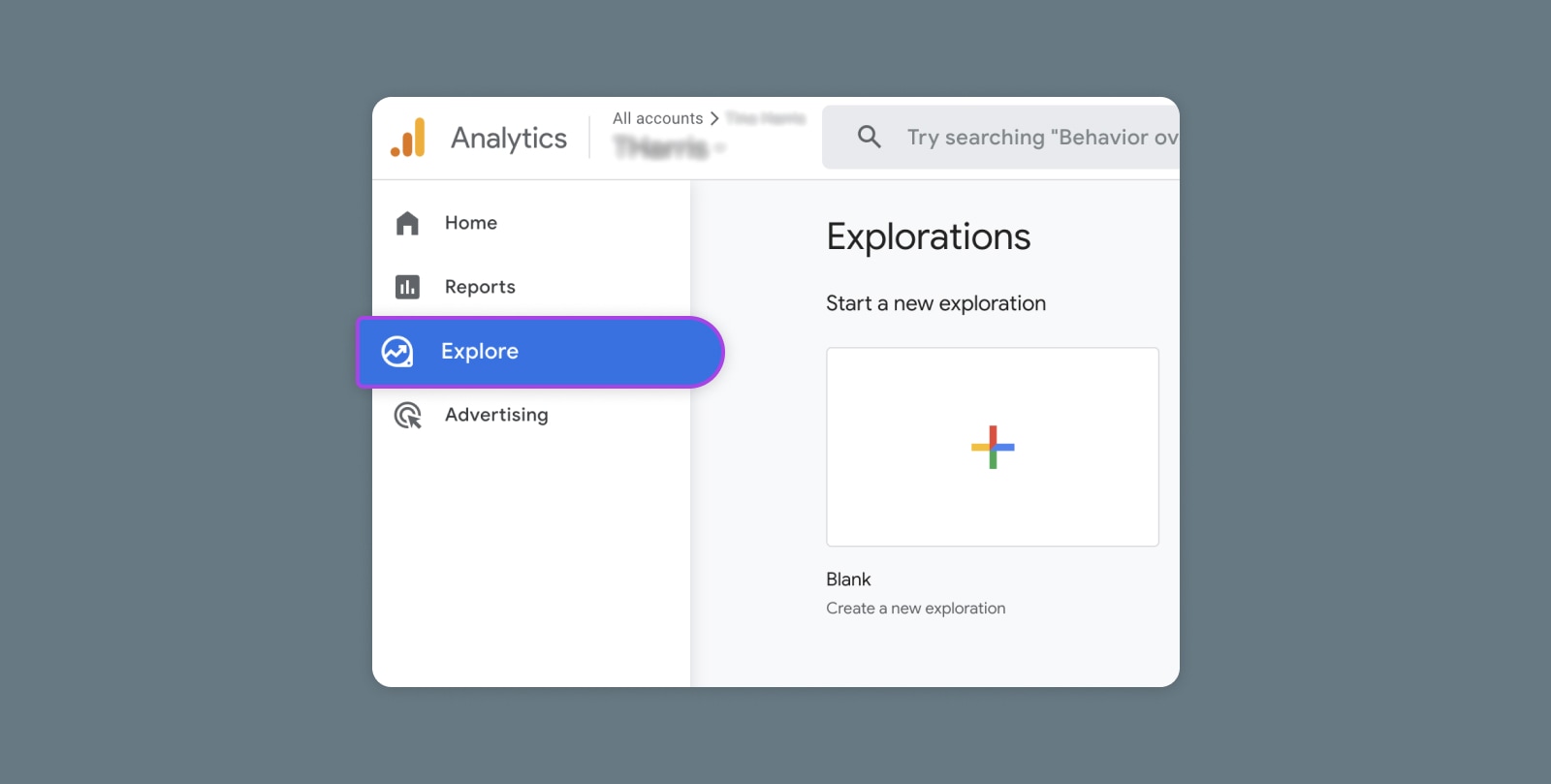
Creating and Mastering GA4 Explorations

In the switch from Universal Analytics (UA) to Google Analytics 4 (GA4) — which will go fully into effect July 2023 — a lot of things have...