If you run a business, having a solid website may mean the difference between failure and success, and choosing your primary top-level domain (TLD) is a crucial first step.
But like Lay’s potato chips, I bet you can’t have just one.
Purchasing multiple domains for your company can increase the visibility of your business and protect your brand from hungry competitors. Nom nom.
And you don’t need multiple websites to get started! In fact, there are several good reasons to purchase more than one domain for your mainwebsite — even if it means coughing up some extra cash up front. In this article, I’ll break down exactly why it’s a solid idea to have multiple domains and how this can impact your business.
Once you pop, the domains don’t stop.
1. People Can’t Spell
It happens all the time. Humans make mistakes, especially when putting words on paper and URLs into browsers. This is why it is a great idea to consider snatching up some variations on your primary domain.
For instance, Google bought Googel.com and Gooogle.com since these are common mistakes people can make when typing in their browser’s address bar.
When you allow for human error by picking up additional domains, you can capture spelling-challenged users instead of losing them to the internet void — or worse, a competitor’s website.
If you already have a domain but are unsure if you should snatch up some misspelled variations, data can help!
Go to the Google Search Console, log into your Google account, and then click on your website property. Click on the Search Traffic drop-down on the left and then Search Analytics. From here, you can check on search queries people have used to find your site, making it easy to keep tabs on which search terms, if any, may be misspelled. If you happen to find a recurring misspelled term that directly relates to your primary domain, you might want to consider buying that domain name and redirecting it to your main landing page.
Purchasing multiple domains for your business site can be a huge aid in protecting and strengthening your brand in a few key ways.
Stop Copycats
Keep competitors from snatching up a similar domain and causing confusion for your users. You don’t want business copycats directing traffic away from you.
Rebrand Like a Pro
If your business used to have a different name, it could be a good idea to have domains for both the old name and the new one to get customers to the right homepage. The same goes for if you want to change the name of your brand. Buy a new domain and — once the new website is built and ready — redirect the old domain to the new one.
Depending on what goods and/or services your business provides, it might be a good idea to register an additional domain name that appropriately describes what vertical your business is in — think JoeShmoeCupcakes.com versus simply JoeShmoe.com.
And remember, people might not always refer to your brand by the official name. Here’s a real-world example. Coca-Cola is an official company name, and the brand’s official website is Coca-Cola.com. But many people all over the world commonly refer to the soda giant as “Coke.” That’s why if you type Coke.com in your browser’s search bar, it redirects appropriately.
Using specifically descriptive domain names makes it easier for a potential customer to find you — and helps with search engine optimization (more on that in a sec).
Let’s say you sell original art prints and operate a website called, CindysPhotography.com. Having a .com is absolutely necessary, and it may be wise to also snatch up a .net (depending on your business). But purchasing an additional ngTLD like CindysPhotography.art can open you up to a dedicated collection of users looking specifically for products in your business vertical. You could also acquire CindysPhotography.store and link it directly to the e-commerce portion of your website in order to drive more traffic.
Buying these types of domains can make your business stand out in search results and highlight what differentiates you from the competition.
3. You Want to Boost Search Engine Optimization
As we’ve already hinted, having more than one domain for your business can improve your page rankings in search engine results. It is crucial to note that buying up multiple domain names for your business should be redirected to your primary landing page using what is called a 301 redirect.
According to SEO.com, when creating a Robots.txt file and an XML sitemap so that search engines can index your site more easily, including 301 redirects from multiple purchased domains to a singular destination makes it even easier for your site to be indexed properly. Google will not penalize you for duplicate content with this redirect, and it is an easy thing to implement through your domain registrar or site-builder (speaking of, have you heard about our WordPress website builder?).
However you build your website, redirecting domains is generally a simple task. Simply search for a domain redirect option in your site builder’s interface or contact the support team.
4. You Want to Set Up Promotions and Special Offers
Using multiple domains for promotional purposes can be a great way to generate brand buzz and drive traffic to your website. You simply register a new domain related to the event and create a specific landing page for the promotion.
Let’s get back to the potato chips we were talking about earlier.
Say your business sells crispy, delicious potato chips, and your company website is SallysChips.com. Hypothetically speaking, you just came out with a brand new wasabi-flavored chip (why not?) and want to promote it.
First, you’d create a snazzy new landing page with mouthwatering pictures, compelling content to convince readers that this is, in fact, a good idea, and a link to order online. Then you could pick up the domain SallysWasabiChips.com instead of using SallysChips.com/wasabi. Why? Because the new domain is easier to remember for users and simpler to advertise.
If you have multiple promotional TLDs redirected and properly represented in the sitemap file, search engines will index these domains appropriately, and your page rankings can increase as a result.
However, it is important to note that if you do purchase a domain for a temporary product or service promotion, once that promotion has ended, you should disable that domain, hide the landing page, and update the sitemap so as to not saturate search engine results with outdated pages.
It is never too early to start thinking about the geographical expansion of your business, and multiple domains for your business can aid in this endeavor.
In fact, if you operate an online business that serves people outside of your home country, investing in country-specific TLDs is a must.
To achieve the best results in international SEO, you will need other country domains that lead to your site. For instance, if you own an online pottery store based out of New York City but sell to Europe and Canada, having NYCPottery.co.uk and NYCPottery.ca, in addition to your primary domain, will give you a big advantage.
As soon as expanding on an international level becomes a relevant venture for your business, acquiring multiple country-code domains is a must.
Your Great Idea Starts with a Domain Name
Don’t let someone else register your URL. Search DreamHost’s 400+ TLDs to find the perfect fit for your website.
While having multiple domains for your business can be beneficial (we’ve obviously just given you five compelling reasons), it is important to note that not all businesses need more than one domain.
Talk about a twist, right?!
If you own a single brick-and-mortar store, then it might not be a good idea to own multiple domains since you don’t want to confuse customers. When it comes to small businesses with single locations, a simple and specific domain name is the way to go.
Let’s say you have a bookstore in Austin, Texas, called Bobby’s Books, and you buy the domain BobbysBooksAustin.com. Purchasing additional domains like BobbysBooks.com, BobbysAustinBooks.com, and BobbysBooksinAustin.com and having them all redirect to the main website is probably unnecessary.
Dominate Your Domain Strategy
Do you feel ready to start buying up domains for your new website? DreamHost makes it simple and easy to find the best domains for you with more than 400 available TLDs.
Tarah Wheeler wrote Women in Tech: Take Your Career to the Next Level with Practical Advice and Inspiring Stories simply because no one else had done it yet.
“I wrote mad and edited more calmly,” she says. The book, published in 2016, topped the Amazon bestseller lists in Career Guides, Women & Business, and technology nonfiction.
Based in Seattle, Wheeler is an information security researcher and social scientist. She is a New America international security fellow, a cybersecurity fellow at the Harvard Kennedy School’s Belfer Center for Science and International Affairs, and a Fulbright scholar in cybersecurity.
Given her CV, it’s not that shocking that she hid a cryptographic puzzle in her Women inTech book that took people four years to solve. “It was a callout to the gaming and puzzle culture I grew up in from the time,” Wheeler says. “I started playing HeroQuest when I was little, then Shadowrun on tabletop, then Earthdawn and D&D, and just kept going. I love cryptographic puzzles.”
With that in mind, it makes sense that one of Wheeler’s early positions was working at Halo.
“That role working on Halo’s web applications was my first role in web app security, even if I didn’t realize it at the time,” she says. “I was the person fixing all the holes in the community management software’s interface, from moving single pixels in CSS to changing sprocs to sanitizing db [database] inputs. Being a cocktail waitress taught me an awful lot about cybersecurity, as well.”
Previously, Wheeler was the cybersecurity czar at Symantec, a globally renowned cybersecurity firm, and the Head of Offensive Security & Technical Data Privacy at Splunk.
Wheeler has always been drawn to the field. “Technology and cybersecurity are simply different words to describe some of the tools people use to connect with one another in cooperative or adversarial ways,” she says. “Both those things interest me.”
Want to Meet More Awesome Site Owners?
Subscribe to the DreamHost Digest for inside scoops, expert tips, and exclusive deals.
So how did Wheeler carve out a career path to become one of the top cybersecurity experts in the country?
“I am barely an acceptable student yet, much less any kind of expert,” she says. “I strove for aggressive mediocrity at a lot of different topics and became someone who could explain a lot of different fundamental tech and security concepts to people outside the industry. I’m not an expert in much other than knowing exactly how to script cronjobs to look very much like an actual human is monitoring the network while I was playing Knights of the Old Republic. Here are two hints on how to do that: 1) randomly run scripts in a Fibonacci sequence to do things like check for updates on packages, and 2) use natural numbers and normal distributions when randomizing to look like human behavior. I was using some of the principles of creating a Turing test-passing avatar of myself to skive off. It makes you able to see when other people are doing the same kinds of things.”
Aside from gaming, another skill that has paid off for Wheeler is being a Texas Hold ’em poker player. There’s a key thing poker and cybersecurity have in common, she says: They’re both risk management as a high art form. In fact, her poker skills enabled her to acquire startup funds.
“My dad taught me with jelly beans starting when I was four,” Wheeler says. “He’s a poker pro. When we sit down at tables together in Vegas, we always tell people that I’m his daughter, and once or twice, someone’s made a remark like ‘how do we know you’re not colluding?’ And I say ‘Are you kidding me? That man took all my jelly beans at the poker table when I was four and I’m never going to be done trying to get them back. Collude with him? I’ll *murder* him at this table if I can.’ And then everyone looks at my face and realizes that I mean every word of it. And that’s how I learned poker. Cash to pay for cloud hosting was just a side benefit to my Hero’s Journey of trying to always outdo my father!”
Continuing Ed
Much like a poker game, one thing Wheeler relishes about her career is that every day is different — there’s no such thing as a typical day. “I can tell you that half my day is spent talking to people and figuring out how to use a two-syllable word for something that other people are using a five-syllable word to describe,” she says. “The next half of my day is spent listening to people. The last half of my day is learning things.”
In fact, Wheeler says the most rewarding aspect of her career so far is that she is now paid to learn.
For starters, she conducted research at Oxford University to define cyberwar crimes and reduce the consequences for civilians. “I just completed my Fulbright award in cybersecurity through the US-UK Fulbright Commission,” she says. “I focused on listening to the incident responders from WannaCry, the 2017 global cyberattack that took down the UK’s National Health Service.”
Wheeler at the United States Institute of Peace.
Currently, Wheeler is an Electronic Frontier Foundation (EFF) advisory board member, an inaugural contributing cybersecurity expert for the Washington Post, and a Foreign Policy contributor on cyberwarfare. She is also a Cyber Project Fellow, leading an international cybersecurity capacity building project at Harvard University’s Kennedy School of Government.
Her work there entails “in general, convincing people who aren’t usually listened to in international security policy that their voices matter,” she says. “There’s a huge call for diverse perspectives on the global stage for people who understand security from all perspectives. Countries and intergovernmental organizations like the OECD know they need to be listening, but their networks are often thin when it comes to women and people of color. I often translate the expertise of women and people of color into a bio that senior conference and workshop organizers can understand and would want on panels and in speaking roles. This is my public service.”
Speaking of public service, Wheeler has an interesting philosophy when it comes to mentoring, requesting that potential mentees help others first before approaching her.
“I am sorting for a couple of personality traits, and there are two sides to my request,” Wheeler explains. “One: People who have little self-confidence and think they have nothing to offer someone don’t need me to help them professionally; they need to do other work on themselves first. Two: People confident in themselves who know who they are and what they can offer will already be mentoring people and already be looking for a good person to learn from themselves, and I want to be around that energy. Ideally, people I’m helping professionally turn into friends, colleagues, and peers. One day I want to be hired by someone I’ve sponsored — I think that means I won at sponsoring people.”
Sage Advice
It’s clear that Wheeler has paved the way for women to work in tech. For those who aren’t lucky enough to be her mentee, her advice for other women in the tech industry is straightforward:
“Don’t put fuzzy, cute mentorship energy out into the universe,” she says. “Choose three people underrepresented in tech who are one step behind you on the career ladder and deliberately sponsor them. Write them recommendations; find them jobs; when you can’t do talks, hand them off; make time; and publicly advocate for them.”
Ultimately, Wheeler’s words of wisdom are to fail more. “If you’re not failing at seven out of 10 things you try for, jobs you apply for, schools you try to get into, promotions you reach for, games you challenge yourself with, you’re not pushing yourself hard enough and using the law of averages to get big breaks,” she says. “Long term, if you’re trying to make the world a better place, no one cares about your failures but you anyway.”
DreamHost History
Alt Text: Wheeler speaking at Pass Summit 2019.
To take a deep dive into Wheeler’s work, visit her portfolio site, Tarah.org, which she hosts with DreamHost. Wheeler has two takes on why she uses DreamHost.
First, there’s the “nerdy version,” as she describes it: “My WordPress install on a different cloud provider’s Ubuntu LTS servers wasn’t as LT as I’d hoped. After I stopped coding PHP as my daily driver in maybe 2014 or 2015 and really started moving to Python, I didn’t have the time to keep up with WordPress vulns, and IIRC one of my sites got popped through a vulnerable plugin I’d forgotten to update or add to my cronjobs for reminders. DreamPress has automagical WP plugin updates!”
But there’s also a longer history to it. “In reality, it’s a bit of a sad story,” Wheeler says. “I had gotten one site popped, as I said, but the truth was that a dear friend passed away unexpectedly in 2017. He had a beloved blog and a big digital presence, and I was the person the family and friends handed his laptop to in order to bypass his security measures to ensure control of his accounts and his site. I did it the day before his funeral in November 2017, and I’ve never cried so much while hacking. It brings a new meaning to ‘digital forensics.’ I now own that domain name and I keep his blog up on DreamHost, and I’ve never had to worry that someone would take advantage of any momentary lapse on my part with web security to mess with his legacy.”
Another element that keeps Wheeler loyal to DreamHost is the customer service. “The chat support is courteous and rapid,” she says. “I just say ‘shibboleet’ and they instantly just give me the code or reboot my server or fix the perms. I love those folks. They’re diverse and helpful and funny.”
We Support Your Dream
Whatever your online goals, we’ll be right there with you, making sure your site is fast, secure, and always up. Plans start at $2.59/mo.
Currently, the technologies and products she uses for her site include WordPress, so she uses DreamPress.
“I like simple UI with clean interfaces,” Wheeler says. Ultimately, she hopes to accomplish more with Tarah.org than she does now, eventually expanding beyond a portfolio site. “I’ve started really coming back to the idea of blogging, but I also love to collaborate a lot,” Wheeler says.
It’s not just her website that Wheeler has big future plans for. “I optimize to prevent several poor outcomes and I maintain three or four skill sets that can pay the bills, and then I just ride this planet on whatever streak I can catch,” she says. “The last year and a half has taught me that I need to make time for joy every day, and that 10 minutes a day spent learning something puts me massively out in front of a pack of people in 10 years who try to catch up then. I will never stop learning.”
Do you keep getting the “Are you sure you want to do this” error message while working on your WordPress site? You’re probably wondering what’s causing it and if there’s a way to get rid of it. This warning can be very frustrating, as it doesn’t really tell you what the problem is. Plus, it prevents you from performing basic tasks on your site, such as editing blog posts.
The “Are you sure you want to do this” error can happen for several reasons. You may have installed a faulty plugin or theme, or you might be experiencing a security issue. Fortunately, you can determine the exact cause and fix the error in a few simple steps.
In this post, we’ll look at the main causes of the “Are you sure you want to do this” error in WordPress and show you how to fix it using four methods. Let’s get started!
What the “Are You Sure You Want to Do This” Error Is
The “Are you sure you want to do this” issue usually crops up while you’re performing certain tasks on your WordPress site. For instance, you may be trying to publish a post or customize your theme when the error message appears, preventing you from completing the job.
WordPress uses security tokens, called nonces, to verify that you have the proper permissions to perform a particular action on the site. These nonces help protect your site against hacking attacks. Therefore, when the “Are you sure you want to do this” error message pops up on your screen, it means that WordPress was unable to recognize you as the rightful owner or user of your site.
Various factors can trigger this verification failure. Next, we’ll take a look at the leading causes.
Skip the Stress, Outsource to Us
Avoid troubleshooting when you sign up for DreamPress. Our friendly WordPress experts are available 24/7 to help solve website problems — big or small.
Potential Causes of the “Are You Sure You Want to Do This” Error
The “Are you sure you want to do this” error message doesn’t pinpoint exactly what the problem is. However, we can narrow down the issue to a few causes.
Below are four common reasons you may be seeing this error:
You’ve selected an incorrect file when uploading a plugin or theme.
You’re using a plugin or theme with incorrect code.
You need to increase your PHP memory limit.
You’re facing a security issue due to corrupted files.
The most likely scenario is a faulty theme or plugin on your site. To figure out what is causing the issue, however, you’ll need to do some troubleshooting.
How to Fix the “Are You Sure You Want to Do This” Error in WordPress (4 Methods)
Now, let’s go through the four main methods for fixing this common WordPress error. Before proceeding, you may want to perform a backup of your site just in case something goes wrong and you need to restore an earlier version.
1. Check Your Plugins
As we mentioned earlier, the “Are you sure you want to do this” error could be caused by a faulty plugin on your site. To find out if this is the case, you can deactivate your plugins and reactivate them one by one.
Note that for this step, you’ll need to access your site’s root directory using a Secure File Transfer Protocol (SFTP) client such as FileZilla or by logging into your web hosting account and using the file manager.
If you have a DreamHost account, you can navigate to WordPress > Managed WordPress in the sidebar, find your domain, and select Manage.
On the next page, click on the Manage Files button in the Details section. In the file manager, open the folder with your domain name.
In your site’s root directory, locate and open the wp-content folder. To deactivate your plugins, you can find the plugins folder and rename it to “plugins_test”.
Return to your WordPress site. If the error message doesn’t reappear, you know that a plugin caused the issue.
The next step is to find out which one is the culprit. First, navigate back to your site’s root directory and rename the plugins_test folder back to “plugins”.
Next, go to the Plugins page in your WordPress dashboard. Activate the first plugin, and then check to see if the error is still present. Continue activating them one by one and testing your site until you find the plugin causing the error. Then you can replace it, or reach out to its developer for help.
If deactivating your plugins doesn’t resolve the issue, it’s time to see if your current theme may be to blame. We’ll do this by switching to the default WordPress theme.
Once again, you’ll need to access your site’s root directory. To switch to the default WordPress theme, you can open the wp-content folder, locate the themes folder, and then rename it to “themes_test”.
After renaming the folder, your site will automatically revert to the default WordPress theme. To see if this solves the problem, return to your site and carry out the same tasks that caused it before.
If the “Are you sure you want to do this” message doesn’t come up, your previous theme must have been at fault. As with your plugins, this means you may need to update or replace your theme (or get in touch with its developer for assistance).
3. Increase Your PHP Memory Limit
If disabling your plugins and switching themes didn’t do the trick, the issue might be your WordPress PHP memory limit. If your current limit is set too low, it can interrupt certain processes.
There are various ways to go about this. If you’re a DreamHost user, you can increase your PHP memory limit by editing your phrc file. For other WordPress users, you can go through your php.ini or wp-config.php file.
By default, the limit is set to 256M. However, you can add a line of code to the file to increase the limit. For example:
memory_limit = 300M
You can choose whatever value you wish. Save the file, and then reload the WordPress page displaying the error to see if this has resolved the problem.
4. Replace All Your Core WordPress Files With Fresh Copies
If the above three methods didn’t fix the error, it’s possible that some of your WordPress files became corrupted due to a recent malware or hacking attack. To confirm this, you can replace all of the WordPress core files with fresh copies.
Again, we recommend that you perform a backup of your site first. When you’re done, you’ll need to access your site via an FTP client. While you can also use the file manager in your web hosting account for this method, it will be quicker to replace your site’s files using an FTP client.
In the root directory, locate and download the wp-config.php file.
Next, you can delete all WordPress files and folders in the root directory except for the wp-content folder, which contains your plugins, themes, and media. Then download the latest version of WordPress to your computer and extract the .zip file.
Locate and copy the wp-config.php file you downloaded, and paste it in the extracted WordPress file.
The final step is to upload the WordPress files on your computer to your site. These new files will replace the ones that we deleted in the root directory.
If you’re using FileZilla, select every item in the WordPress file on your computer except the wp-content folder, and then right-click and select Upload.
The uploading process may take a few minutes. Once it is complete, you can return to your WordPress site, and the error message should be gone.
Additional Troubleshooting Tutorials
Do you want to learn how to resolve other website issues? We’ve put together several tutorials to help you troubleshoot some of the most common WordPress errors:
Meanwhile, if you want more information about setting up and running a WordPress site, check out ourWordPress Tutorials. There, you’ll find a collection of guides designed to help you navigate the WordPress dashboard like an expert.
Take Your WordPress Website to the Next Level
Whether you need help navigating the WordPress dashboard, fixing incorrect database credentials, or finding the plugins folder, we can help! Subscribe to our monthly digest so you never miss an article.
The “Are you sure you want to do this” error may prevent you from performing basic WordPress tasks. While a faulty theme or plugin commonly causes it, it can also arise if you’ve reached your PHP memory limit or your site’s facing a security issue.
To resolve the “Are you sure you want to do this” error, you can try these four solutions:
Deactivate your plugins and reactivate them one at a time.
Revert to the default WordPress theme.
Increase your PHP memory limit.
Replace all WordPress core files with fresh copies.
Troubleshooting WordPress issues can be time-consuming. If you want to spend less time dealing with WordPress errors, you might want to consider switching to DreamPress. Our managed WordPress hosting plans come with full technical support for site owners, as well as daily backups to help keep your content safe.
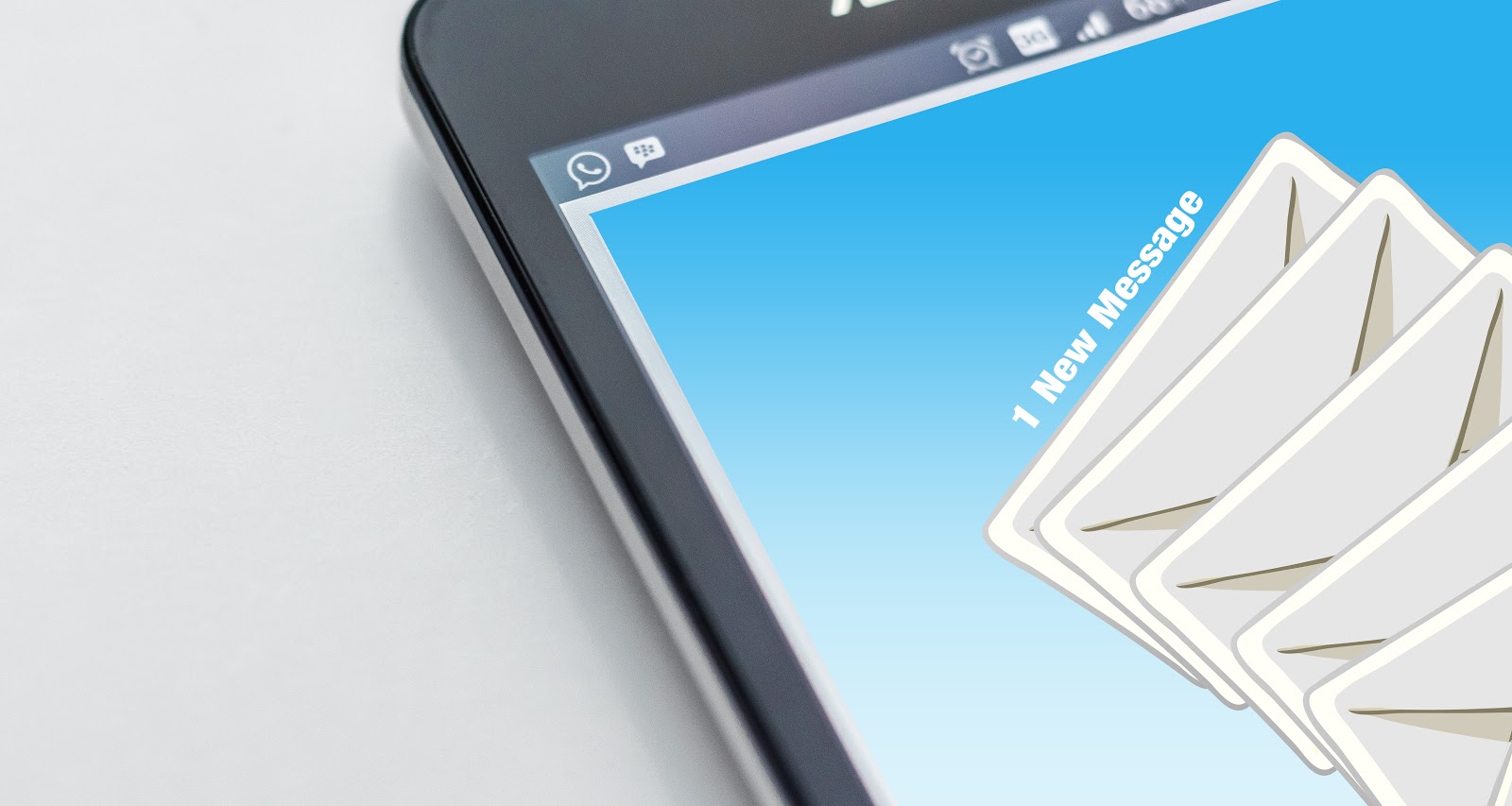
Email is the sharpest tool in the box for building relationships, generating new customers, and increasing sales on your website. Here’s how to get started.
Remember in 1998’sYou’ve Got Mailwhen Meg Ryan‘s character waits impatiently for her dial-up internet to connect before typing an email to her virtual pen pal on a simple dialog box? Watch it now and cringe; we’ve come a long way, baby.
But while dial-up and AOL instant messaging are stuck in the stone ages of the internet,email isn’t, especially foryou website ownersout there — and here’s why.
Even though we tend to dread the sight of an overstuffed inbox, the reality is this: Email triumphs as a powerful tool of communication and persuasion for website owners and businesses.
And marketers understand this.
In fact,89% of marketerssay that email is their primary channel for lead generation. This seemingly-archaic medium is increasingly relevant — unlike screen names or Myspace pages — for website owners looking to build customer relationships and augment sales.
Marketers consistently rank emailas the single-most-effective tactic for meeting their awareness, acquisition, conversion, and retention goals. They’ve branded it, fittingly, “the workhorse” and prove your marketing budget should include more $$$ allotted for an invested email strategy.
But understand this: You don’t have to bea big-shot marketerto create and send email campaigns. Even beginners can use emails to generate slam-dunk sales or build a loyal blog following.
So what exactlyisemail marketing? How can you encourage customers to sign up for your emails in the first place? Then, how do you craft sparkling newsletter copy while avoiding the spam folder?
Well, you’re in luck. We developed the Website Owner’s Guide to Email Marketing to help you understand and implement the fundamentals of email marketing. Read on and learn the ins-and-outs of segmentation, automation, sequencing, bounce rates, and how to craft that email your visitors are anxious to open:
If you’re like58% of adults, after waking up and resisting the urge to hit the snooze button, you’re rolling over groggily to grab your phone. Within seconds, you’re scanning your email inbox before your eyelids have even fully opened.
And now, with the increased usage of everything mobile, people are “always on” in terms of their inboxes: whether on commutes, in the bathroom (germy, but true), or in almost every social situation, they’re one micro-click away from checking their email.
Email marketing capitalizes on habits like this in a major way.
At its most basic, email marketing involves acquiring the email addresses of potential customers as a way to share content with them and build business-to-customer relationships. And there’s a reason that this strategy is tried-and-true; it’s a good investment — for every dollar spent,email marketing averages an ROI of $38.Cha-ching!
Still not convinced that you need an email marketing strategy? Consider these stats:
You aresix times more likelyto get a click-through from an email campaign than you are from a tweet. Bonus: you get more than 140 characters to do it.
90% of emailgets delivered to the intended recipient’s inbox, whereas only 2% of your Facebook fans see your posts in their News Feed (they’re probably watching cat videos).
Email is a direct line of communication you have with website visitors that explicitly said they want to hear from you!
Some social media platforms cater to specific age groups — and not others (hello, Snapchat). Biting your nails over catering to millennials, baby boomers, or Gen Xers, respectively? Email marketing crosses age groups in terms of effectiveness.Email is the preferred meansof business communications acrossallage groups.
Once you have their email address, you can continue to market to your subscribers for mere pennies (unless they unsubscribe). A budget-friendly marketing gift that keeps on giving!
Consider a basketball analogy: Email marketing is like shooting a layup, versus a shot from half-court . . . blindfolded. One is targeted and direct — an almost guaranteed score — while the other is haphazard hit-or-miss.
All setup? OK, now it’s time to market your content and products to loyal followers.
First, it’s smart toset some goalsandmake a planfor what you want to accomplish through your email marketing efforts. This will guide the type of messages you sent and how you target your subscribers.
Second, you’ll need a reliable Email Service Provider (ESP). This kind of provider is different than your basic Gmail account — an ESP allows you to send messages in bulk.
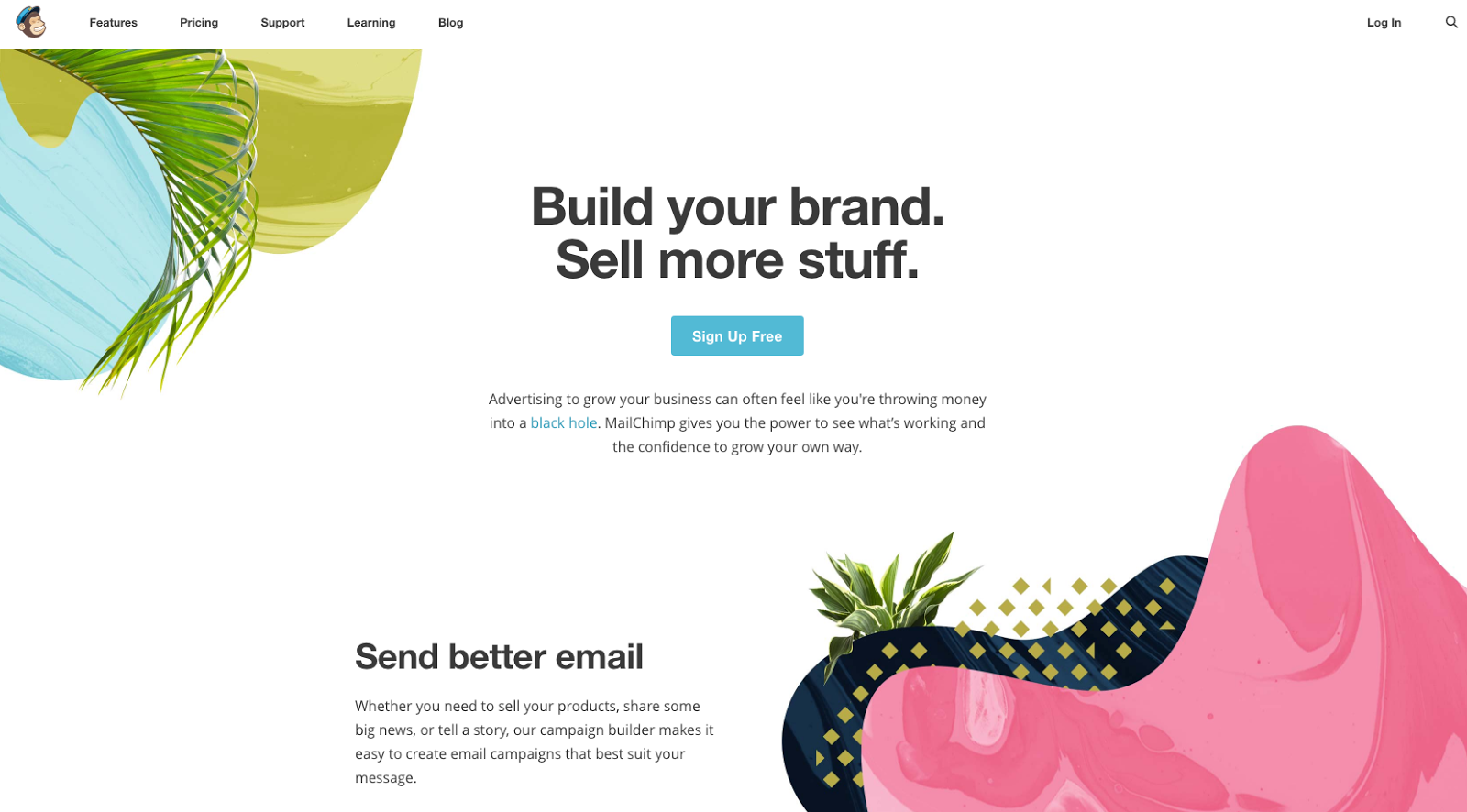
The most popular of these is probablyMailChimp. Still,many ESPsoffer various features — like security reports and levels of automation — so do your research and choose a service that provides the tools you want at the price your budget allows.
Next: Building a list of subscribers.
Successful email marketing works like visiting someone’s house — you have to be invited first. Email marketing begins when a potential or current customer gives you their permission to send them emails.
Just say “Nooooooo!” to buying email lists or firing off spammy messages to those who haven’t granted you their permission. You want to nurture relationships that lead to sales, not alienate and annoy potential customers. (We’ll address this more in the “Slam That Spam” section below).
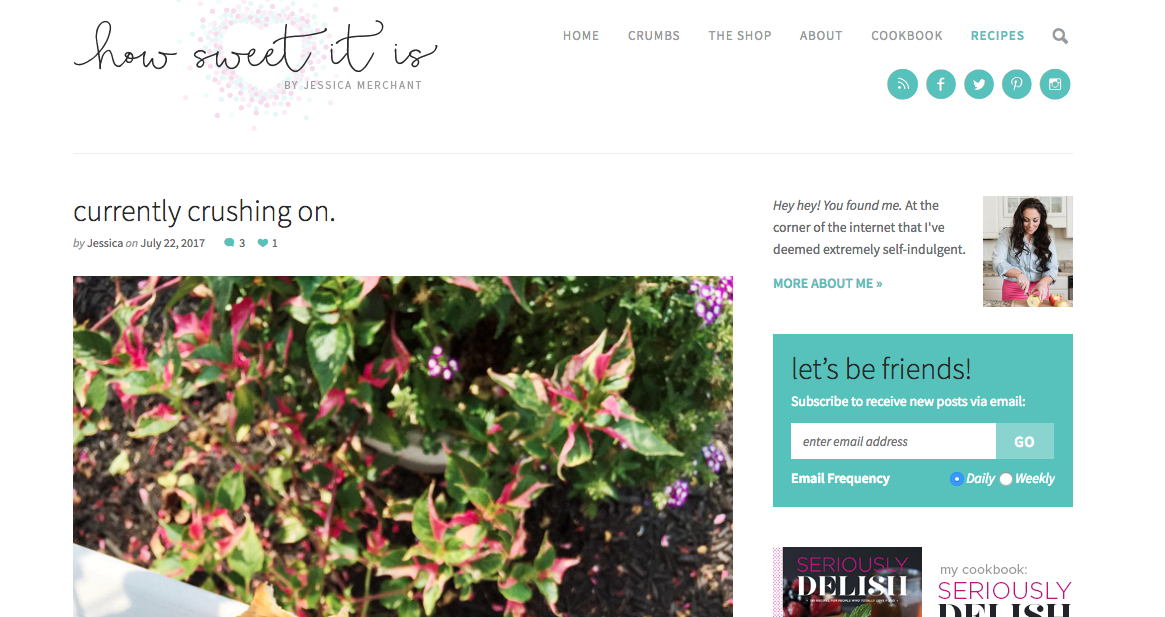
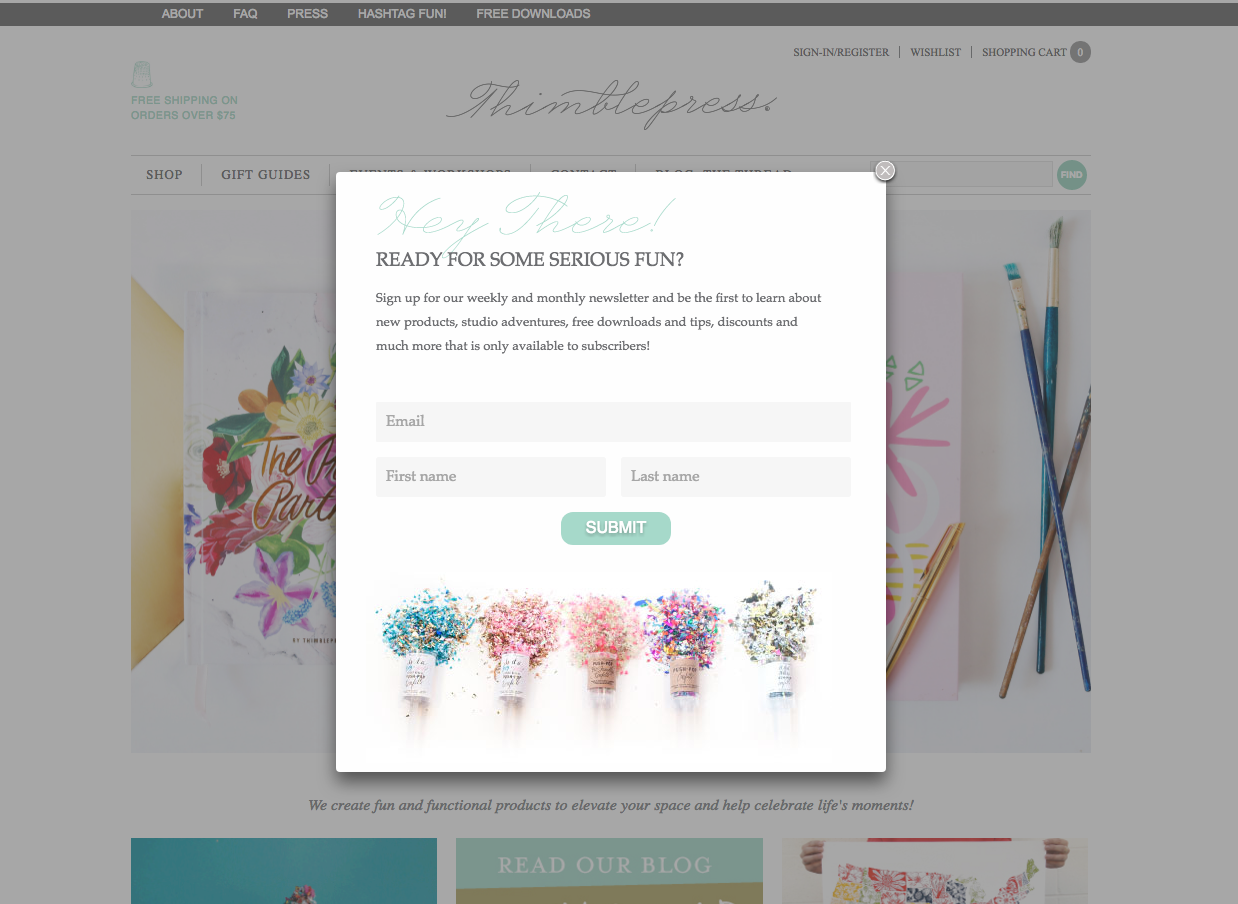
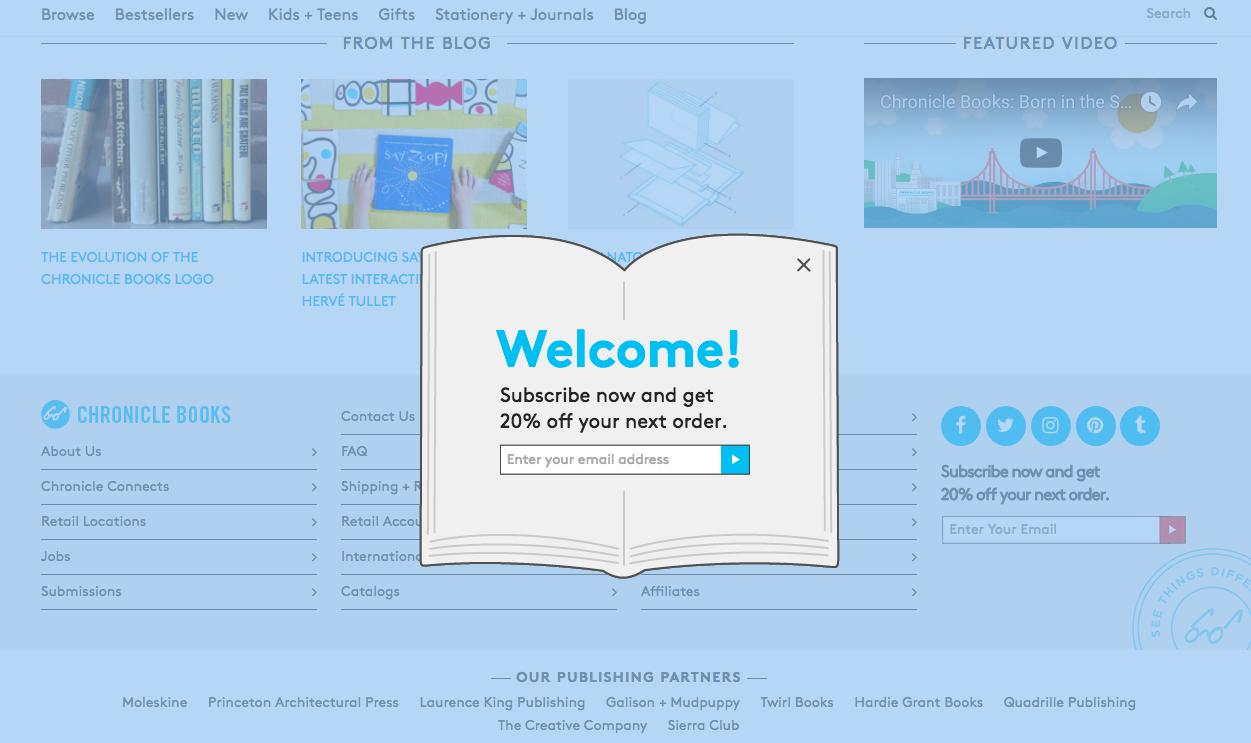
A sidebar opt-in widget on food blog How Sweet Eats.A pop-up email subscription form on craft site Thimblepress.A creative pop-up subscription option from Chronicle Books.
Just as there is with crafting your email content itself,there’s an art to creating a winning opt-inmessage, like incorporating appealing visuals, a persuasive description — that offers subscribers some kind of additional benefit — and a compelling subscribe button (among other things).
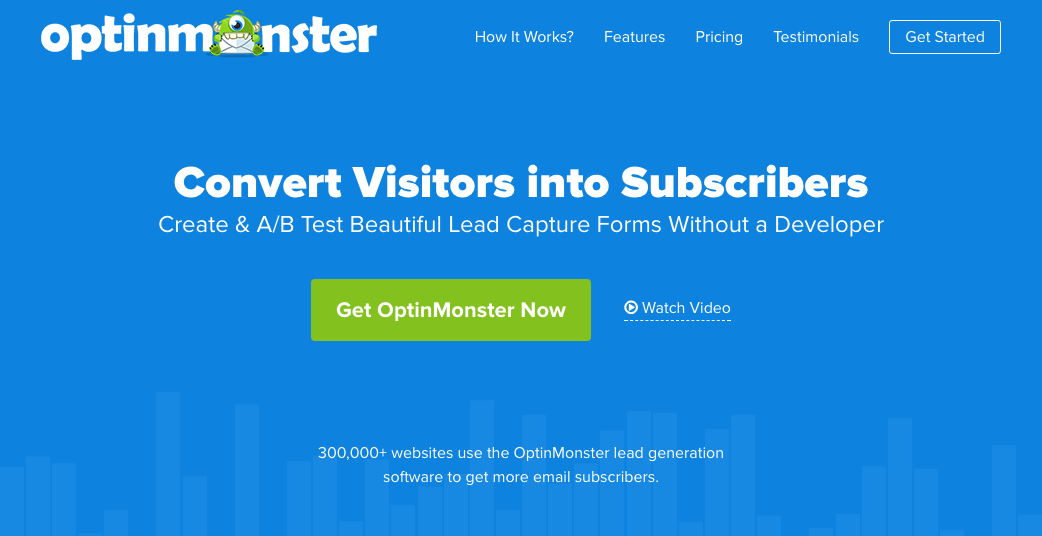
OptinMonsteris a simple — and effective — way to set up lead capture forms on WordPress (and other websites and e-commerce sites) that integrate with many ESPs. Easy peasy!
2. The Nitty Gritty
Just as there is with crafting your email content itself,there’s an art to creating a winning opt-inmessage, like incorporating appealing visuals, a persuasive description — that offers subscribers some kind of additional benefit — and a compelling subscribe button (among other things).
OptinMonsteris a simple — and effective — way to set up lead capture forms on WordPress (and other websites and e-commerce sites) that integrate with many ESPs. Easy peasy!
“Email list segmentation is the process of breaking your subscribers into smaller groups based on specific criteria so that you can send them more personalized and relevant emails.”
Emails that are more targeted will help you get the right content to the people who will be most interested in reading it,resulting in higher click-through rates and conversions(not to mention a decrease in the number of those hitting the “unsubscribe” button or sending your mail to spam). By segmenting, you can vary the content, like sending your newsletter or promotional content to the most receptive audience.
Location —Having anupcoming eventor pop-up sale? Notify subscribers who are local to the area.=
New Subscribers —Welcome the newbies and let them know how glad you are to have them as a part of your following.
Items Remaining in Shopping Cart —Give acall to actionto those hesitant or forgetful shoppers. Remind subscribers with yet-to-be-purchased products in their online carts to complete their check-out.
Preferences —Segment your emails based on certaintypesof emails. Some subscribers may only want to be notified about upcoming sales or discounts; others may want news of every just-launched blog post.
Open Rate —Call it a “frequent-reader” perk: lavish your engaged subscribers with unique content or premiums.
Survey or Quiz Results —Group customers based on how they respond to your prompts for feedback.
Those are just a few ideas on the ways you can segment your email list (and there aretons more).
The goal of segmentation is personalization; each subscriber receives content relevant to them and will, therefore, interact with the content more. Picture it: fewer spam designations, more engagement, more successful email campaigns, more conversions, etc.
Along withsegmentationis sequencing, a tactic in which a series of emails are generated based on set intervals or subscriber behavior-triggeredautomations.
Sequencing helps you automate (less work for you) and get the right messages to your subscribers — the groups you’ve segmented — when they will be most effective. (More detailshere.)
Types of sequences may include a series of emails targeted at reactivating disengaged subscribers, encouraging them to attend a local event, or following up on a recent purchase.
And it works; after one year of using automation,32% of businessesreported increased revenue.
3. Slam That Spam
A major —repeat, major— part of your email marketing success (akaincreased conversions,killer content, and a growing readership) is understanding — and avoiding — the spam folder.
Sowhat is spam exactly? Well, in short, it’sunsolicitedmessages (meaning, no consent was given to receive them) sent in bulk.While sometimes amusingto read, spam is ultimately annoying to consumers, and no business wants their carefully crafted copy relegated to the black hole abyss of email spam holes.
The good:As people are sending fewer email communications to the trash (or spam) bin, it’s a sign that perhaps email marketers are refining their craft so that email messages are more useful to consumers.
The bad:Spam filters are better and more aggressive than ever before, so it’s important to take care that your emails don’t lead to a negative brand association.
So let’s consider a few (OK, several) roadblocks that can stall you from reaching your consumers’ inboxes.
Understand the How of Spam Filters
An important key is understanding how the filters work in the first place. While there are many triggers, here aresome things they look for:
Relationship with subscriber
Reputation of IP address and sender domain (read more on thishere)
Quality of email subject line, teaser, and content
Quality and safety of included links
Presence or absence of images
Inclusion of text version of the email
Additionally, spam filters monitor subscriber behavior to improve their filtering formulas, tracking actions like the opening of emails, time spent reading the email, enabling of images, spam flagging, folders applied to email by the subscriber, forwarding of emails, etc.
And because these behaviors vary from subscriber to subscriber, a unique “email spam score” is given to each email sent to every individual subscriber. Sounds complicated, but there are things you can do to significantly improve your chances that your message will arrive successfully to your subscriber.
Spam filters are smart. Some other instant red flags: over-the-top font colors (consumers don’t like this either), font color tags that aren’t formatted correctly, misspellings,overstuffing keywords, andrisky word choices(best to avoid “free,” “prize,” “promo,” “no obligation,” and “buy”).
In addition, be conservative with punctuation and capitalization. Aside from the resulting in red-flagging, it’s just . . . ANNOYING!!!!!
See? We told you.
Lastly, don’t play dirty. Attempting to outsmart spam filters (like inserting random characters and numbers into your content or subject lines or concealing text in an image) or tricking your subscribers by starting the subject line with “Re:” or “Fwd:” to suggest an ongoing communication with you just eats away at your credibility.
Instead, put your efforts into building a quality email list and sending out content that customerswantto see pop up in their inbox.
Build Your Own In-House Email List
The permission-based approach is best. Make sure that the recipients of your messages have provided explicit consent to receive your communications through a sign-up or opt-in form. Encourage them to add your email to their address book.
No one wants a dwindling email list, but the reality is this: 50% of consumers branded a company’s email as spam because they couldn’t easily figure out how to unsubscribe to the messages.
Make it easy for your subscribers to part ways; it’ll save you the spam label and leave you with the most invested subscribers — plus, it’s the law!
Don’t Send Lackluster or Irrelevant Content
Consistency is the rule forcreating content on your website. This make-it-or-break-it principle is critical for your email communications too. If your blog channels a friendly-neighbor tone, you should have an email voice to match. Keep your messaging consistent, so you don’t give your readers branding whiplash.
Secondly, honor your subscribers’ time.As it has been aptly said, minutes of your customers’ time are like dog years on the internet — woof.
Our digital diets are only programmed for rapid-fire “tastes” of virtual content, so your subscribers’ time reading your content should be well-spent. Honor their minutes by making your emailsworthreading. Otherwise, it’s “Email, meet Trash Bin.”
Also, understand that you really only have a few seconds to grab their attention in the first place.Research showsthat most people have a group of “trusted advisers” from whom they will almost always open emails — secure this spot and your customers’ attention is yours.
In addition to checking your domain name forblacklisting(you might also hear this referred to as adenylist), you shoulduse a reputable ESP. Need help choosing the right provider? Checkhere. You could also consider gettingthird-party accreditation, which can help deliverability.
Understand the Rules
More than just staying clear of boring or unrelated content, you need to be aware of the rules surrounding email marketing and how your content could potentially be violating established spam laws. With most — if not all — email providers, you will need to verify that you areabiding by the law.
CAN-SPAM Actapplies to“any electronic mail message the primary purpose of which is the commercial advertisement or promotion of a commercial product or service.” Simply put, all emails must comply.Eachemail in violation can incur a fee of upwards of $40,000! Gulp.
Here are the must-dos and don’t-even-think-about-its for staying on the right side of the law.
1. Don’t Deceive or Mislead
Your “From,” “To,” “Reply-To,” routing info (the domain name and email address), and subject line must all accurately reflect the correct information, including the business the message is originating from and the content of the message. Be truthful and clear.
2. Identify Ad Content
You must communicate clearly and visibly that your message is an advertisement.
3. Give Your Location
In your email, you must include the physical address of your business (whether that be a street address, P.O. box, or private mailbox you’ve registered under Postal Service regulations).
4. Tell Subscribers How to Opt-Out
It’s not just a good idea to have an easy unsubscribe method. Letting your subscribers know, clearly and conspicuously, how to opt out of future messages is the law. You must give subscribers the choice to stop emails, and you must explain how (by using a clear, contrasting font to distinguish it on your email, by giving a return address to reply to — which should be a human reply-to address — or providing another internet-based way).
Additionally, make certain that your own spam filter does not block opt-requests from subscribers. Another element of the law is honoring these requests swiftly (within 10 business days) and not requiring additional demands from the subscriber, like fees, personal information, or other actions besides visiting a single page or sending a reply email. You cannot transfer or sell the former subscriber’s email address.
5. Understand Your Personal Obligation
Chances are that if you’re reading this, you’re working on improving (or starting) your business’s email marketing strategy. But, on the off chance that you’re merely reading this for fun (totally understandable) and you’ve hired someone else to manage your email marketing, understand that you still possess the legal responsibility to comply with the law. Even if it’s just your product promoted in the email messages, you could be held legally responsible for violations. You can read up on more detailshere.
6. Keep Your Email List Updated
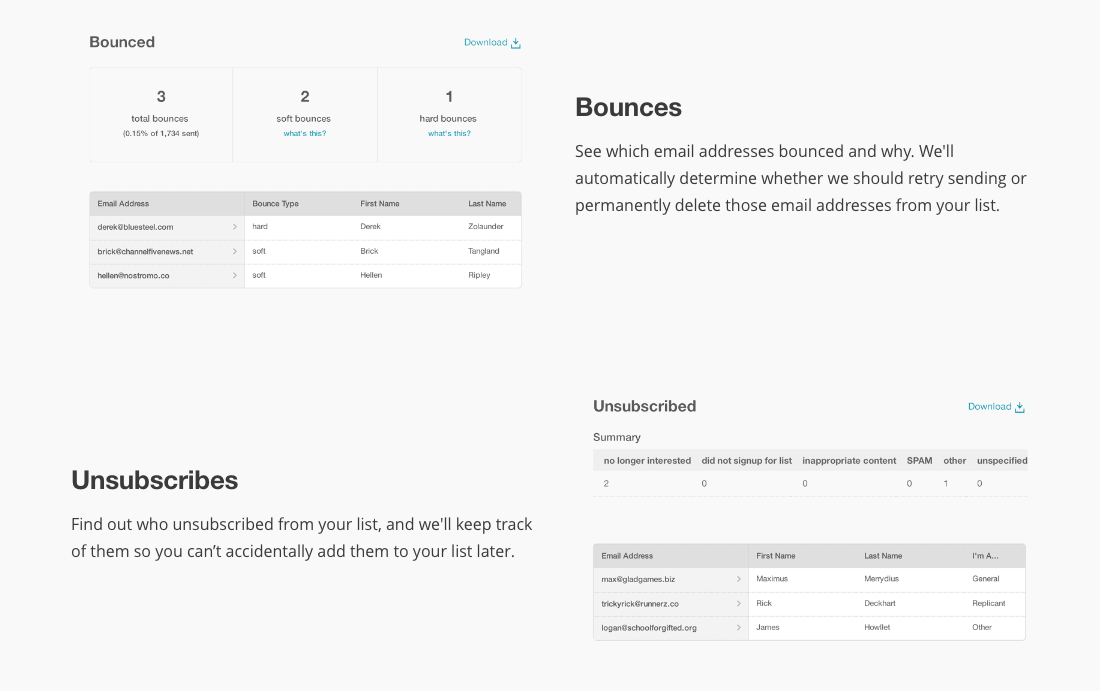
It’s important to stay connected with your subscribers and keep your email list as up-to-date as possible, as email addresses change often. Hey, that young professional doesn’t want to use their “starwarslover6785@aol.com” address forever. A stale list can lead to too manyhard bounces(emails rejected for permanent reasons like invalid or inoperable email addresses) and raise your spam score.
7. Think Timing
Sure, your subscribers might not like a lengthy email every day, but sending out a rare email every few months could hurt. When your messages do show up, your readers might not recognize the “From:” designation and send you straight to spam or delete your message quickly, damaging your stats and credibility.
8. Consider Size
If your email content is too large, it could result in asoft bounce, a temporary delivery issue that signifies that your content got as far as your subscriber’s mail server but was then bounced back. Reasons for soft bounces may also include full inboxes or an offline server. The email provider you use should attempt to resend your email over a period of days, but be on the lookout for repeat bounces and remove them from your list. (Read more about bounce rates in the Metrics section below).
9. Be Wary of Inserts
Videos, embedded forms, and attachments aren’t smart things to include in your email messages. Forms and videos often aren’t supported for security and compatibility reasons. Plus, there’s mobile to think about (more than that later). If you have an additional PDF or worksheet you want to share, upload it to your site and provide a link in the email you send out.
10. Test Before You Send
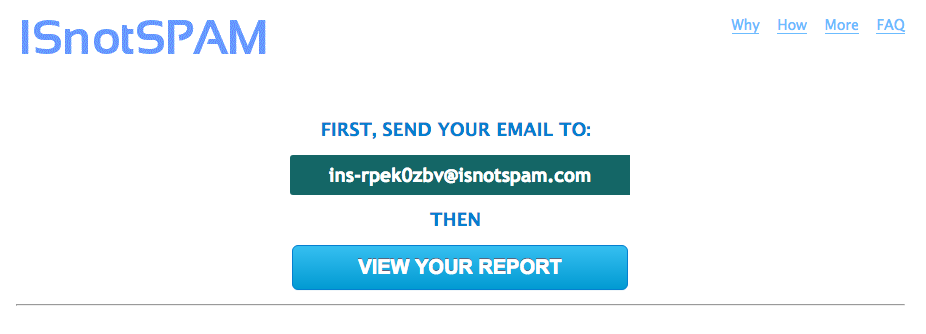
Lastly, it’s smart to use a service likeIsNotSpam.comto test your email for possible spam triggers.
And for the record, we’reweb hostingexperts, so talk with a legit attorney if you really want to get into theminutiae of spam law.
We’ll Support Your Dream
Whatever your online goals, we’ll be right there with you, making sure your site is fast, secure, and always up. Plans start at $2.59/mo.
It’s time to decide the type of content you want to send out. A good tip is to analyze your email reports and website analytics to seewhat contentdid best — and get writing more of that. Here aresome email communication best practicesthat will earn you more opens, more engagement, and more satisfied subscribers.
Be a Stickler for Good Grammar
This isn’t seventh-grade English class, but it’s important to put in the work to make sure your content is error-free and professional. You want your subscribers to trust you and keep returning to read. Get a second pair of eyes and usean editing checklistto help you spot mistakes. Nothing turns off a subscriber more than a misplaced comma or spelling error. Can you sayamatueramateur?
Write Like a Friend
While you still need to be professional, it’s also important to write conversationally and not like a robot. Add personal touches that help show your personality and approachability. Also, use the word “you.” Turns outit’s pretty convincing.
The emails from Promptly Journals make you feel like a VIP, not just a subscriber.
Learn From the Pros
There are a lot of companies out there who are doing email marketing well.Here are a few. Learn from the best and adapt your content to adhere to winning principles and make your emails — dare we say it —funto read!
If your subscribers wanted to slog through dense copy, they’d read a textbook. Remember, they’re “snacking,” so avoid clutter andmake it easy for them to findwhat they’re looking for with text breakups, visual cues, and a clean design.
Just like a good story needs a good ending, don’t leave your email with ablahfinish. Give a clear call-to-action prompt that engages your subscriber to do more. I mean, that’s why you’re sending the email in the first place, right?
Some important things to keep in mind when writing subject lines:
Personalize, personalize, personalize. The more you can make your message seem tailored to each subscriber,the more they’ll keep reading— and buying.
Rise above clickbait. Readers will quickly ditch if promises are left unfulfilled.
Keep it short and sweet.
Take it easy on punctuation and caps, OKAY?!?!?!
Offer hints at what’s inside — discount, you say? I’m enticed. Bonus points if you can make the reader feel part of anexclusive clubor create a sense of urgency to act.
Follow an enticing sub headline with a complementarypreheader. If the two play well together, you’ll have committed subscribers that anxiously await your messages.
Many consumers are nowreading email exclusivelyon mobile devices and are pretty picky about how your messages look on their devices:more than 80% of peoplereported that they will delete an email if it looks wonky on their phones. Yikes.
Make Sure Your Templates Are Mobile-Ready —Regardless of which ESP you use, ensure that your message is formatted for every mobile device. Usereadable fonts, a single-column layout, and touch-friendly buttons (mobile screens are small!)
Be Conscious of the Length of Your Subject Line —Too long, and it will get cut off on a mobile screen.
Resize Your Images —Make sure images and text are balanced in relation to each other.
Make Sure Your Links are Mobile —Verify that the pages you link to are also mobile-friendly so subscribers can successfully answer your call to action.
Create a Browser Version —Offer a browser version of the email so readers can open it outside of their email client.
Do a Practice Run— One of the best ways to assure that all content is ready to hit your subscribers’ inboxes is to send yourself a test email. Check all links, images, and subject lines in your own personal inbox.
You’ve crafted your winning email and sent it out into the interwebs — now what? How can you judge the success or failure of your email marketing campaign? What should you look for? Like any marketing effort, it’s important to analyze your results and improve any needed efforts, butwhat metrics are most important?
Here is a quick-guide glossary of metrics you should keep an eye on in coordination with your personal goals.
Bounce Rate
As we mentioned before, bounce rate (both hard and soft) indicates the percentage of total emails that were undeliverable — permanently or temporarily — measuredby the total number of bounced emails divided by the number of emails sent. Sometimes this is a server issue, sometimes it’s a spam issue.
Unsubscribe Rate
This number — the rate at which people remove themselves from your email list — is a good correction tool; it can help you know which emails were causing subscribers to ditch your list and correct those issues in future communications.
Open Rate
The percentage of email subscribers who open a given email. But this can sometimes be misleading, as an “open” is counting as a subscriber who receives the images embedded in a particular message. But it can clue you into what subject lines are most effective, which days your emails are opened, and the average percentage of your email list responding to your messages.
Click Rate
The number of times links in your message are clicked on. This is important for understanding your subscribers’ level of engagement and how they are interacting with you — and acting on your invitations to buy, visit, or give feedback.
Action Over Time
A timeline of engagement with your emails; this stat can assist you in planning when is the best time to send campaigns.
Spam Score
Not all email marketing service providers will provide you this number, but it’s worth thinking about if you can get your hands on it. Before you hit send, it can indicate the likelihood of your message getting slammed by spam filters. A Spam Complaint metric can also be used to correct past errors that caused your subscribers to designate a certain message as spam. Based on these numbers, you can adjust your content format.
It might also be important to keep track of email client data; with this, you can see how successfully or unsuccessfully messages might be appearing on different client types.Also, encourage your subscribers to give you feedback so you can learn and improve your communications the next time around.
Lastly, here are sometoolsthat can help you keep track (if your service provider doesn’t already) andbenchmarksthat help you see how you stack up in your industry.
The Last Word
Take a breath. Email overload, we get it. You can always bookmark this guide and refer back to it when you’re ready to take the next step in improving your communications with subscribers.
And in case you scrolled all the way down here looking for the TL;DR, we’ve got you covered. Here are the key takeaways for starting your own email marketing program.
Test, Test, Test —Whether it’s spot spelling mistakes or checking for possible spam triggers, test your emails before sending them. It’s an investment worth the extra few minutes.
Keep Your Email List Healthy —A fresh list will help you avoid a lot of issues, including spam and legal concerns, not to mention depressing analytics. Consider running a re-engagement campaign every six months or so to maintain your list.
Be Consistent —Not only in the type of content you share but the frequency in which you send it. Your subscribers will come to know — and trust — you and anticipate your messages.
Focus on Quality —Spend time on both the writing and design of your emails. These elements will not only increase your stats but help build solid relationships with subscribers.
Add a Call-to-Action Button —Make that CTA easy to find and use. You want to turn those readers into customers!
Make It Personal —Send segmented messages to get the most relevant content to each subscriber. Personalized email subject lines aremore likely to be opened.
Now, back to that inbox.
Ready to Create an Email Newsletter?
Whether you need help finding a target audience, crafting the ideal social media strategy, or setting up a newsletter, we can help! Subscribe to our monthly digest so you never miss an article.
How have these email best practices gained you more subscribers or sales? What’s helped you successfully stay out of spam folders? Forward us your ideas (see what we did there?) onTwitteror join ourFacebook group for site owners.